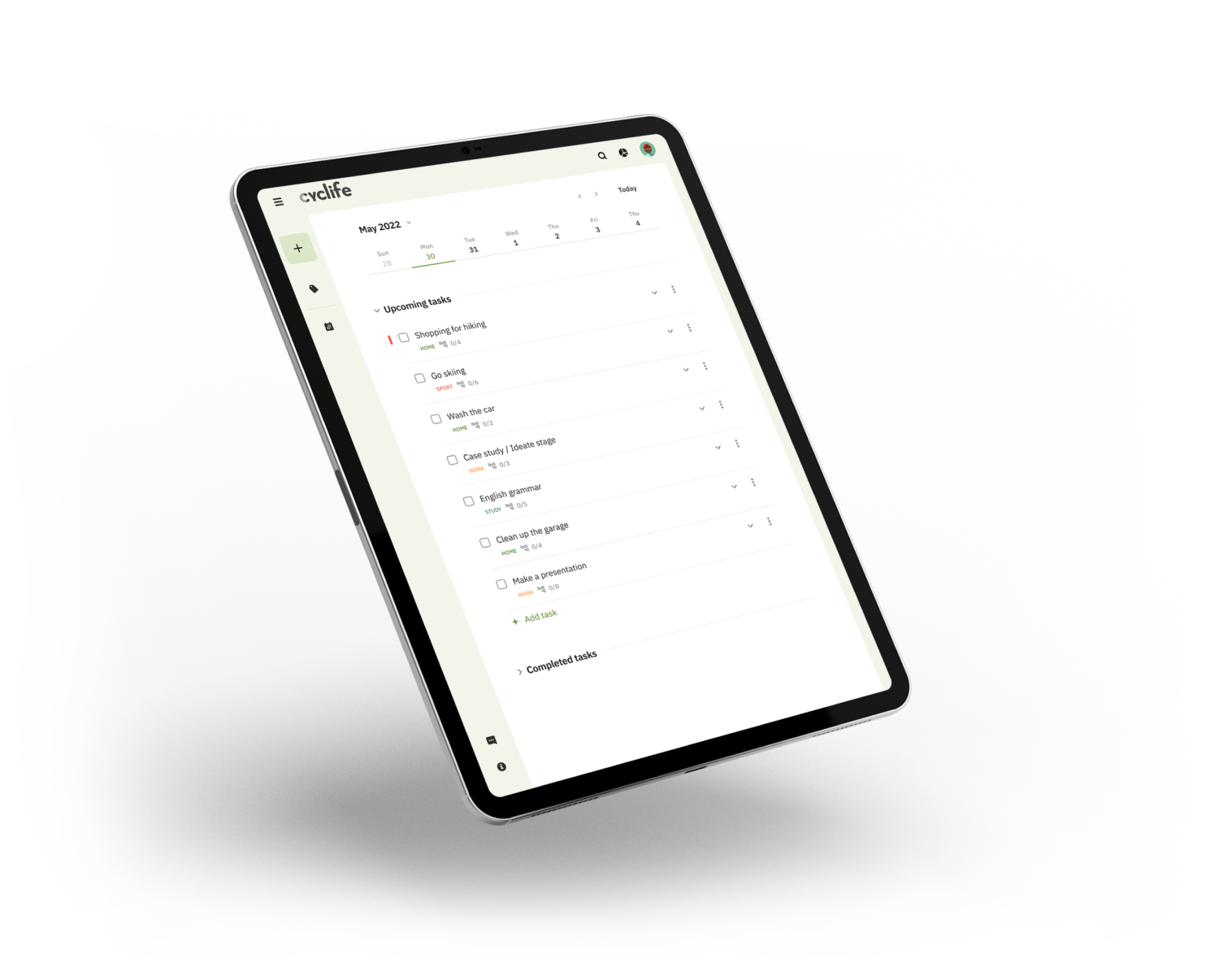
Case study —
Cyclife app

Summary
The goal of this case study was to create a cross-platform product that would help people who lead a sedentary lifestyle to increase their productivity and control their motor activity.
Role / sole designer
UX/UI designer and UX researcher from concept to delivery
Summary
  • Research
  • Wireframing
  • Prototyping
  • Usability tests
Approach
  • Competitive analysis
  • Affinity mapping
  • Usability testing
  • Customer Journey Map
Timeline
2 months

Introduction

Introduction

This project is part of my Google UX Design Professional Certificate program. The idea was to create a concept of an application and a product website that would help people enhance their productivity and have a positive impact on their health. I chose this topic for my work because I use some applications and services myself and I feel that there are things that could be improved.
There are a lot of studies on the decrease in motor activity in modern life. Work and even entertainment make us spend more and more time in front of screens. At the same time, we must look for new ways to do more and be more effective. And the methods of interval time management can help us. Why not combine performance improvement and motor activity in one tool?
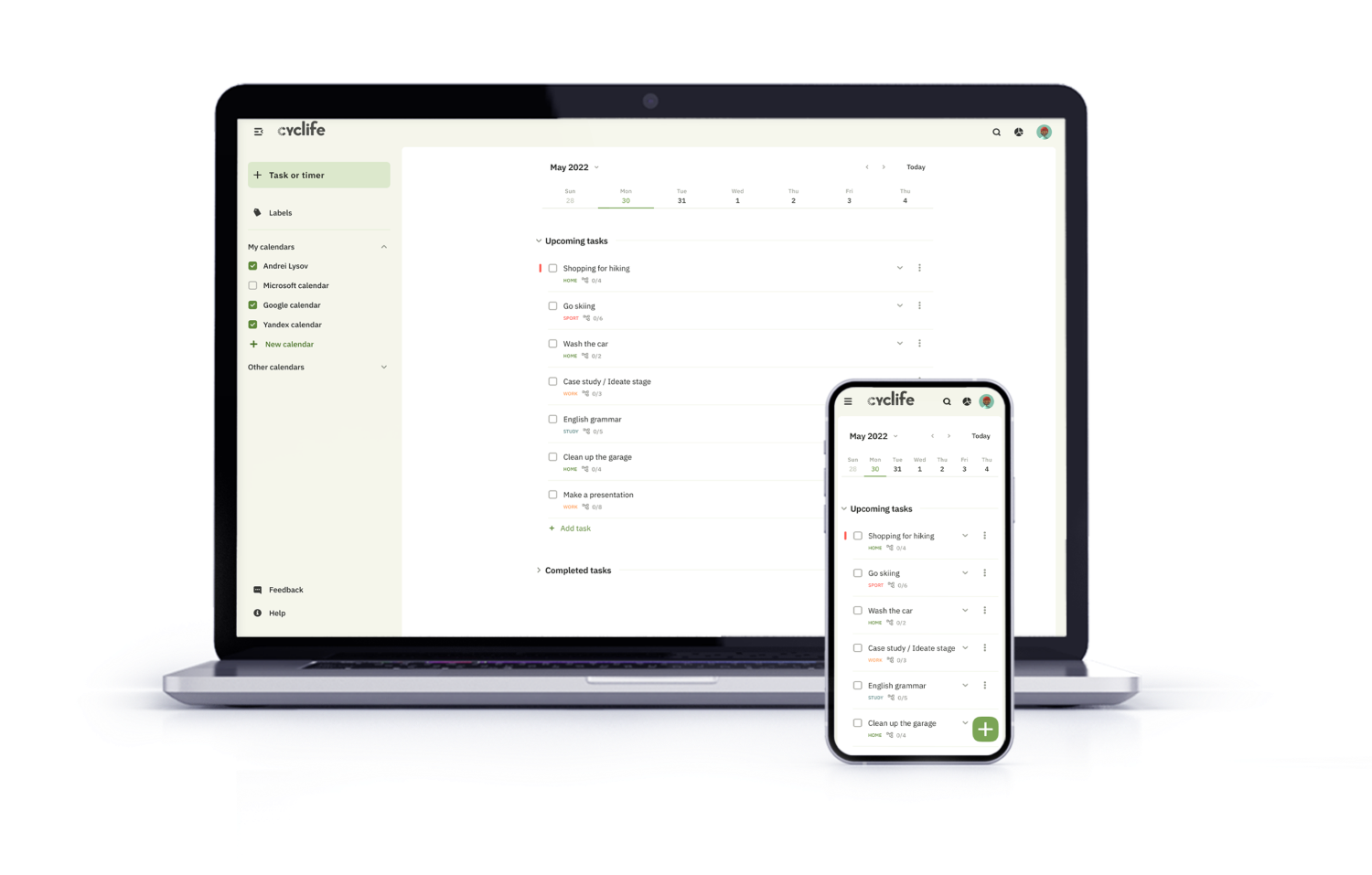
Cyclife is a cross-platform service that should help people increase productivity, manage time and improve their lifestyle.
Challenge
People who spend a lot of time in front of the computer forget about breaks, which has a negative effect on health. At the same time, they have a problem with concentration. Because of this, they need a tool that will help them structure and organize their work schedule.

Design thinking process

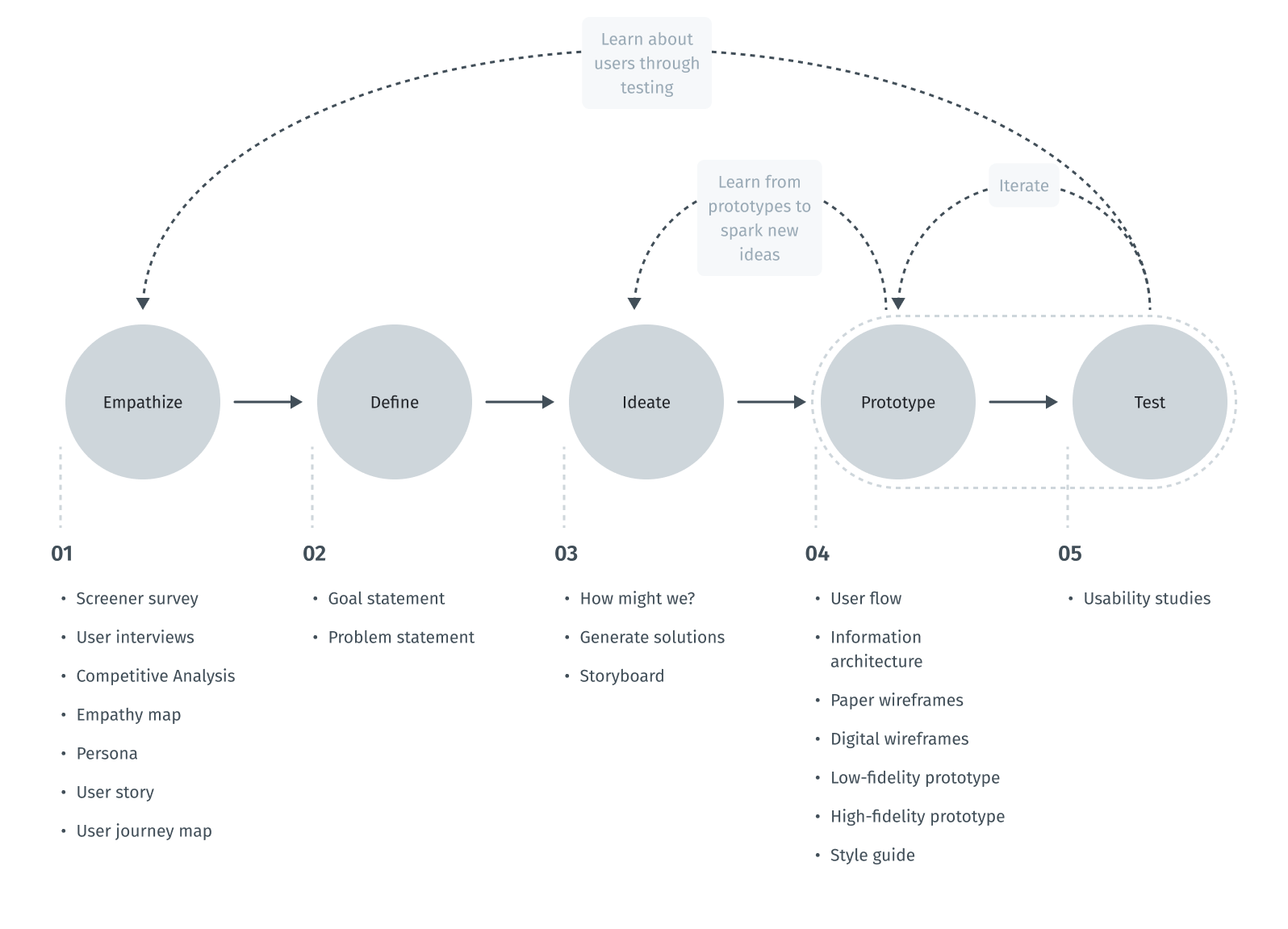
The design thinking framework is based on the user-centric approach to problem solving promotes innovation and helps to act consistently.
In this case study, the steps taken correspond to the main stages of the design thinking process.
Scheme of design thinking process

Empathize

Intro to user research

To understand what users do, say, think, and feel, I had to start from research. I gathered secondary data to gain a more detailed understanding of who my end users are. For these purposes, I used search engine tools to collect social and demographic data.
After that, I conducted a competitor analysis. It gave me an insight in the market space and provided additional context for the problem we are working on.
After doing market analysis, I conducted surveys, interviewed users, and gained insight into what the problem might be.

Third-party data analysis

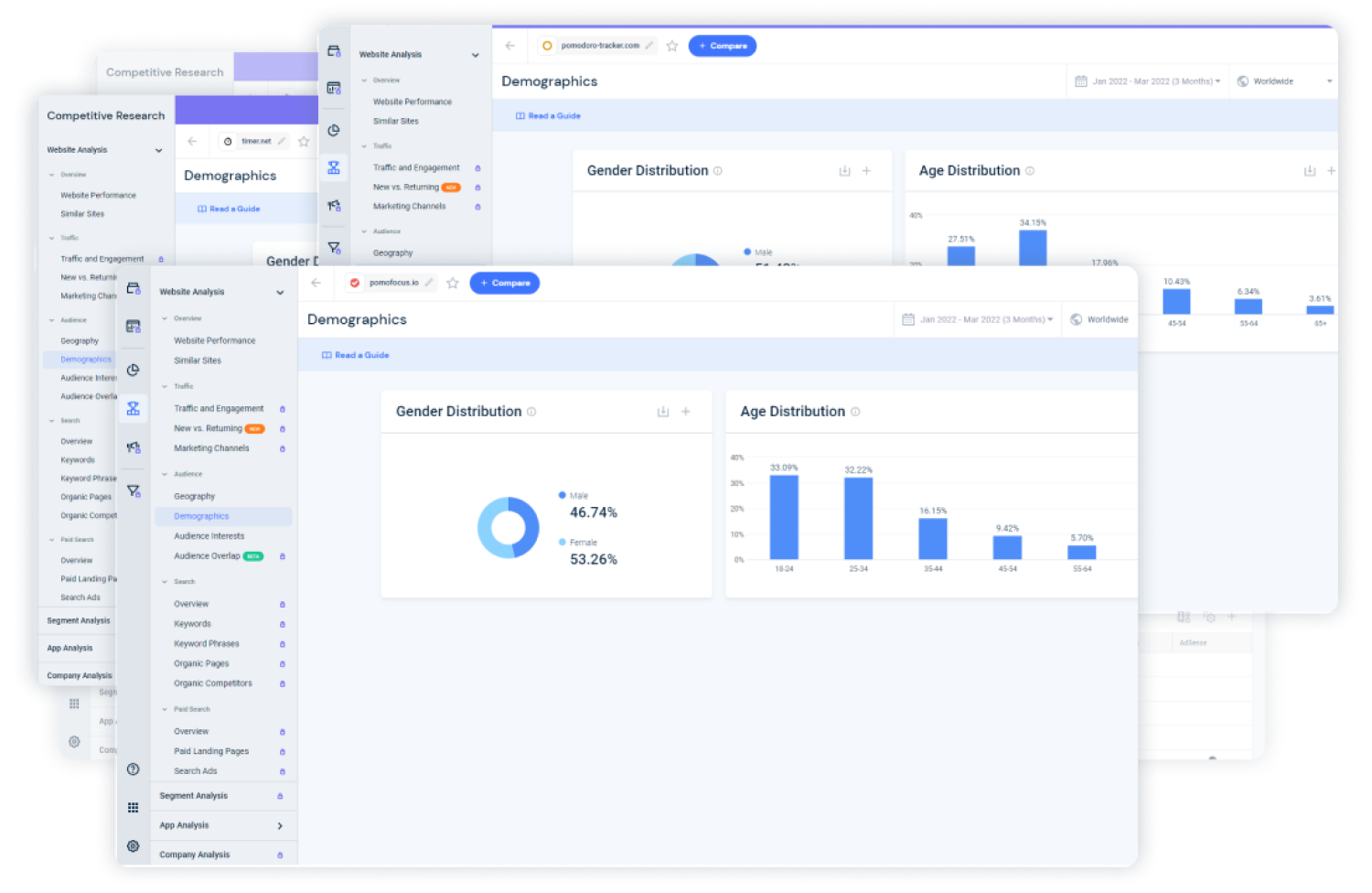
In order to understand who the typical user of time management apps and services is, I collected social and demographic data about users of most popular websites and apps in this sphere. I chose apps and websites of companies like Todoist, Any.do, Habit Tracker, Pomodoro Timer, pomodoro-tracker.com, pomofocus.io and others from the Top 10. Below you can see an example of screens from the Similarweb service.
Example of data from Similarweb
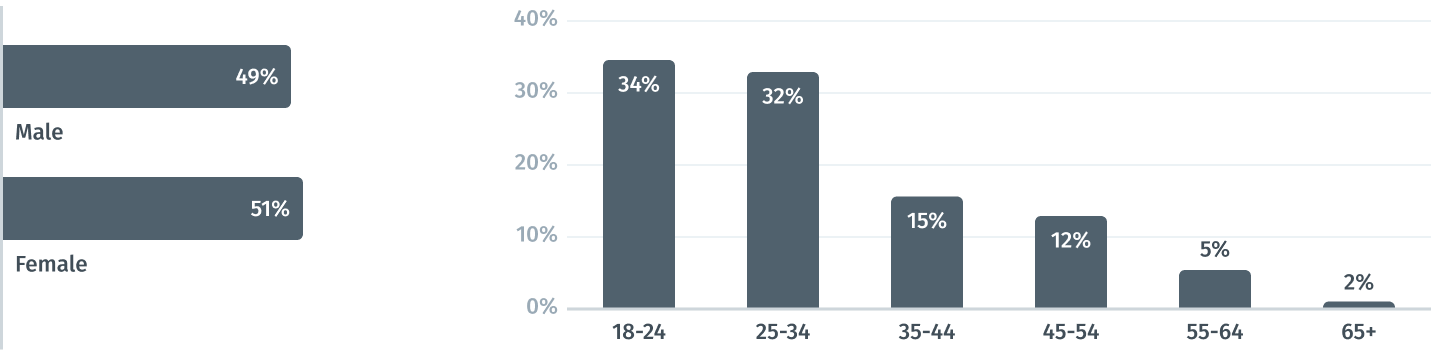
Analysis and compilation of these data revealed almost equal proportion of male and female users, which made males and females from 18 to 34 years old the target audience.
Pivot socio-demographic data

Competitive Analysis

In order to construct a concise and solid foundation for the Cyclife service, I had to look at competitors and find out what key opportunities and features they have.
For comparison, I chose several services who provide pomodoro timer feature, which would be my direct competitors Pomodoro Timer, pomodoro-tracker.com, pomofocus.ioand two productivity services which would be indirect competitors and references for me Todoist, Any.do.
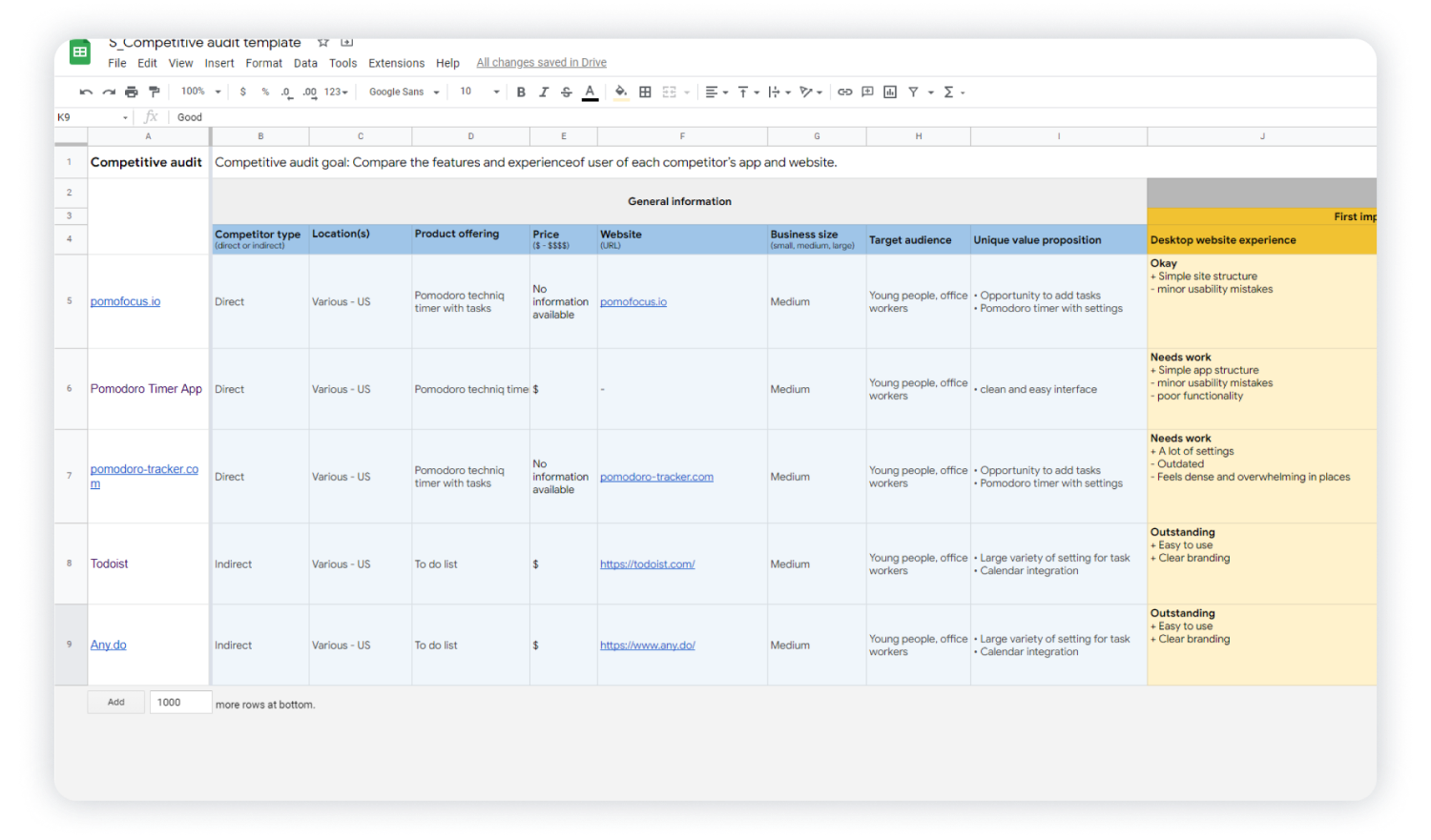
I conducted competitive audit and assessed competitors from different sides such as design, features, impression, interaction, and content. In the screenshot below, you can see a part of this table.
Example of data from competitive audit
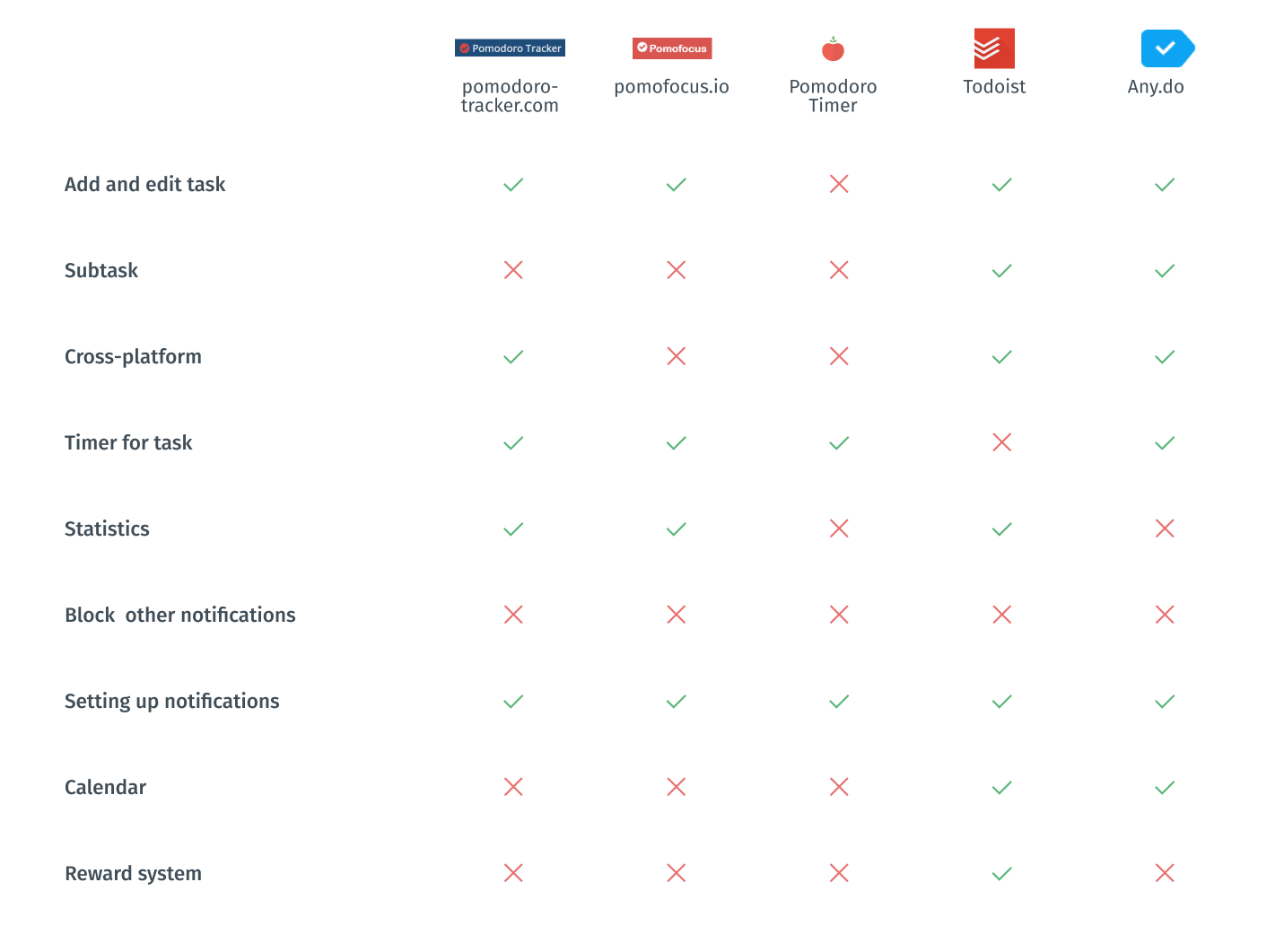
In order to summarize information, I made a pivot spreadsheet for key features to better see what I should emphasize. I also created a list of features ranked by their importance.
Mandatory features and functions:
  • Adding tasks. Some of competitors allow adding subtasks. It is really useful when you work with a complex issue;
  • flexible setup of notifications;
  • full cross-platform working with almost all types of devices include fitness trackers and watches, which is especially important if you want to include sport activities;
  • statistics tracking.
Good competitor advantages:
  • opportunity to block notifications of other applications during the work cycle;
  • calendar has only indirect competitors but it might be helpful if you plan your schedule beforehand;
  • reward and gamification system involves and stimulates people.
Pivot competitive analysis

Screener Survey

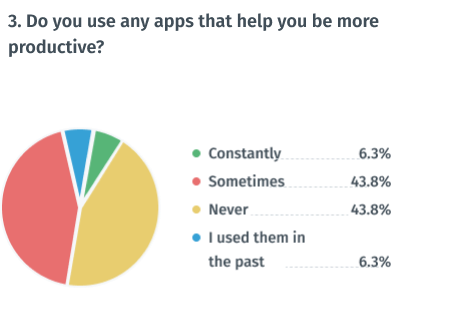
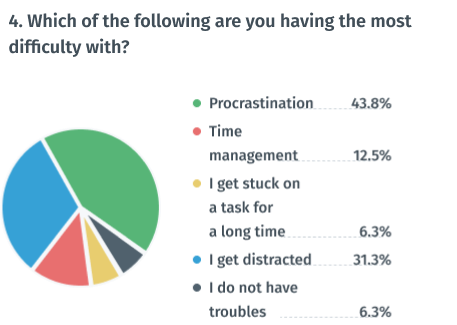
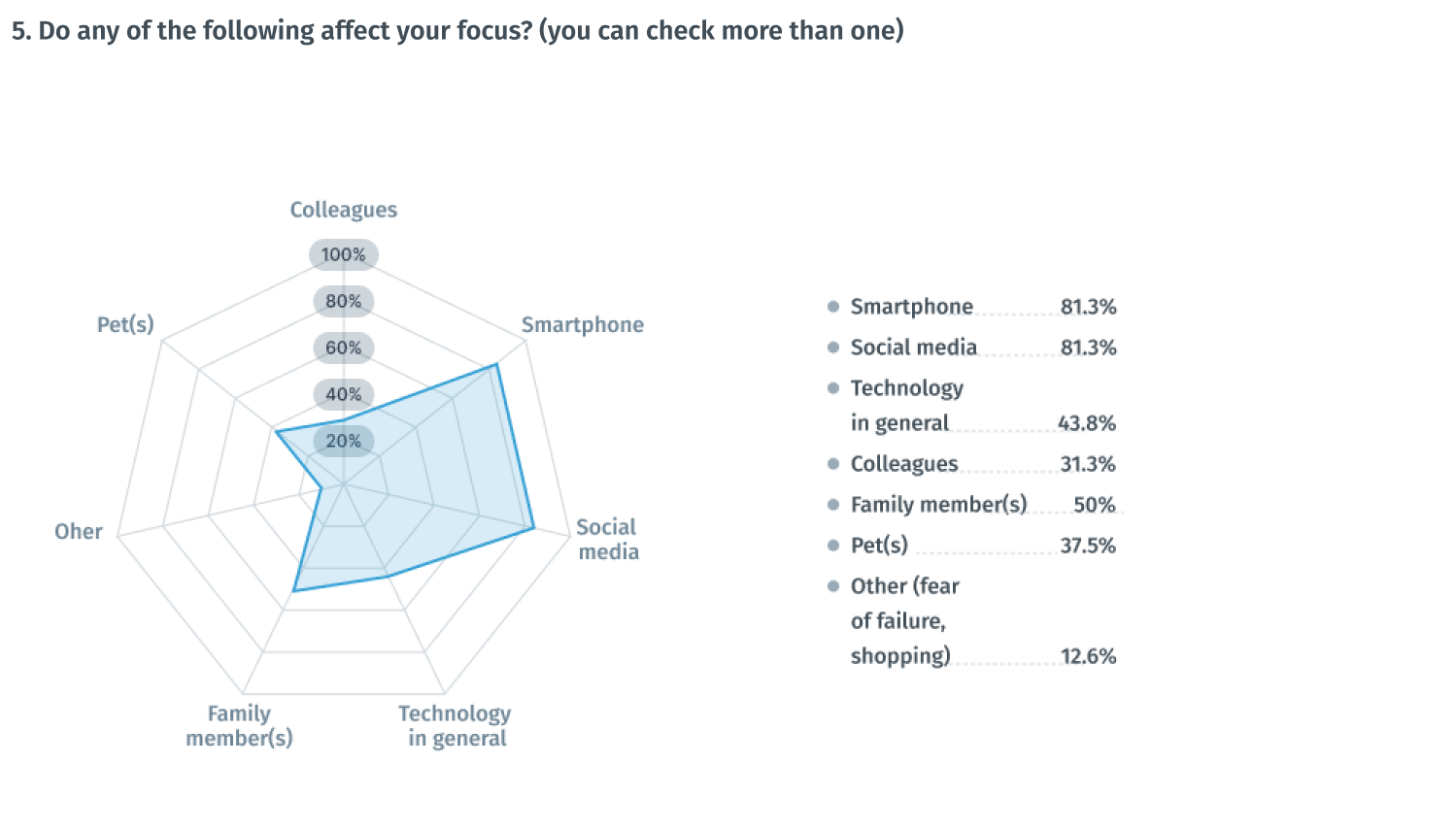
In order to obtain more quantitative research data, I created a screener survey on Google forms and offered to take it to people whose work or study process occurs in front of the computer. I wanted to gain insights into the problem space I was dealing with as well as to get information from the real world that could serve as a basis for my research so that I would not use assumptions in the design process. 22 respondents completed the survey. Also, I reached out to 5 of them for later interviewing.

Some interesting survey insights

75%
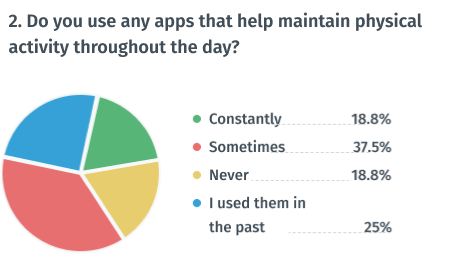
of respondents now or previously used apps to maintain physical activity
94%
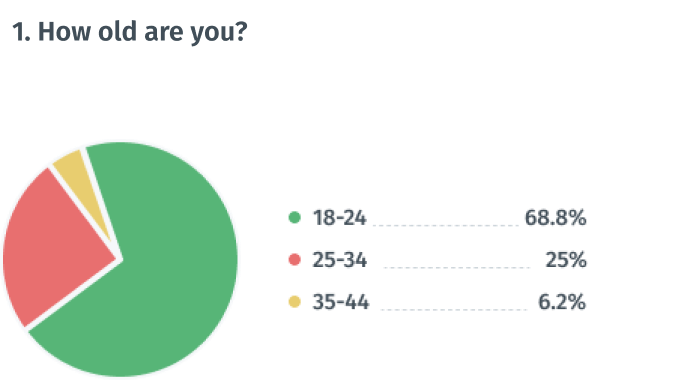
of respondents are between 18 and 34 years old
56%
of respondents now or previously used apps to maintain productivity
43%
of respondents believed that procrastination is their main problem
81%
of respondents believe smartphone negatively affects their focus
81%
of respondents believe social media negatively affects their focus

User Interviews

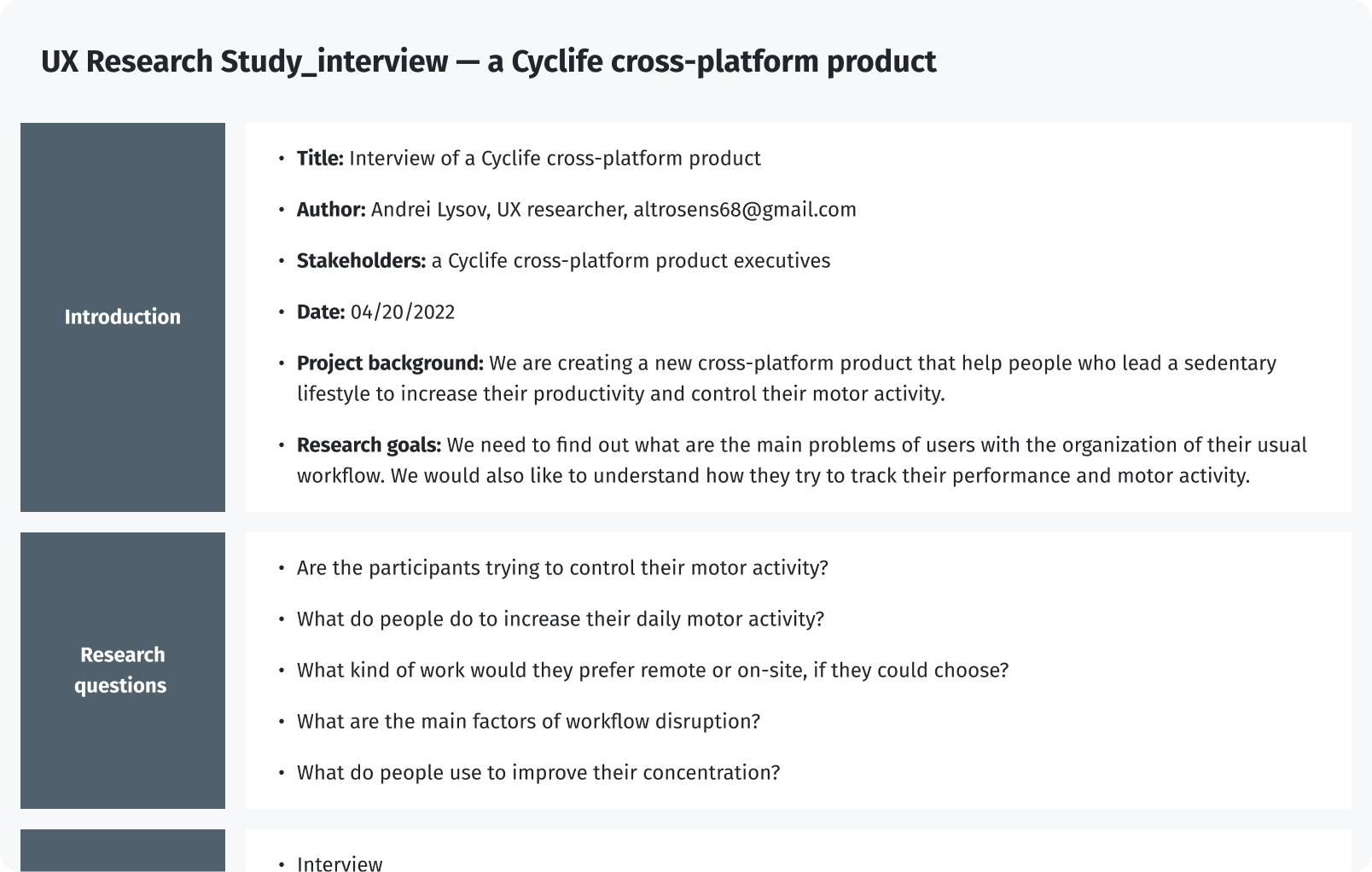
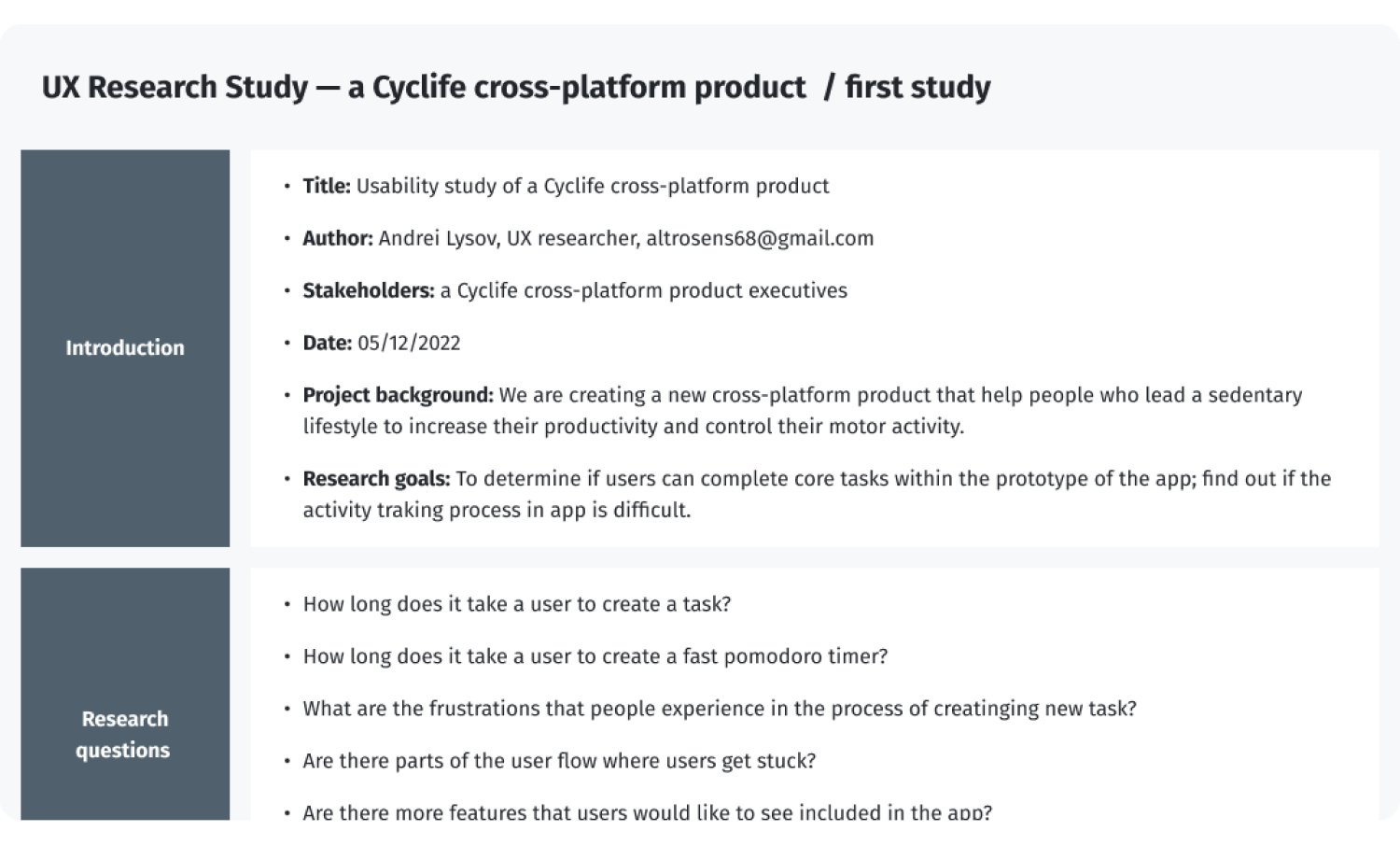
I reached out to participants of the survey to interview them. I was able to interview 5 people via Skype. Below is a screenshot of the UX Research scenario with 10 questions regarding the user's productivity habits. I wanted to gain insights into their awareness about the health impact of sedentary work. I also wanted to learn what sort of distractions the users dealt with on a daily basis and if they used any tactics or tools to help them.
UX Research Study interview — a Cyclife cross-platform product
After gathering the data from the UX Study, I used the Affinity diagram to process the results.
Findings from the interview
Interview findings
  1. Smartphone notifications and social media distract people
  2. Respondents tend to maintain their productivity rather than their physical activity
  3. Respondents use various tools, such as timers, stickers, and a calendar
  4. Gamification captivates the user and helps him not to give up while following the plan

Empathy Mapping

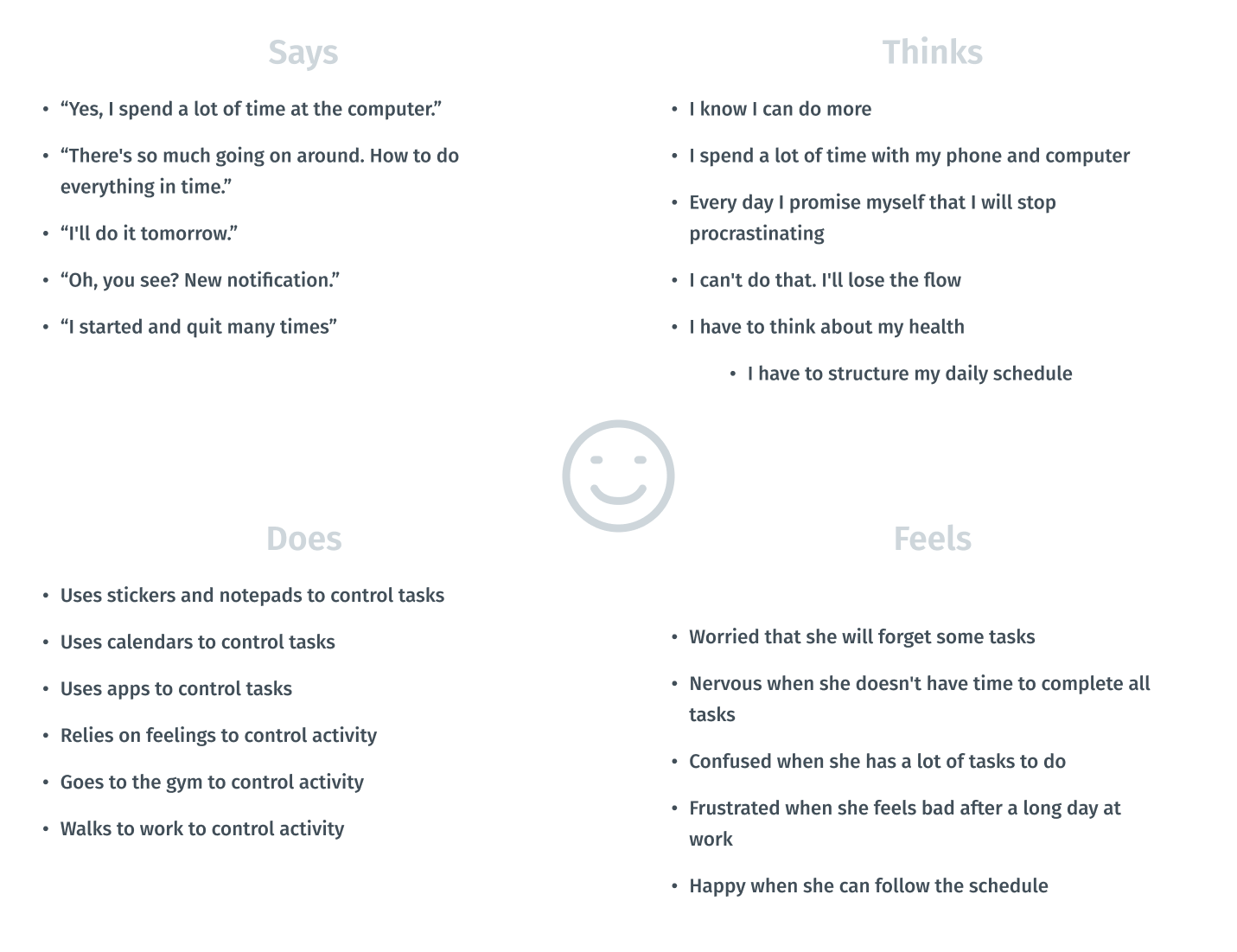
Visualizing attitudes and behaviors of people in an aggregated empathy map gave me a better understanding of end users’ experiences.
Empathy map of a user

Persona

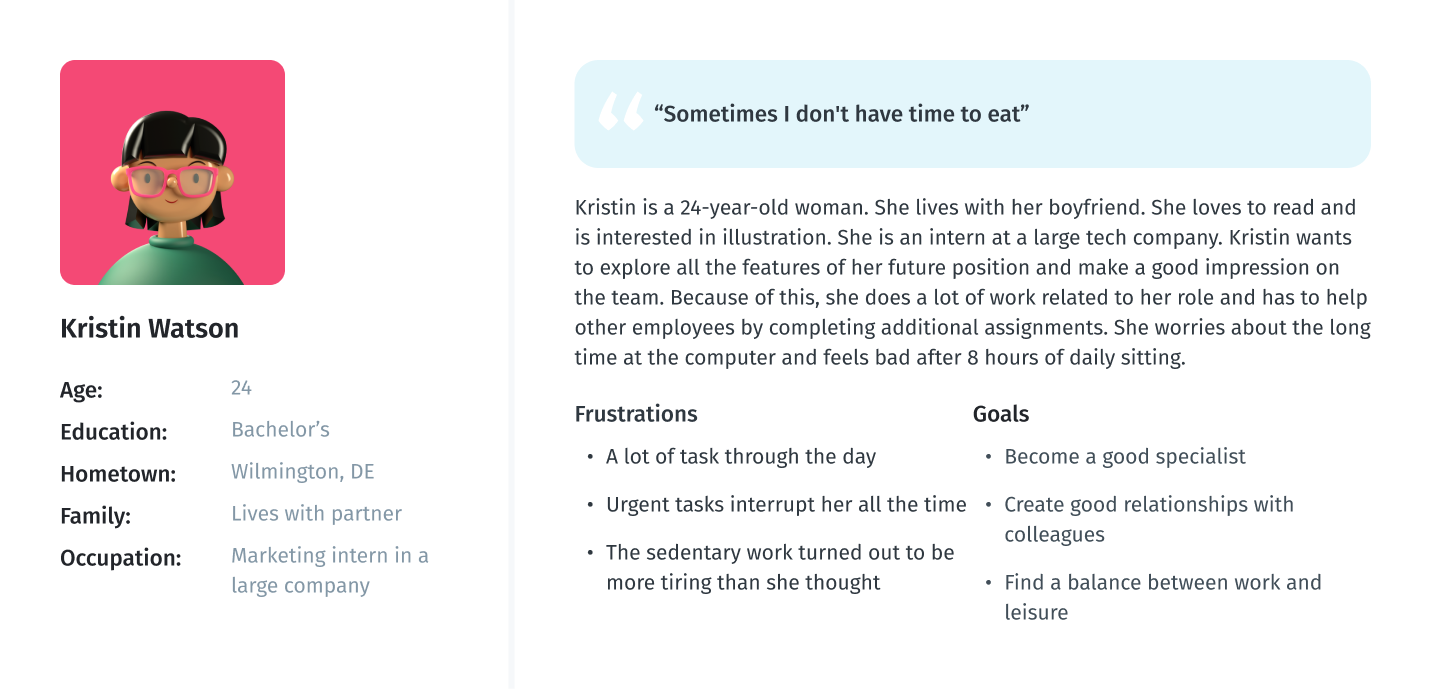
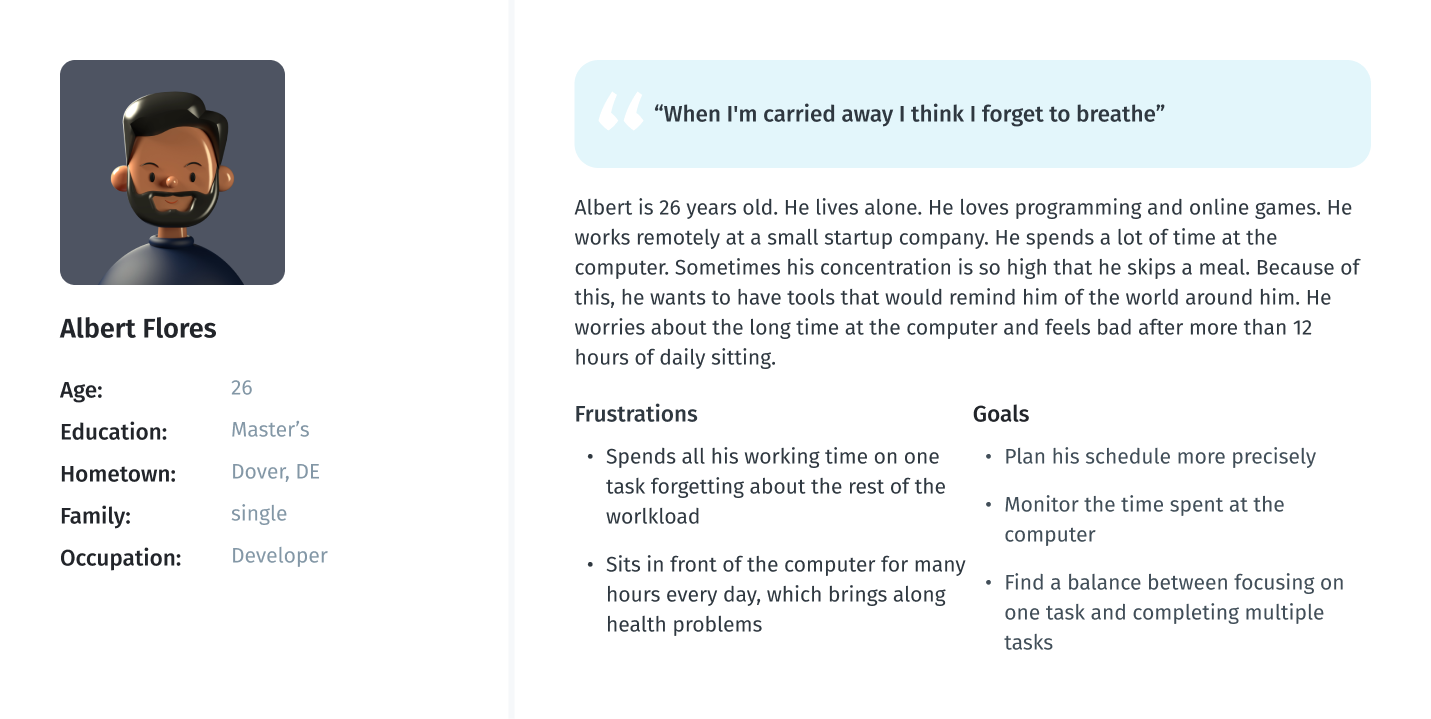
As part of processing the research findings, I analyzed the information that had been found during the research phase by creating a User Persona. This persona contains the details of the user’s goals, needs, frustrations, interests, possible quotes and other information that might be useful in the design process such as user’s profile and personality. I have created two personas, one for the mobile app and one for the web version of the service.
User persona for mobile app
User persona for  web version

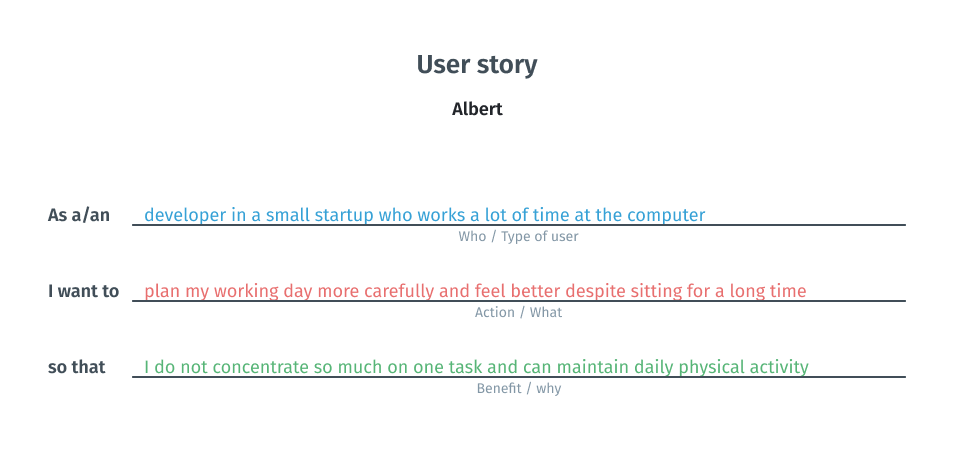
User story

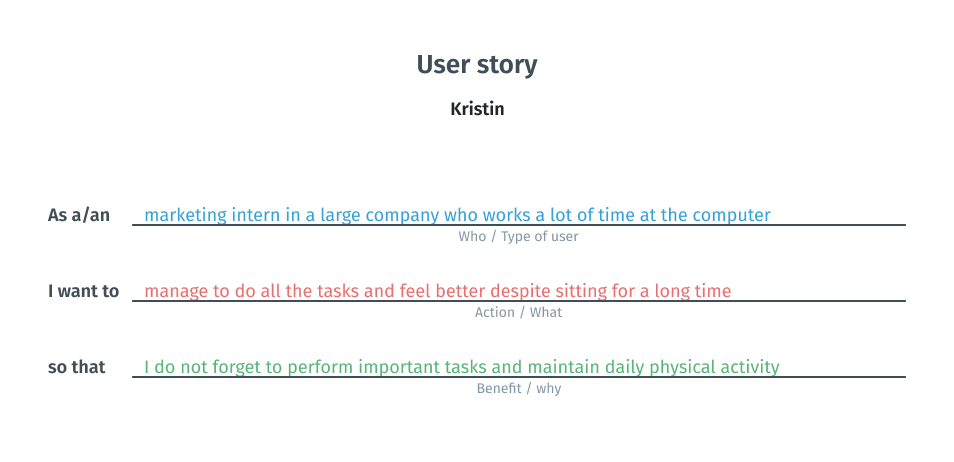
At this stage, I created  two user stories. I relied on previous reflections and conclusions and tried to look from the persona’s point of view to inspire and inform design decisions.
User story for Kristin
User story for Albert

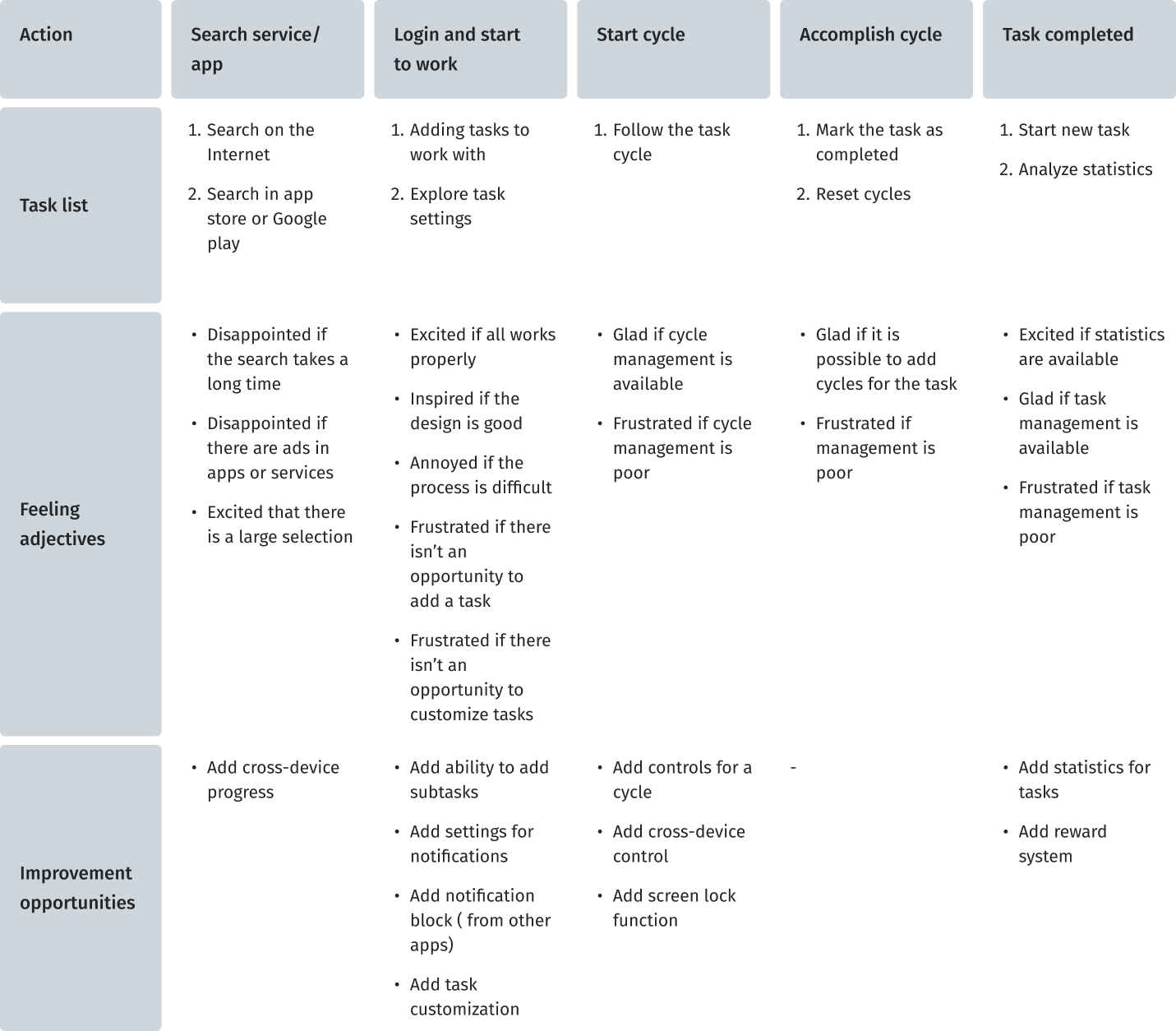
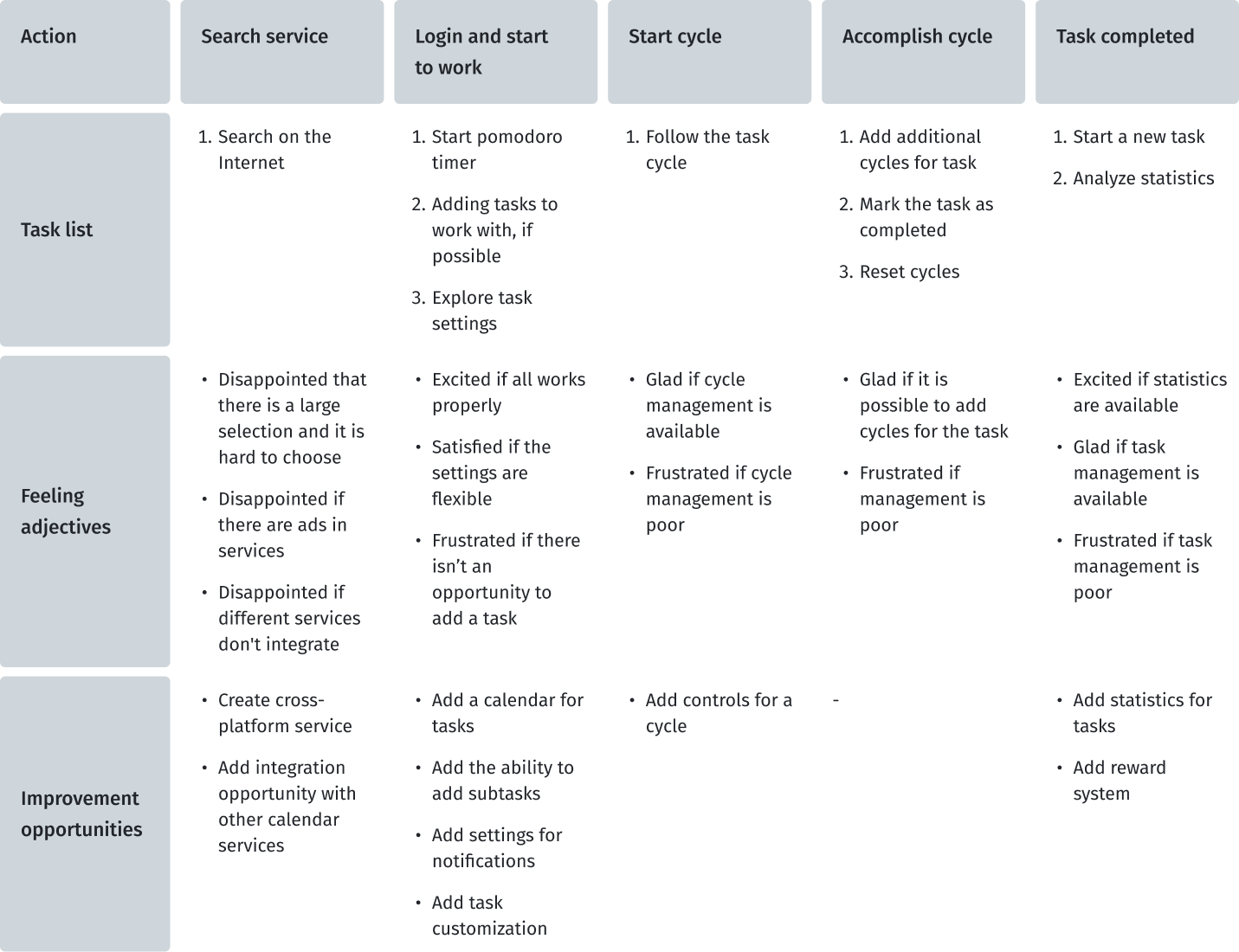
User journey map

At this stage, I created two user journey maps for my personas to imagine the user's scenario of the user journey when he uses pomodoro timers to improve his productivity. I found out which steps contain possibilities that could be developed in my project.
Due to the fact that this future service is not only the use of pomodoro technique, I will try to collect information from users who have used services and tools for planning, taking into account the user experience that users of pomodoro technique applications have.
User journey map for Kristin
User journey map for Albert

Define

It is time to merge the insights from empathy maps, personas, and user journey maps. The next step was to identify the user's problems, which would then be solved during the next stages of product development.

Key pain points of users

Based on the data obtained during the research and emphathy stages, I designated the pain points that users face.
01
Distraction
By mobile phone notifications, social media, etc.
02
Procrastination
Hard to start a new task or just work
03
Interruption
By colleagues and urgent new tasks
04
Health
Feeling unwell after many hours at the computer

Problem statement

Problem statement is a powerful, fundamental tool for defining and aligning on  problem solution, which helps:
  • capture the user and the need
  • keep to a concise goal
  • identify benchmarks and measurements for success
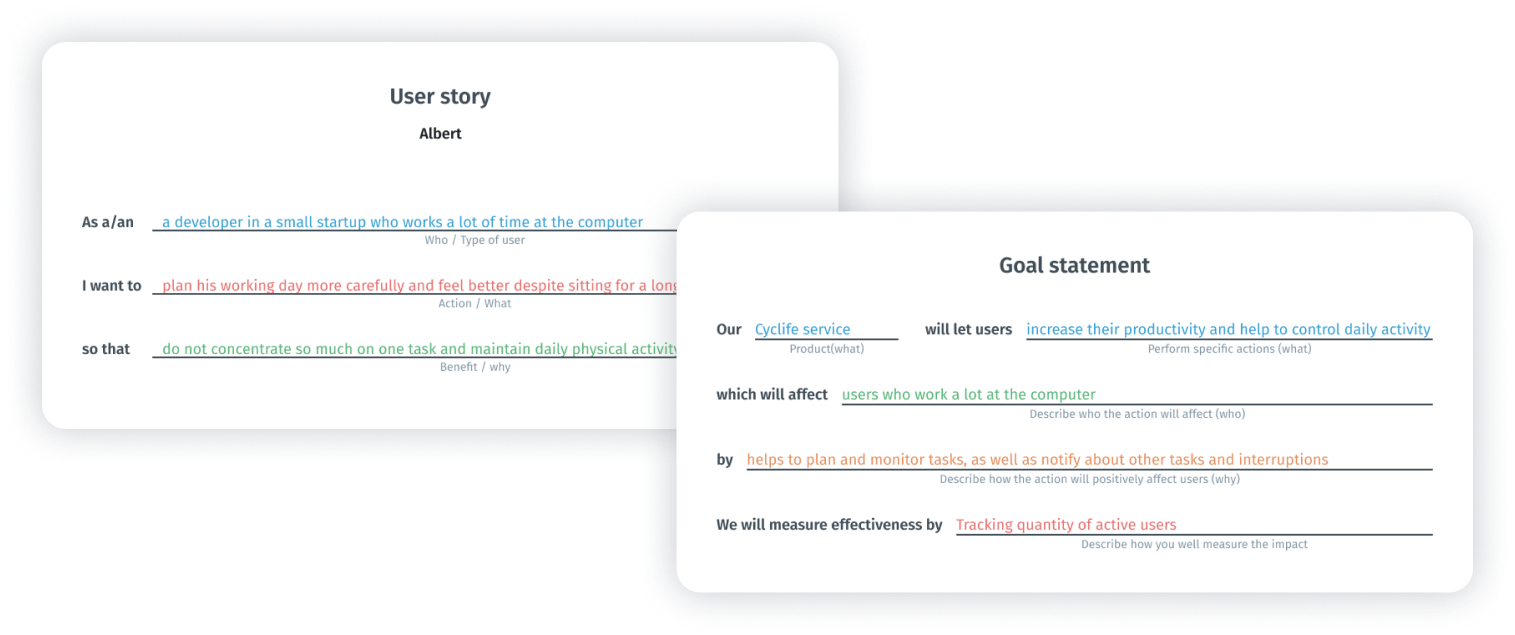
To formulate the problem statement, I performed two steps such as goal statement and creating user story. This technique allowed me to concentrate on users’ needs.
Steps to problem statement for Kristin
Steps to problem statement for Albert
To define the statement, I used a basic formula that summarizes who a particular user is, the user's needs and why these needs are important to this user. The final statement of the problem for Kristin becomes:
Problem
Kristin is a marketing intern who wants to do all the tasks and feel better despite sitting for a long time because she works a lot at the computer and has a lot of responsibilities.
And for Albert:
Problem
Albert  is a developer who wants to allocate his work time more efficiently to all tasks and feel better despite sitting for a long time because he works a lot at the computer.

Ideate

Once I had completed the first two stages, I identified some unmet user needs. The third phase in my design-thinking process was Ideate: generate a set of ideas to address those unmet needs.

How Might We?

I use the HMW (How Might We) technique to generate possible problem solutions.Some ideas came from the competitors’ audit. I generated a bunch of different questions and sifted them to exclude any overlap between them and put some of them into one broader HMW. After that, I prioritized my HMWs in terms of their impact on the project’s success. The final list of questions:
  • “How might we help users create long-term task plans?”
  • “How might we help users create complex tasks?”
  • “How might we create continuous experience of interaction?”
  • “How might we keep users’ focus?”
  • “How might we captivate users?”

Solutions

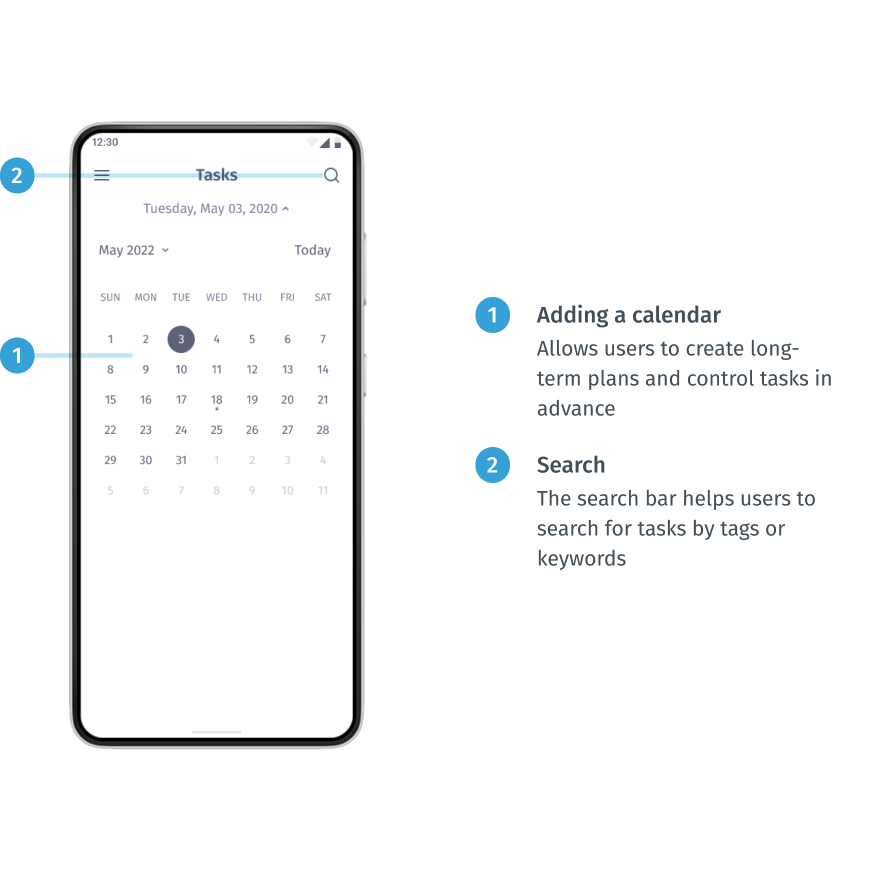
  • Adding a calendar
    Providing the ability to use the calendar will allow users to create long-term plans and control tasks in advance. This helps to solve the pain point of procrastination, because if you create a plan in advance, it will encourage you to take action. Also it helps to solve the interruption pain point (when some urgent tasks interrupt main tasks and you can forget to return to what you were doing before);
  • Subtask feature
    Providing the subtask feature allows users to flexibly adjust the tasks;
  • Cross-platform and cross-device service
    Fulfilment connection and seamless transition between devices and the platform will provide users with more flexibility and new scenarios of use;
  • Blocking notifications
    The opportunity to block certain notifications from other apps (such as social media, mail, news) helps to solve the destruction painpoint;
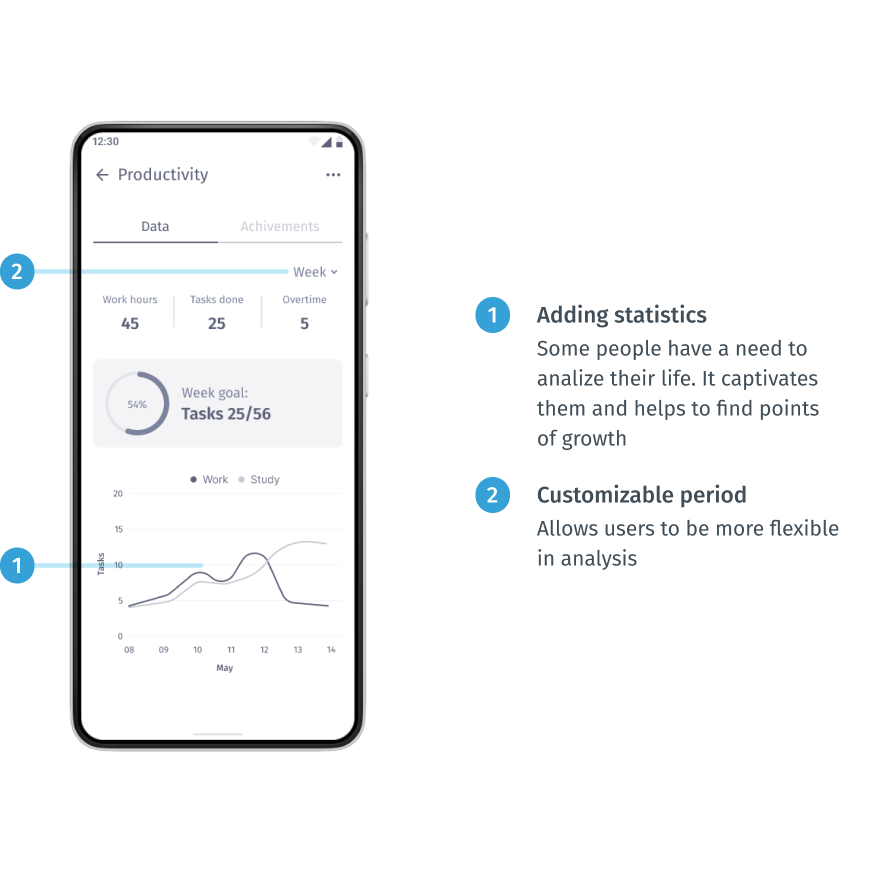
  • Adding statistics
    Some people have a need to analiyze their life. It captivates them and helps to find points of growth;
  • Adding elements of gamification
    This is a really complex and multidisciplinary task. But it would be a powerful tool to attract and motivate people to follow their plan. This can be implemented with achievements and tips for doing exercises.

Storyboard

I created a big picture storyboard which tells us about Kristin’s typical work day. This is a really great way to convey the emotions and the basic ideas of the product to other people.
Creating a storyboard for Kristin lets me show her experience in a normal life situation and demonstrate how she can keep track of her tasks during a busy day and how this app can help her organize her working day.
Storyboard —  Big picture

Prototype / application development

The two final stages involve evaluating design ideas with real users to see how well those solutions work. It was an iterative process where I tested my ideas on a prototype with different fidelity and tried to find out if it did not work as well as I thought and if it needed to be refined.

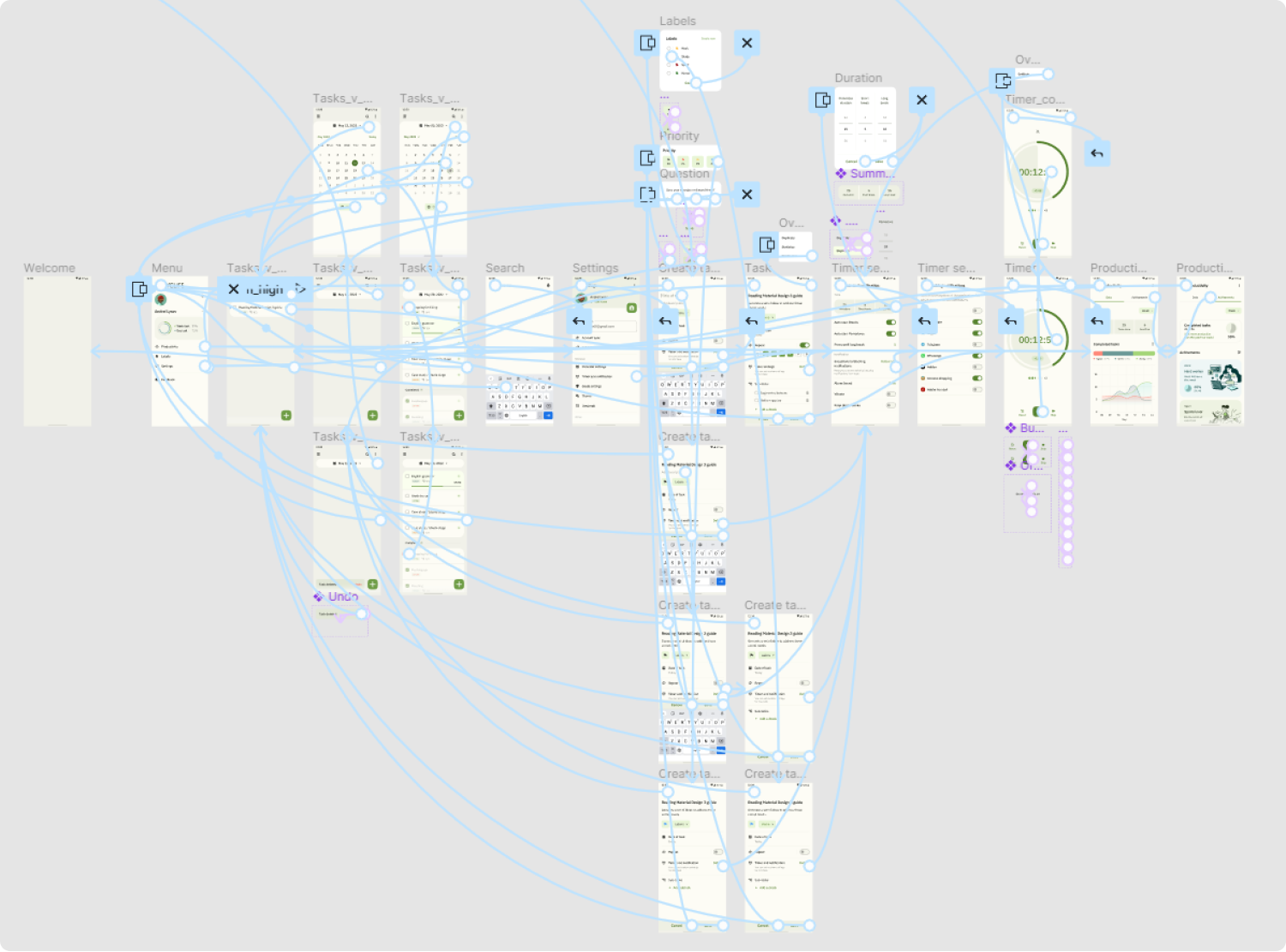
User flows

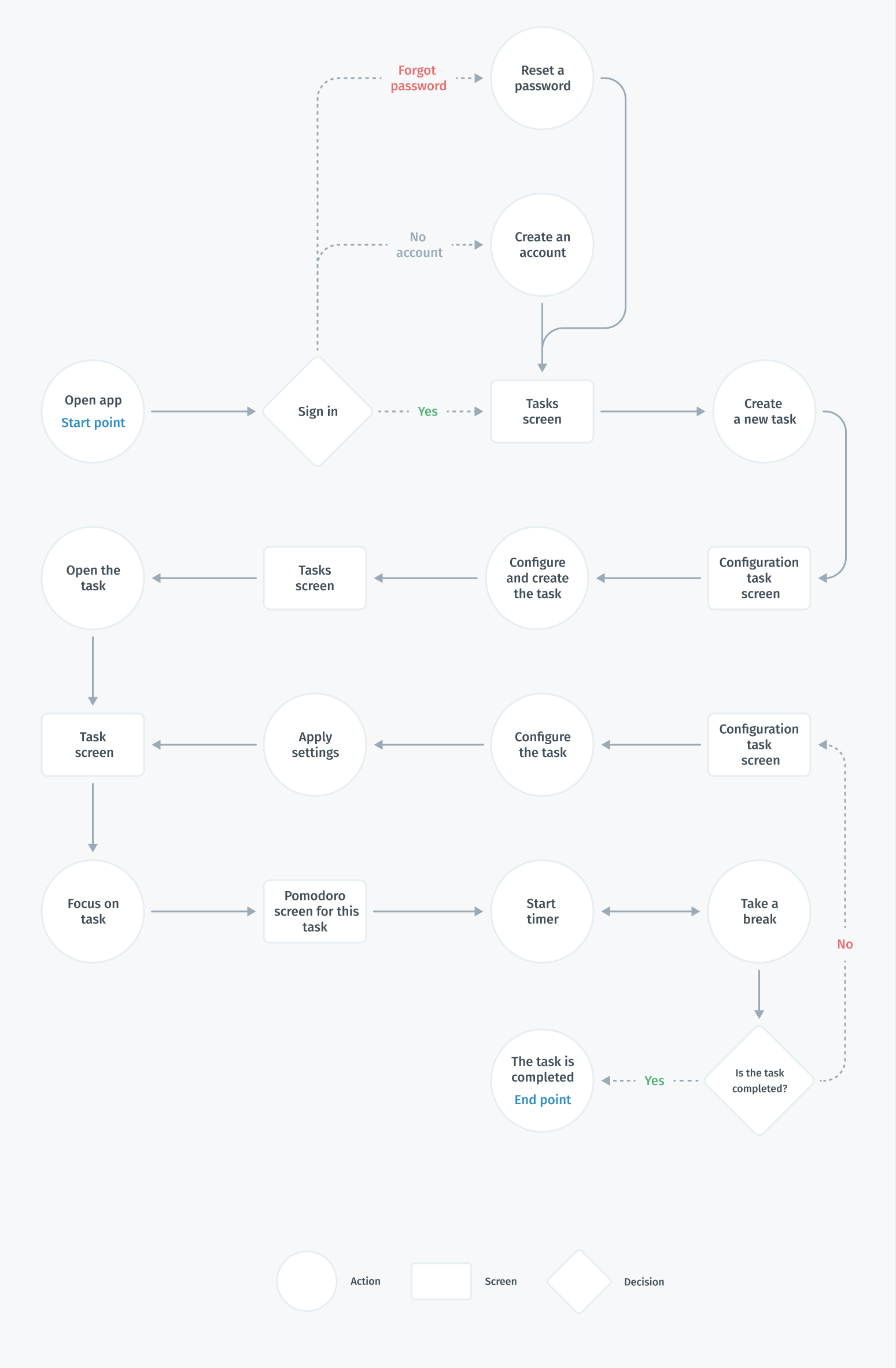
After realizing what problems we are interested in solving, I built a flowchart  for the main user flow (creating and tracking tasks) that would help me make sure that I had a solution for each of them. At this stage of the development process, I aimed to provide the same features to users regardless of the type of device. Therefore, the main user flows for creating a task for the user will be the same.

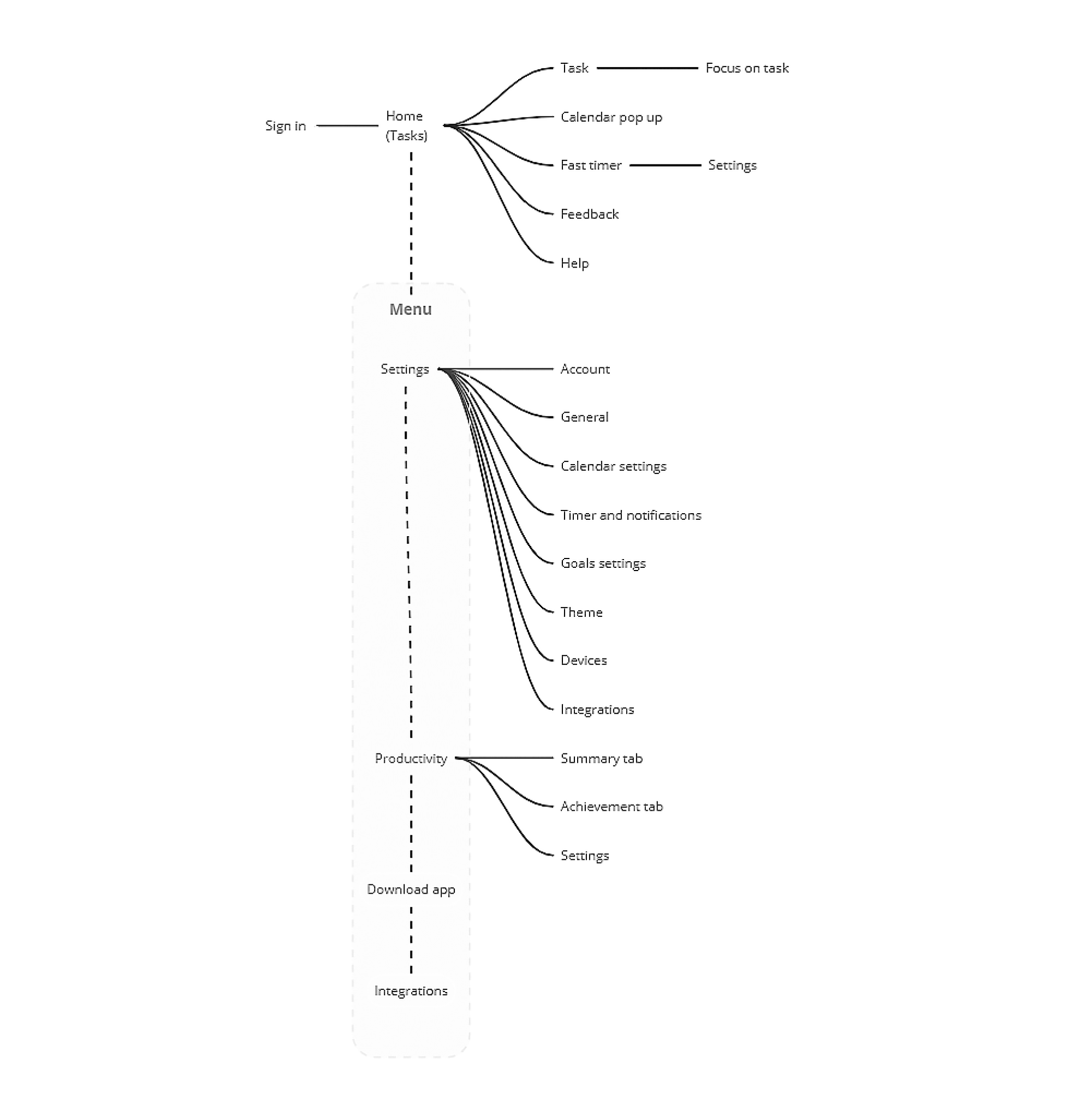
Information architecture

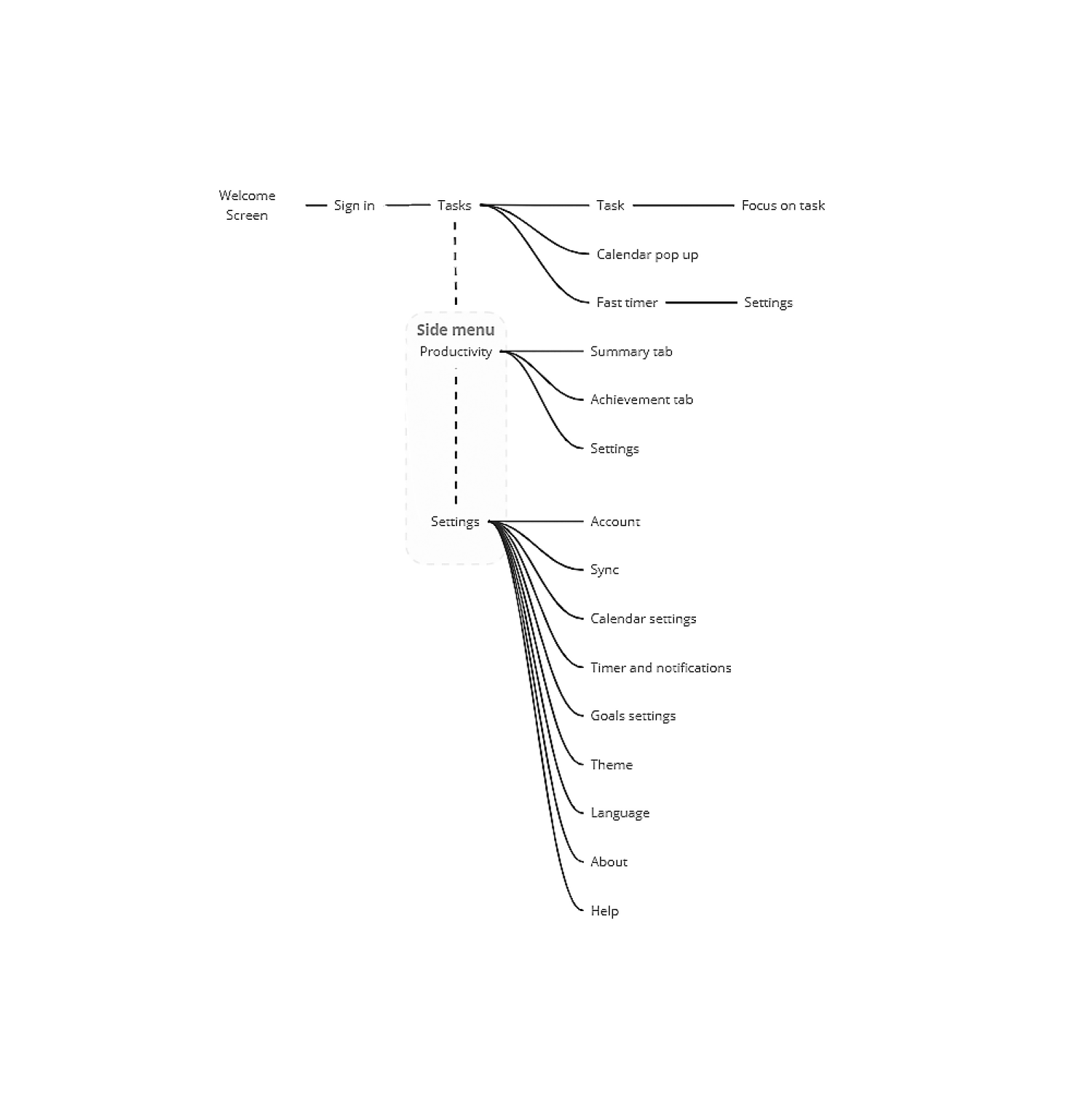
Once I had created the user flow and discovered what features I needed and how they would be organized, I translated these ideas into an information architecture tree. This helped me understand which screen states and models I needed to design.
I used Miro to speed up the process.
Information architecture

Paper wireframes

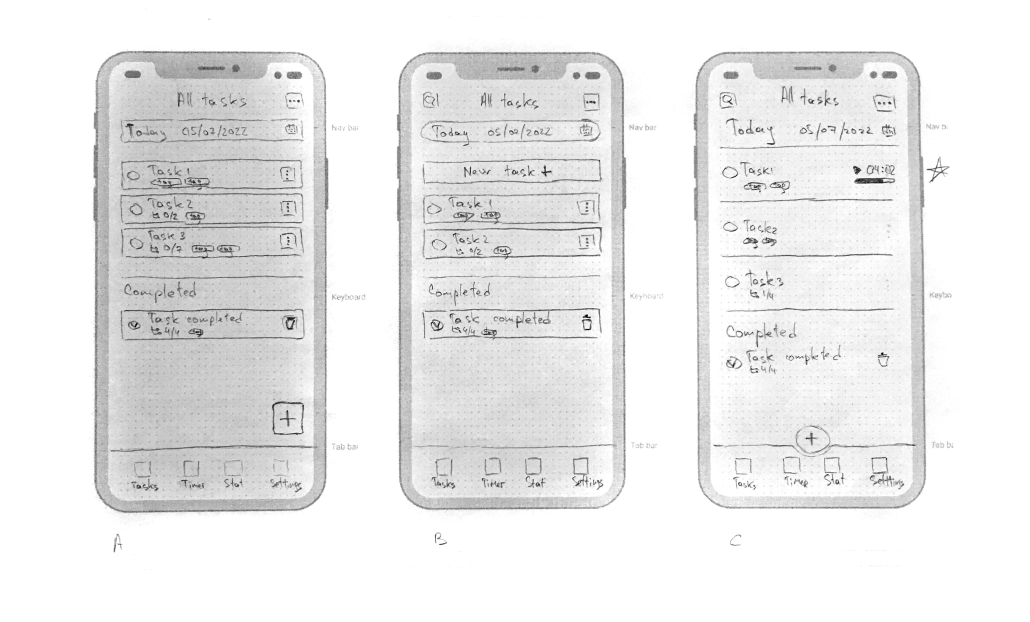
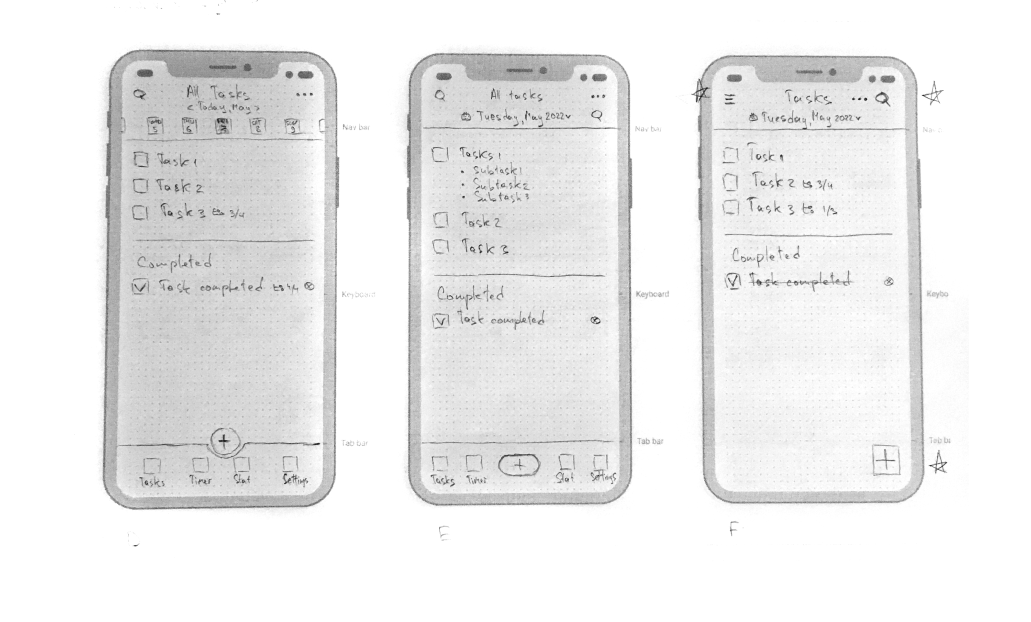
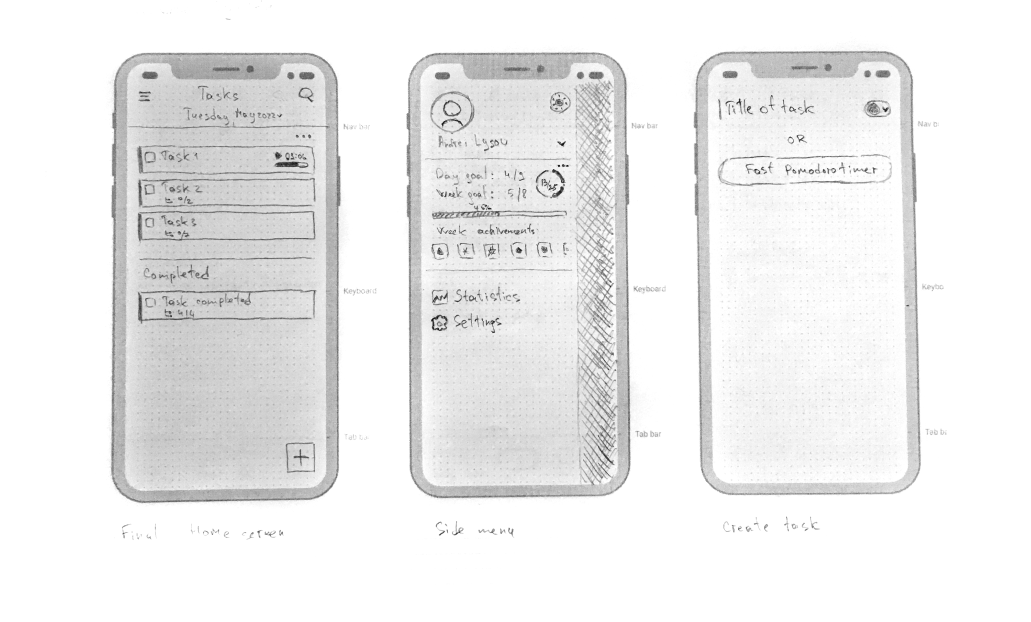
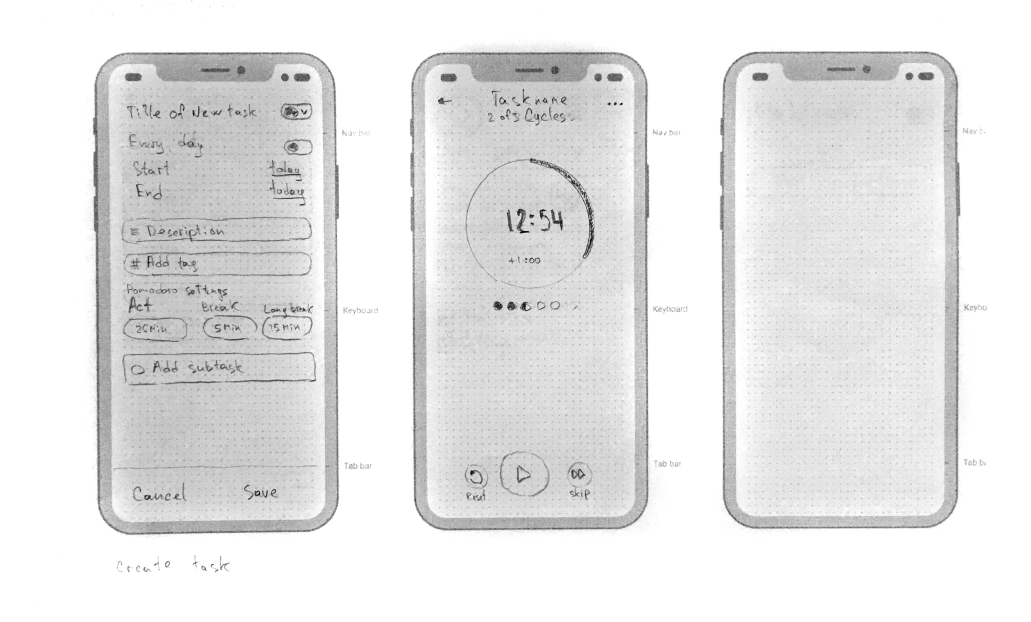
Taking the time to draft iterations of each screen of the app on paper ensured that the elements that made it to digital wireframes would be well suited to address user painpoints. For the main screen, I preferred a clean and simple interface that focuses on the task list.
I made several different versions of the home screen and compiled them into a final version. After that, I did the same work for other key screens of the user flow.
Paper wireframes

Digital wireframes

At the initial design stage, I made sure that the design of the screen was based on the results of user research. This is the first framework that demonstrates design thinking consistent with previous findings.
The ability to add tasks using a calendar will allow users to plan their actions in advance. The search function will help users to search for tasks faster.
The flexible statistical center will allow users to analyze their activities in order to understand problems and find points of growth.

Low-fidelity prototype

Using the complete set of digital wireframes, I created a low-fidelity prototype. I made two primary user flows for creating and focusing on the task so that the prototype could be used in a usability study. Link to prototype in Figma
Screenshot of low-fidelity prototype in Figma

Usability studies — Round 1

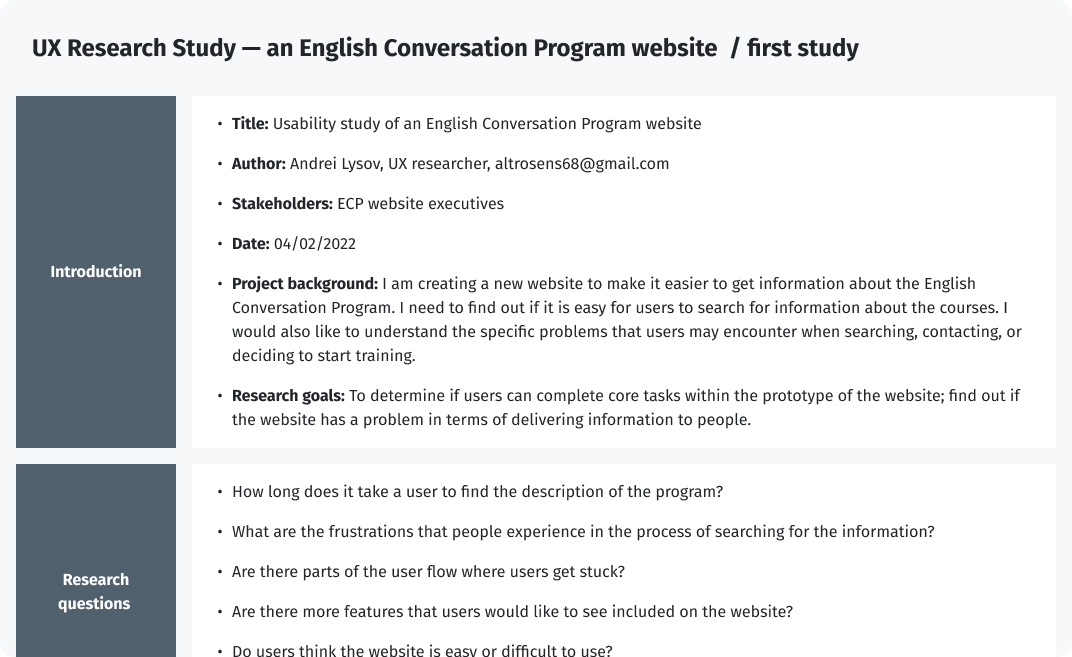
To test my ideas, I chose the modarated UX Research Study. After finishing low-fidelity prototype, I conducted the first round of the usability study with five respondents. Below are the screenshots of the UX Research Study script (Full version – UX Research Study — an English Conversation Program website  / first study.pdf).
UX Research Study script — Round 1
After gathering the data from the UX Study, I used the Affinity diagram to process the result.
Findings from the first study guided my design thinking from wireframes to mockups.
Round 1 findings
  1. Users need better hints at the task creation stage
  2. The quick pomodoro function should be moved to the task creation screen
  3. The focus on the task should be constantly visible on the task screen

Design iterations after Round 1 of study

I collected all the information I received and made some improvements at the current stage of development.
I will use the information about the task creation page and the necessary visual prompts at further stages. This will require some iteration and testing in the future.
I moved “focus on task“ to the panel to "pin it".
Before
After
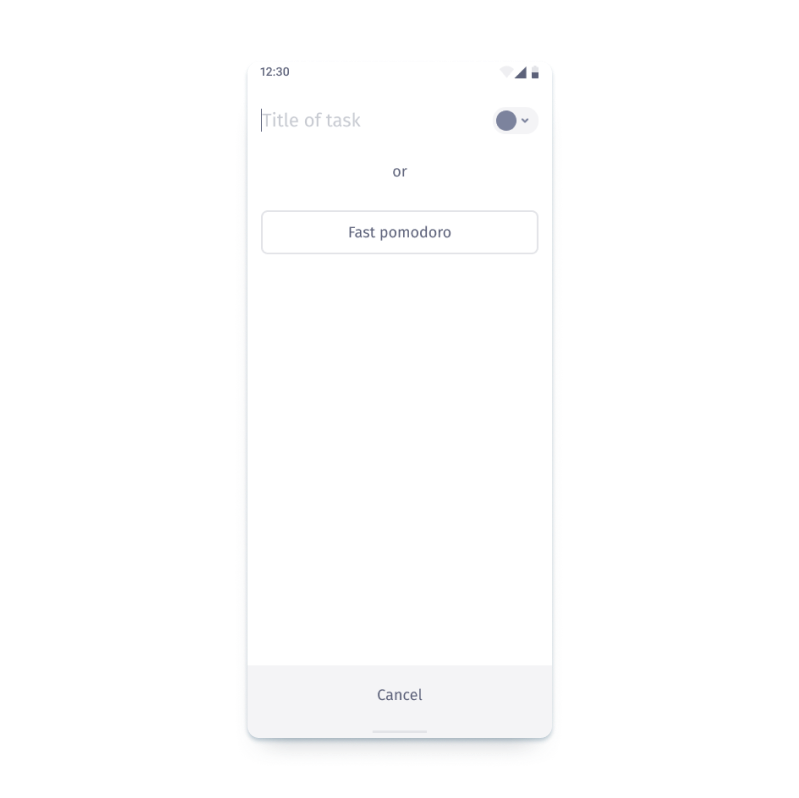
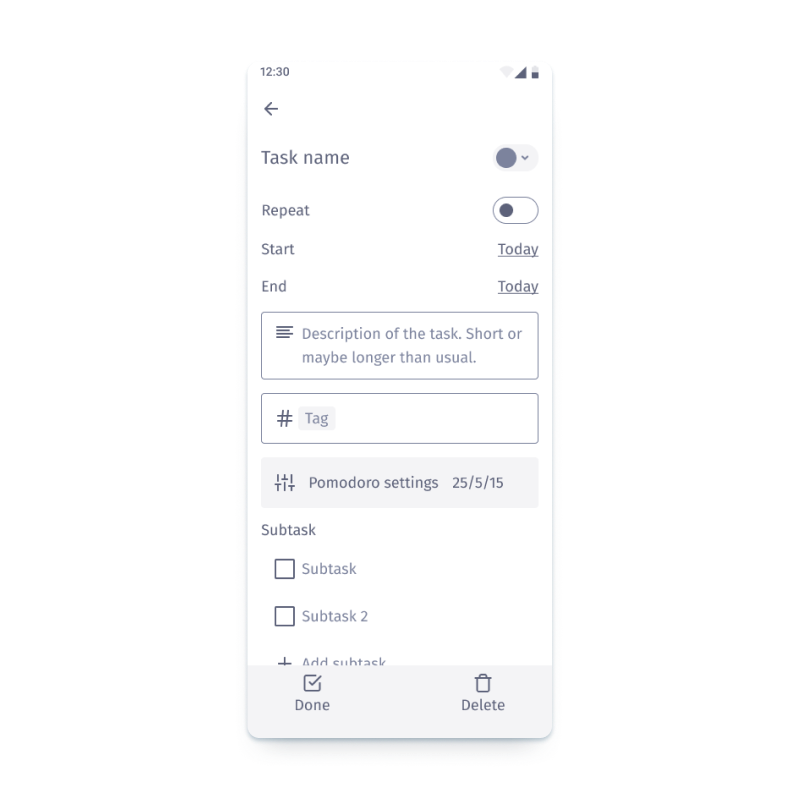
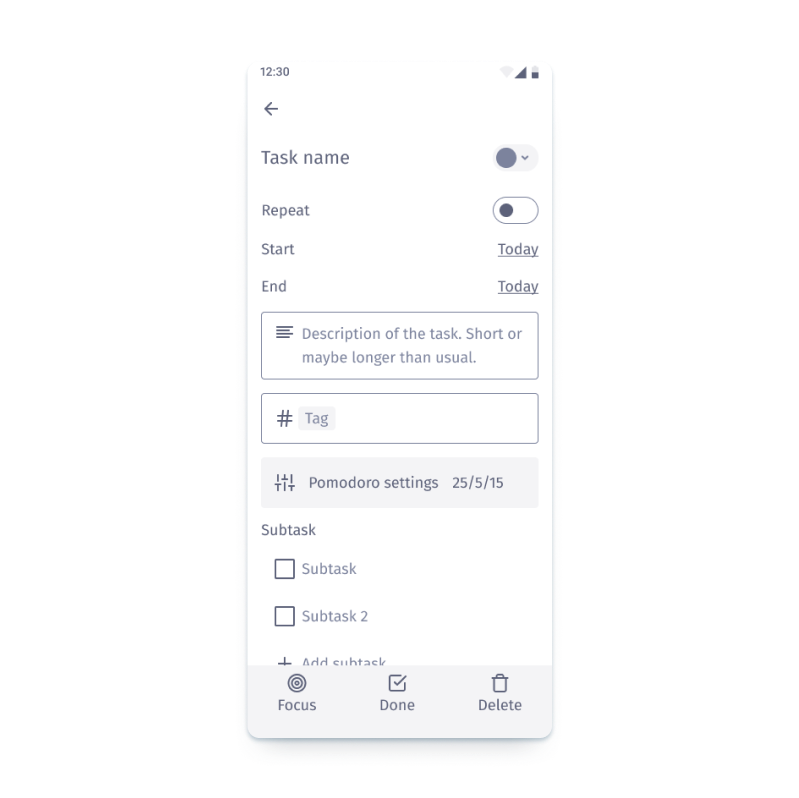
I also moved the “Fast pomodoro” function to the task creation screen.
Before
After

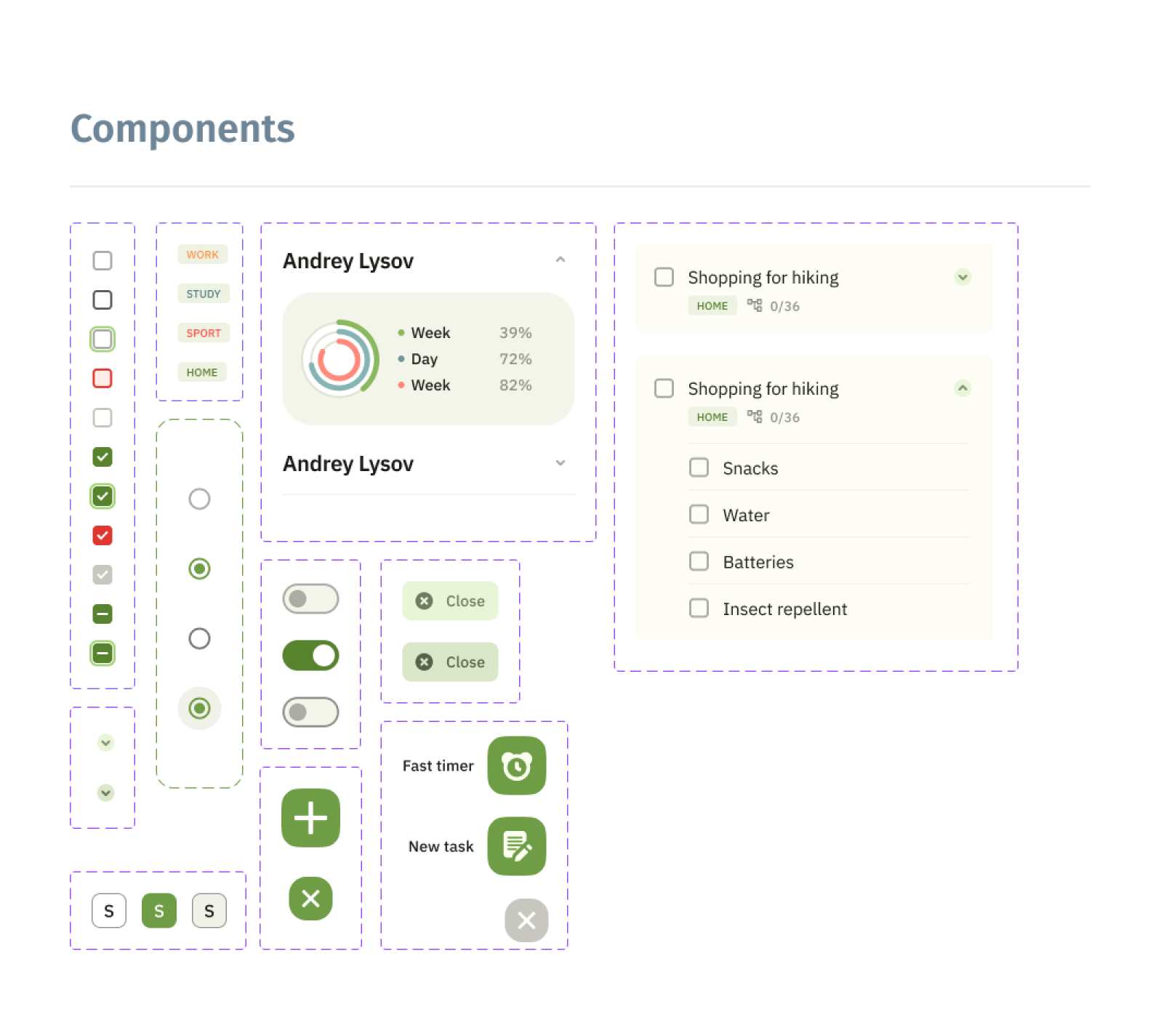
Style guide

After implementing the improvements to the low-fidelity prototype, it was possible to switch on the creating style guide and high-fidelity prototype.
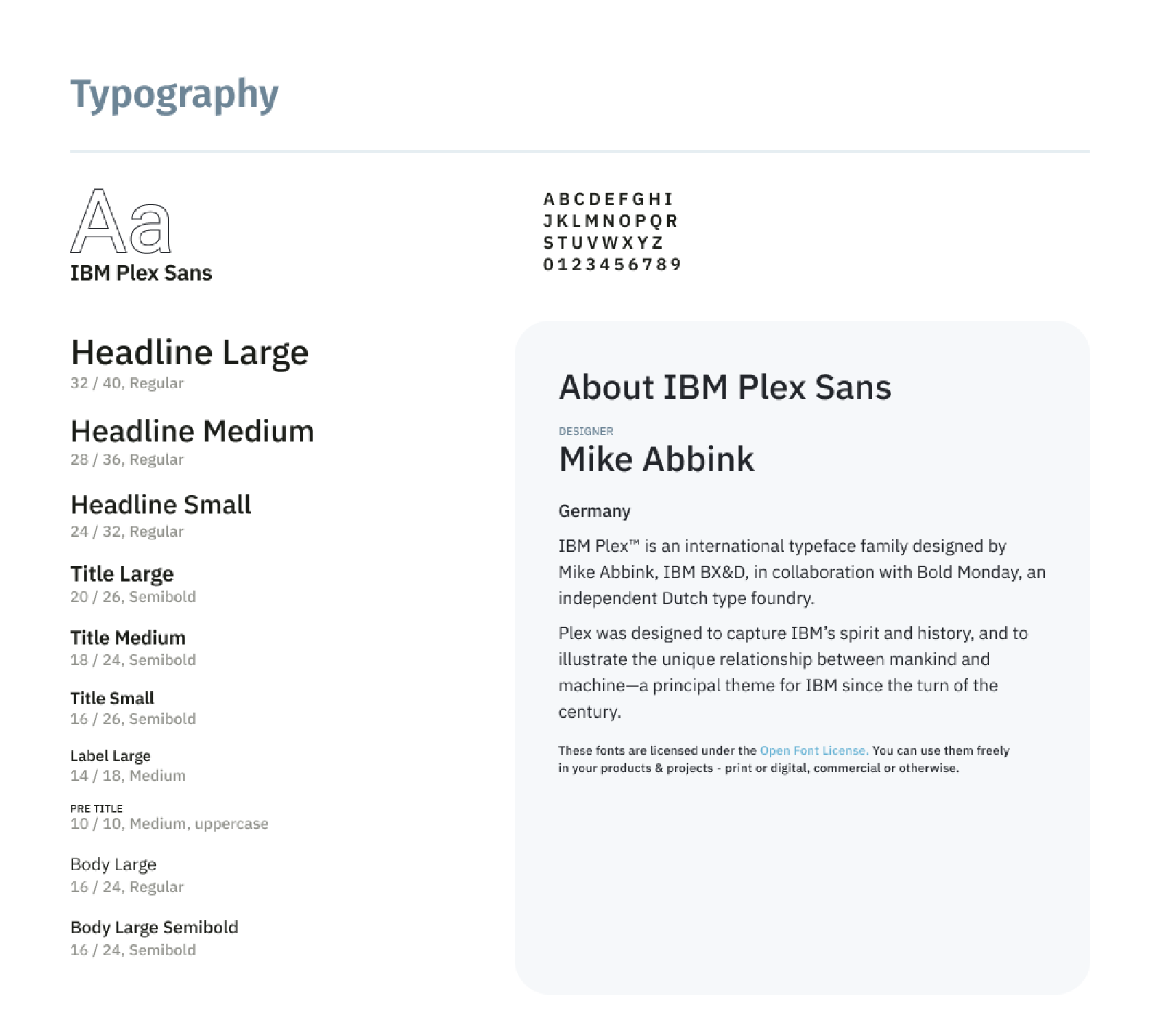
As a source of inspiration and the main reference, I used Google Material Design 3.0. A convenient color scheme generator and a token system allow you to quickly and flexibly adjust the set of system design.
Style guide

High-fidelity prototype

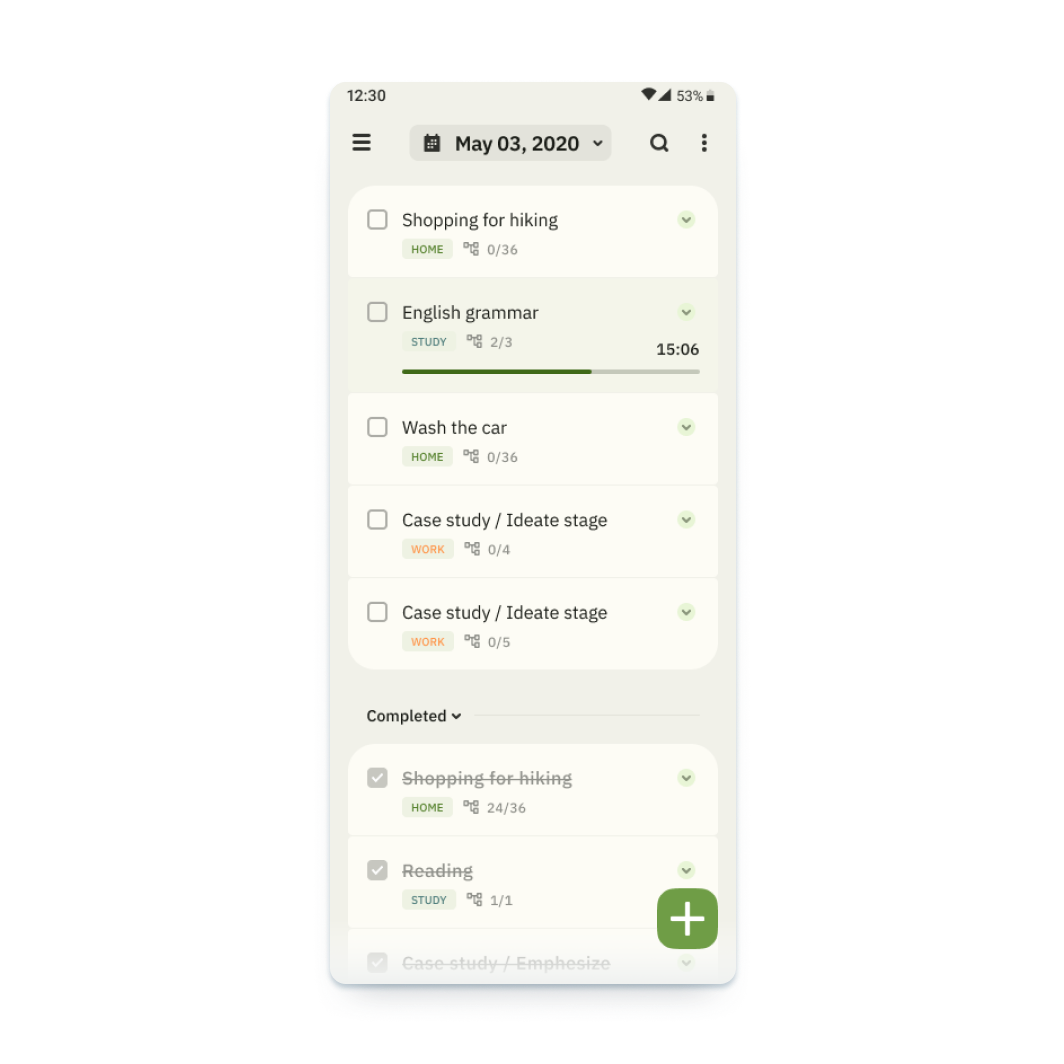
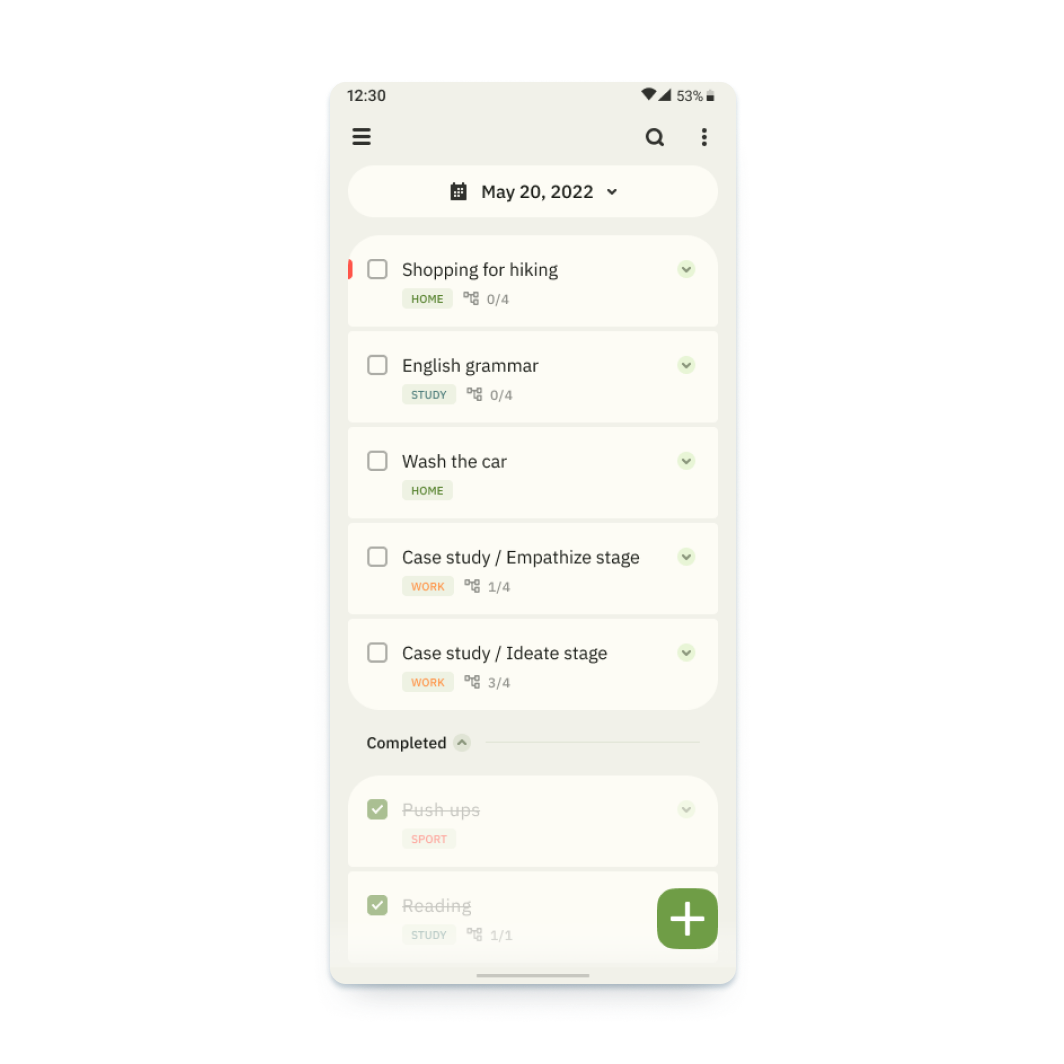
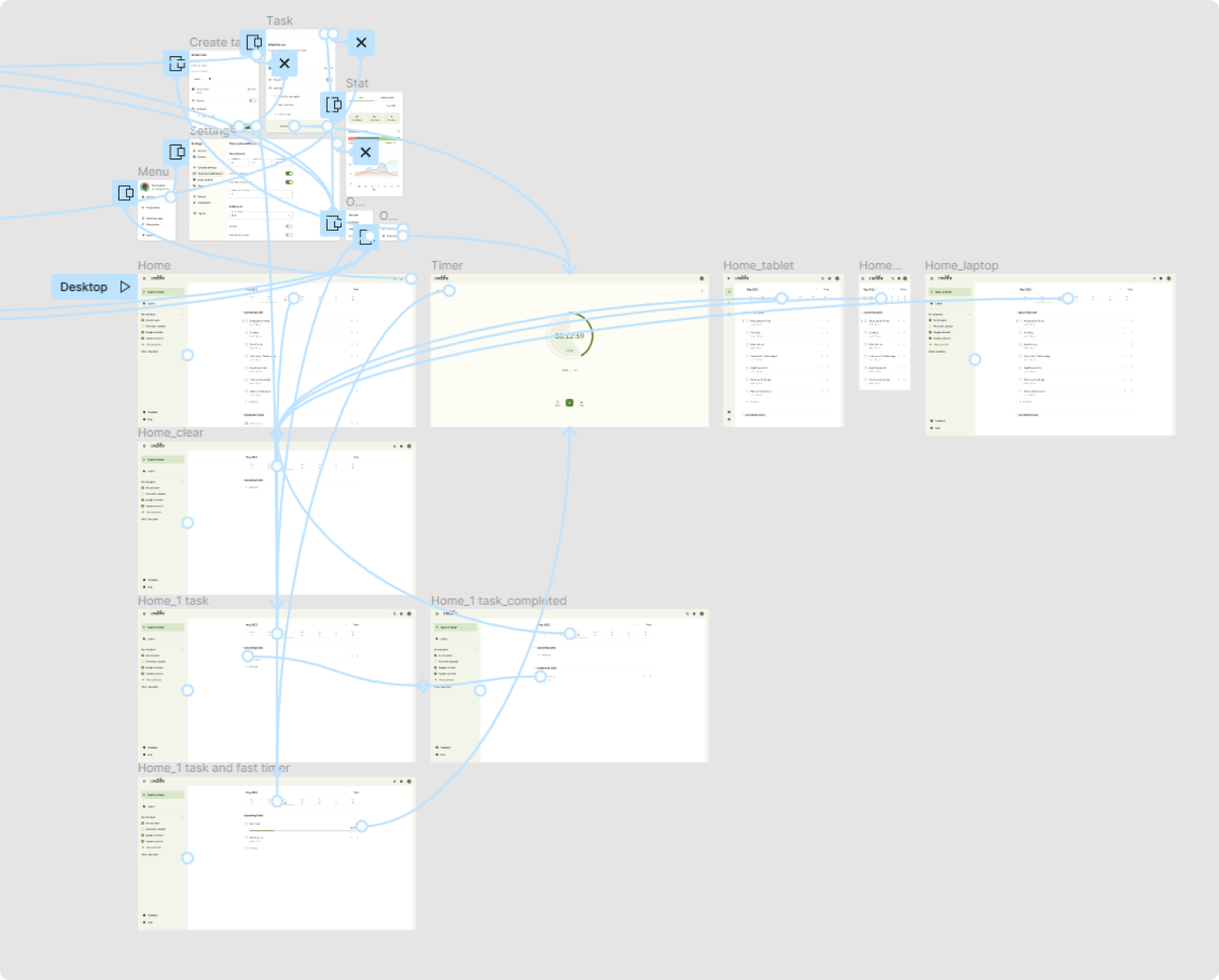
The high-fidelity prototype introduced cleaner user flows for the task creating process.
The prototype implements two main scenarios of user flows, such as creating a new task and creating a fast timer. There are also additional functions, such as changing dates and timer settings, viewing statistics and achievements. Link to prototype in Figma
Screenshot of high-fidelity prototype in Figma

Usability studies — Round 2

After finishing the work on the high-fidelity version of the prototype, it was time for the second round of usability testing with users. I used the same tools for this activity: moderated usability study and Affinity diagram for the processing of results (Full version UX Research Study script — Round 2.pdf).
The second study used a high-fidelity prototype and revealed what aspects of the future app must be refined.
Round 2 findings
  1. The calendar function on the home screen should be moved and separated from other elements to avoid incorrect clicks
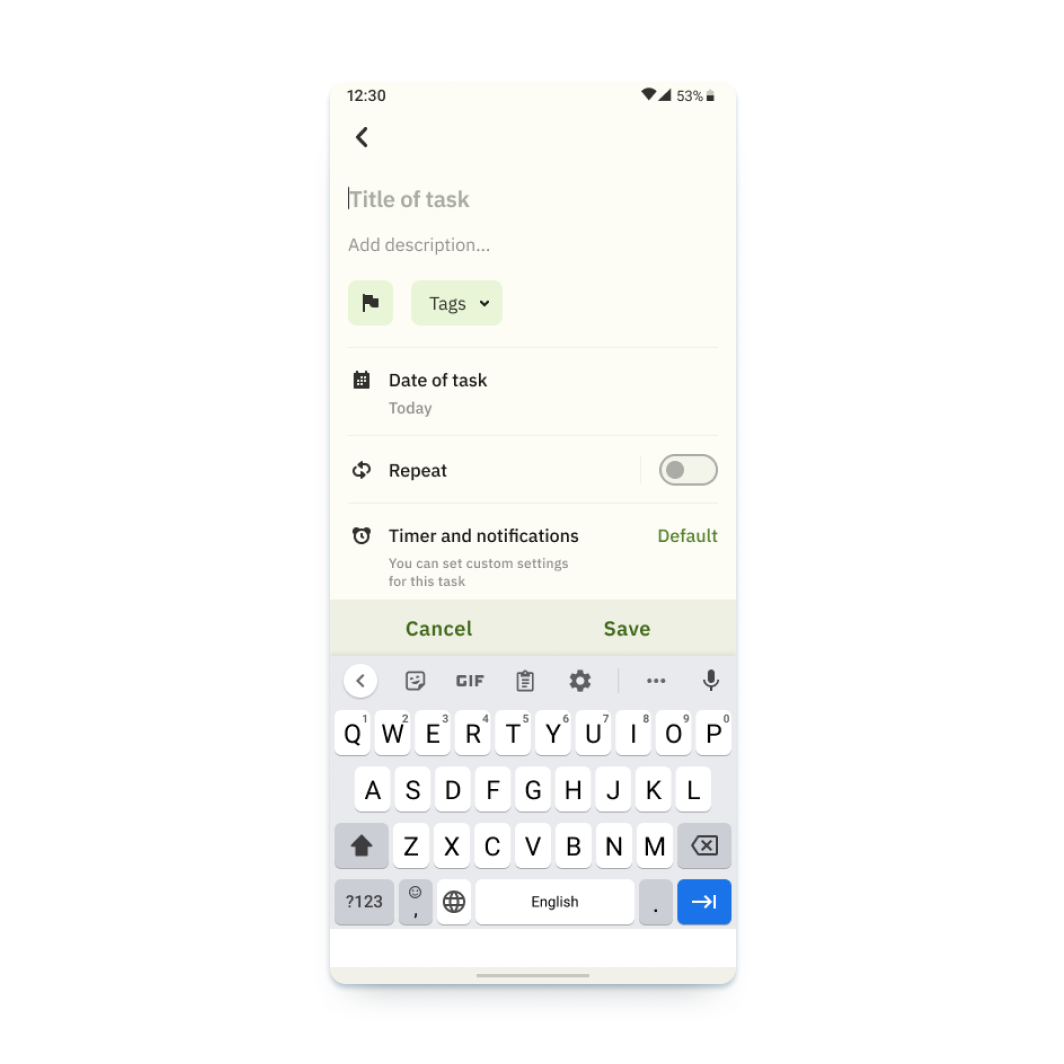
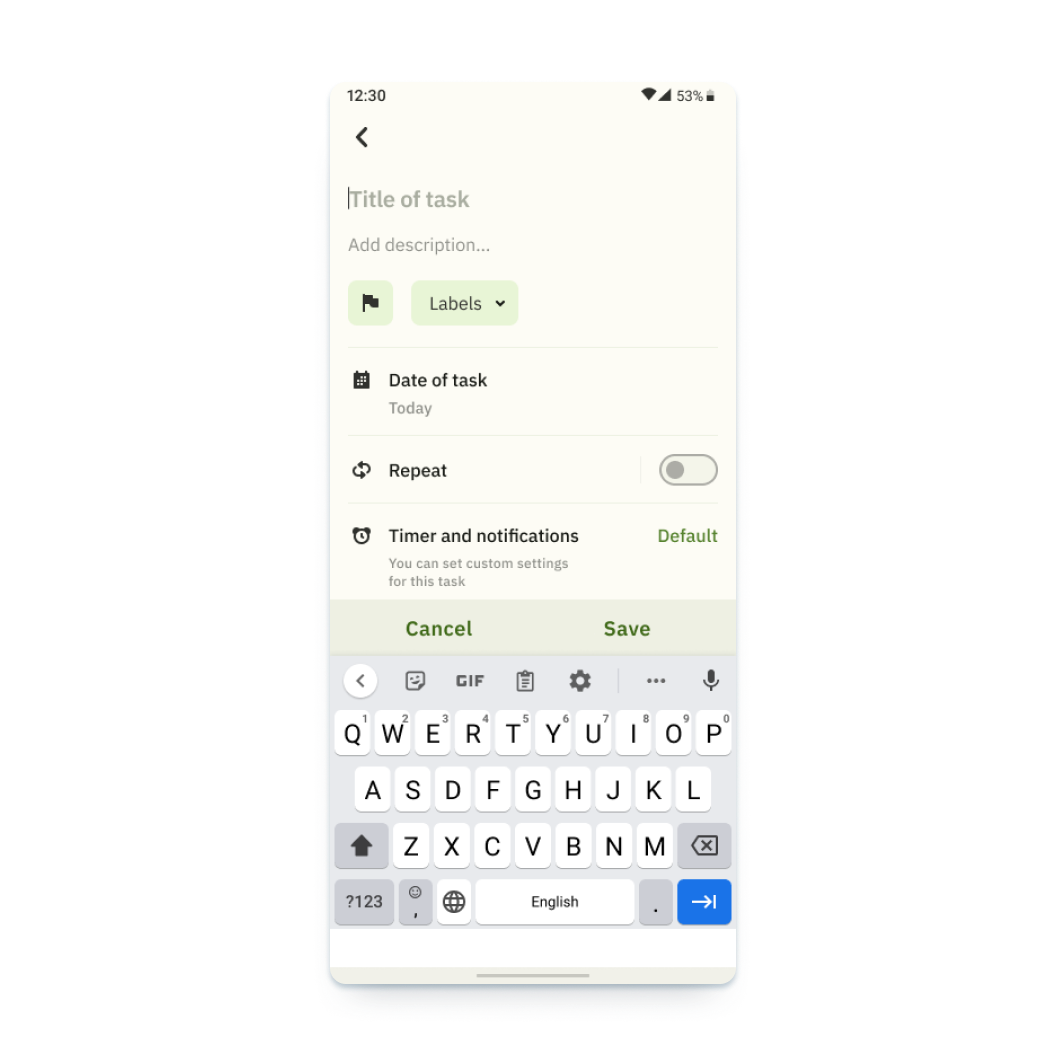
  2. It is preferable to use labels instead of tags
  3. Additional features are needed to manage the task in the list. For example, deleting a task

Design iterations after Round 2 of study

The earlier design of the main screen had a row with interactive elements and a calendar. Due to the fact that several respondents made incorrect clicks, I separated this block and made it bigger.
Before
After
In addition, the second round of usability research showed that some users had problems with the meaning of the tags function. For this reason, I replaced the name with labels, as in most services.
Before
After

Final design and main features

After the second iteration of the study and all the works, I managed to accomplish the prototype, which matches all originally set tasks.

Creating task

Create tasks and customize them to your needs

Creating subtask

Add subtasks for complex tasks

Calendar

Use the calendar for long-term planning

Blocking notifications

Keep your concentration by using the focus and notification lock function

Statistics

Track your statistics in general and for specific tasks

Gamification

Set up goals and track your progress

Pomodoro technique

Flexibly adjust and use the pomodoro technique to maintain your concentration

Prototype / responsive website design

After completing the work on creating the application, I went on to develop a web version of the service. I followed the same approach when creating the web version of the product, except for using paper sketches.
Since I have already analyzed the methodology in detail using the example of working on the application and since we had the necessary design system, I will move on to the most interesting part of the development, namely high-fidelity prototype. I will omit the iteration stages of the low-fidelity prototype. I will add only information about the information structure that has undergone changes.

Information architecture

The information architecture of the application has been adjusted to match the usual patterns of user behavior.
Information architecture

High-fidelity prototype

The prototype implements the basic user flow for creating a task and also provides access to identical functions available in the application, such as changing dates and timer settings, viewing statistics and achievements. Link to prototype in Figma
Screenshot of high-fidelity prototype in Figma

Final design and main features of responsive design

Let's look at the implementation of the same functions in the web version of the service.

Work with tasks

Create tasks and customize them to your needs.

Other functions

Track your statistics, set up goals, and watch your progress.

Responsiveness

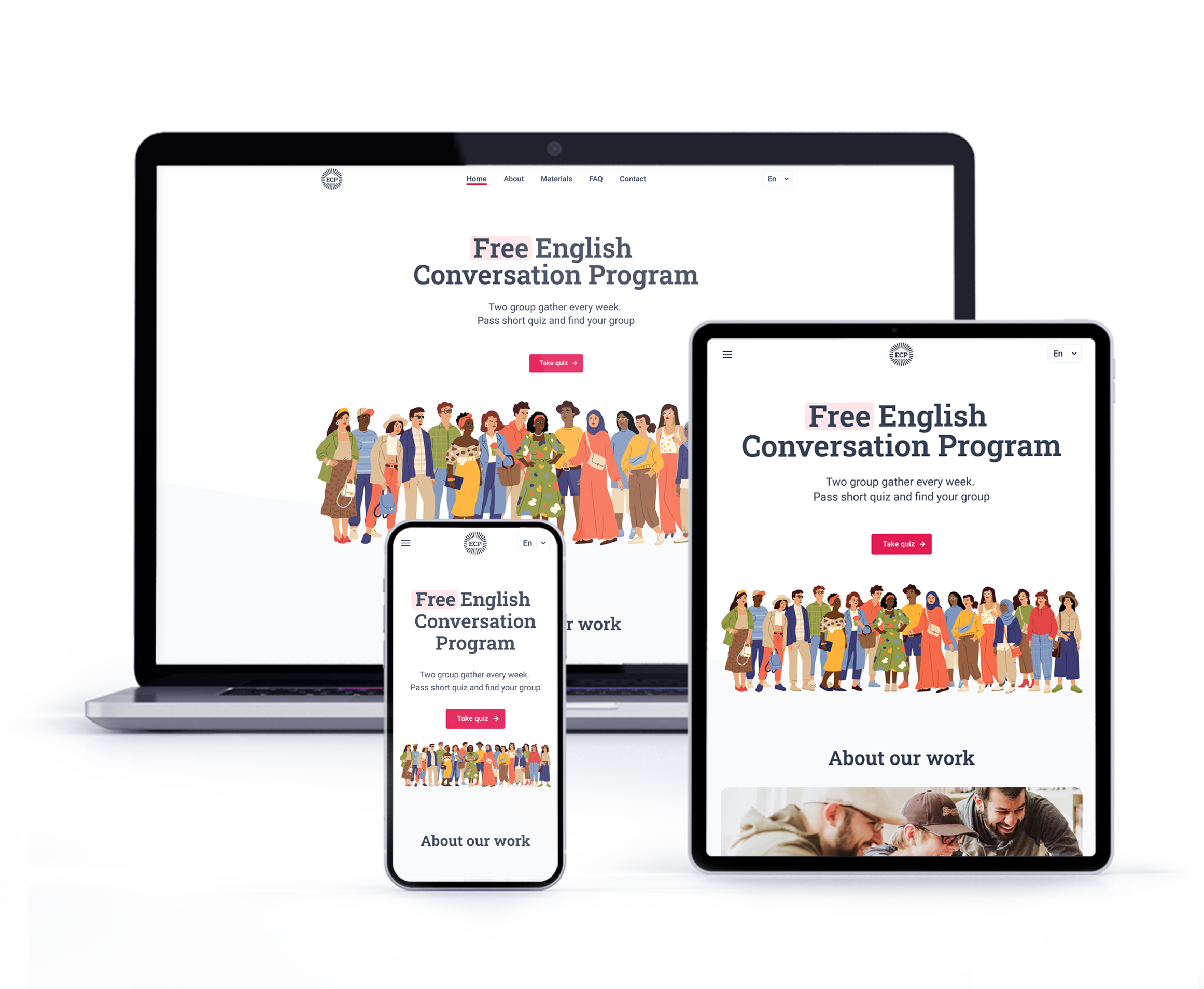
The web version is adapted for mobile devices and laptops. I optimized the design to fit specific user needs of each device and screen size.
Website on tablet
Website on laptop and phone

Final design and main features

After the second iteration of the study and all the works, I managed to accomplish the prototype, which matches all originally set tasks.

Accessibility considerations

01
Time
Added alt text to images for screen readers for vision impaired users
02
Reliability
Used icons to make navigation easier
03
Urgency
Added multiple language to choose from
04
Money
Chose a color palette with an acceptable contrast ratio based on the WCAG 2.0

Takeaways

I managed to implement a solution for all the user problems that had been identified at the initial stage of development, and created a solid starting point for the further development process.
Impact
I managed to implement all the goals outlined at the beginning of the development. A multiplatform service can be an excellent assistant in shaping your schedule and will also allow you to pay more attention to your health.
What I learned:
While designing the Cyclife app, I found out that the formation of a stable multiplatform system requires the study of many nuances related to the features of the platform and potentially integrated systems.
It is worth carefully studying the integrated services in order to preserve the possibility of compatibility.

Next steps

01
Smart watch app
Smart watches have become a part of our life and a convenient assistant. Creating a separate application for its collaboration in the ecosystem would be an extremely necessary step.
02
Achievement system
Detailed study of the system of statistics and achievements. Create ratings and add the ability to compete with friends.


English conversation program

Photographer: Andrei Lysov

Retouching: Andrei Lysov

Model / Client:

No items found.

English conversation program

Client:

No items found.
No items found.

Case study —
English conversation program

Summary
The goal of this case study was to create a responsive website for a local ESL program in order for people to easier find and sign up for it.
Role / sole designer
UX/UI designer and UX researcher from concept to delivery
Summary
  • Research
  • Wireframing
  • Prototyping
  • Usability tests
Approach
  • Competitive analysis
  • Affinity mapping
  • Usability testing
  • Customer Journey Map
Timeline
1 months

Introduction

Introduction

This project is part of my Google UX Design Professional Certificate program. The idea is to create a concept of a responsive website for an ESL program.
English Conversation Program is a non-profit project that allows people who learn English to practice their speaking skills. The program is led by native speaker of English.
I chose this topic because I myself learn English and have attended such a program. It was hard to find any information about programs like that so I decided that it would benefit from a convenient, responsive website.
Challenge
People who do not speak English cannot easily locate ESL programs in their area. They might also need help signing up for it.

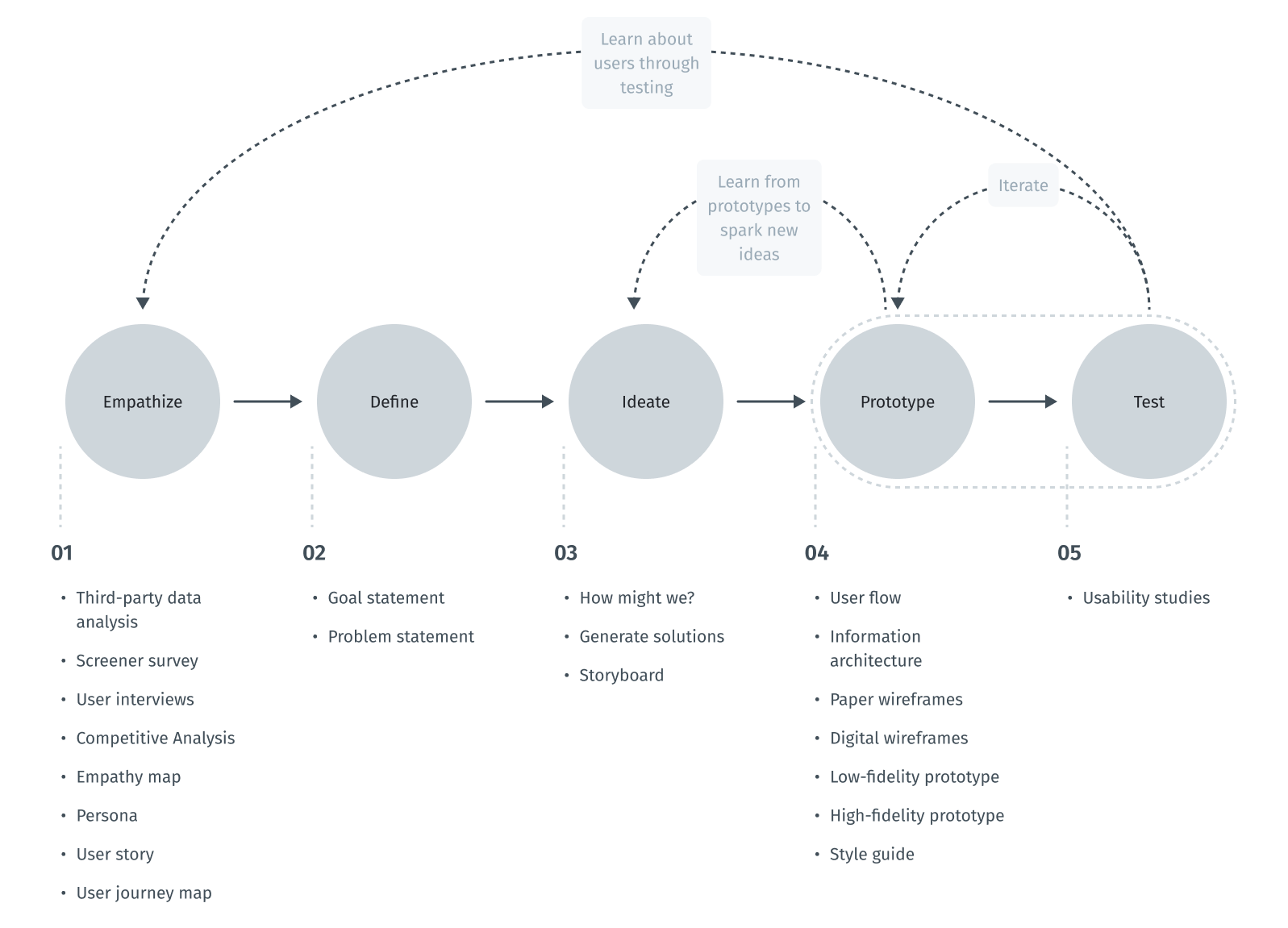
Design thinking process

The design thinking framework is based on the user-centric approach to problem solving promotes innovation and helps to act consistently.
In this case study, the steps taken correspond to the main stages of the design thinking process.
Scheme of design thinking process

Empathize

Intro to user research

To understand what users do, say, think, and feel, I had to start from research. For these purposes, I used screen survey and competitive analysis.

Screener survey

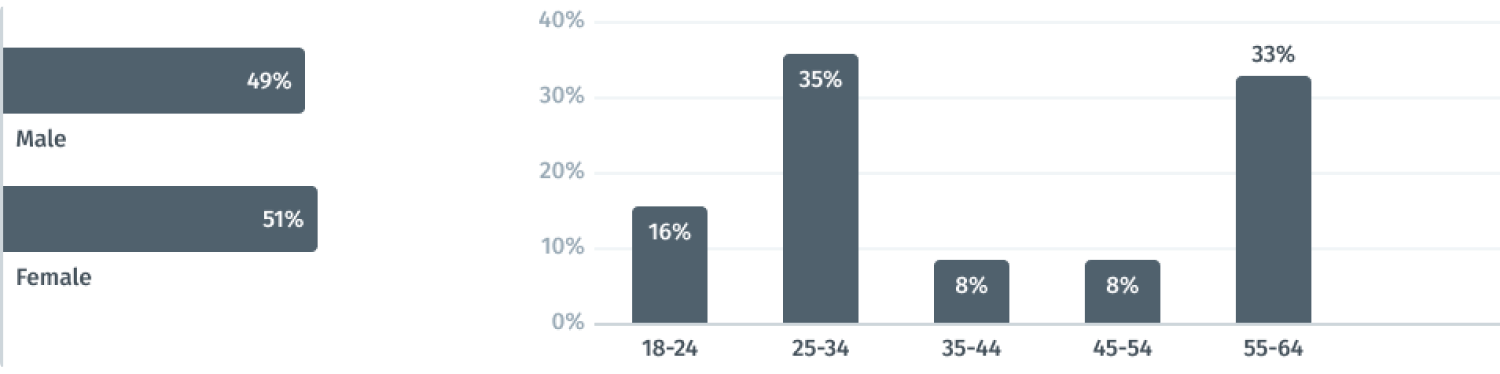
I managed to interview more than 10 people who have ever attended courses or are currently attending them. The main purpose of this survey was to identify the main socio-demographic groups of potential users.
Thus, I was able to identify an interesting pattern that the target audience is divided into two age groups. The first is from 18-34 (usually students) and the second is from 55 and above (retired people who came to the US as family members under the family reunification program).
Social-demographic data

Competitive Analysis

Although this is a non-profit program, I still looked into competitors and studied similar paid and free courses. This allowed me to understand what functions and materials English language learners might need on the website.
For comparison, I chose several local and international companies that offer ESL courses and have online presence (volunteerenglish.org, englishlive.ef.com, englishlive.ef.com, edx.org, christinak12.org).
I conducted competitive audit and assessed competitors from different sides such as design, features, impression, interaction, and content.
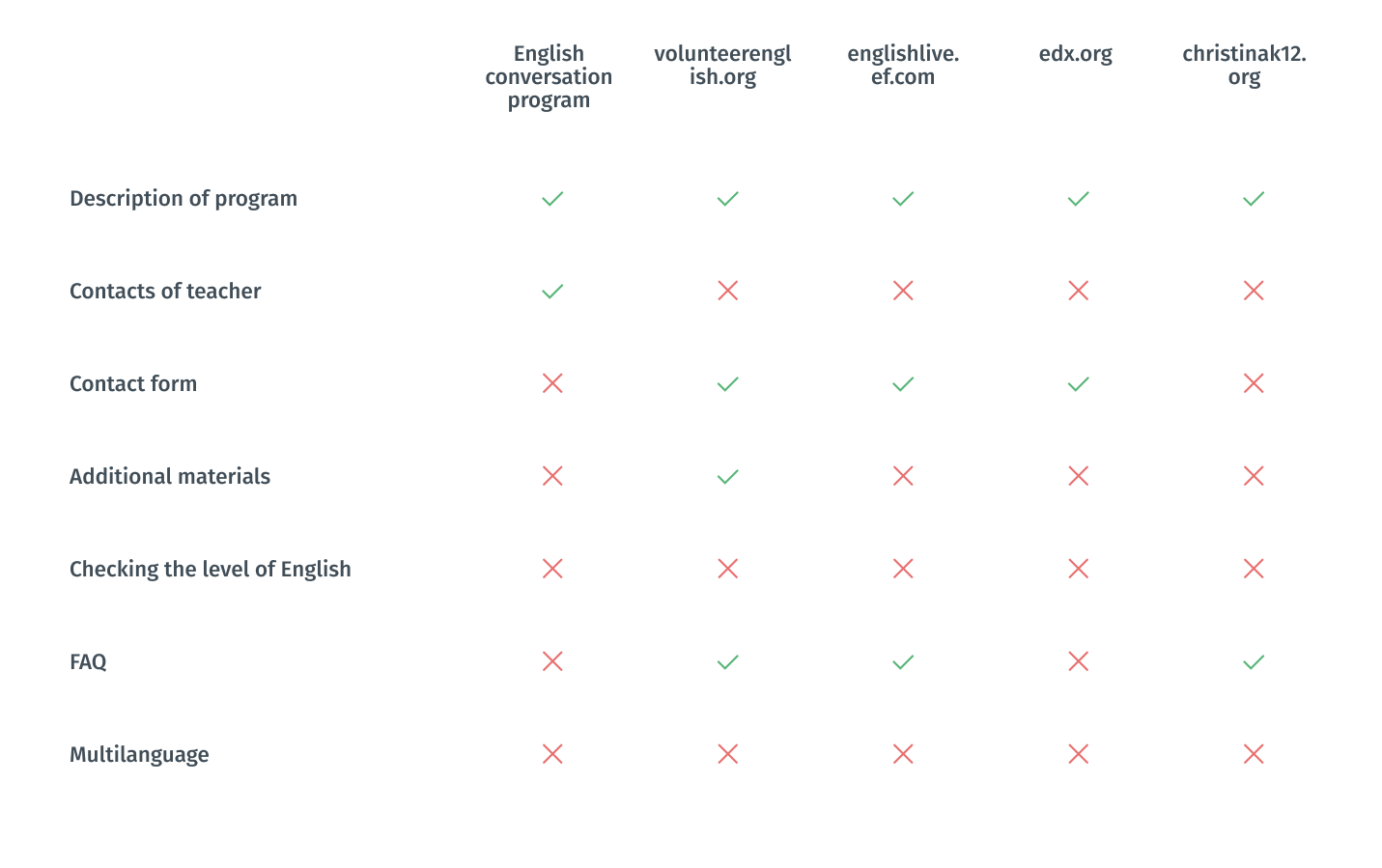
All of the direct competitors have a similar range of services and try to provide the same opportunities for clients. All programs had a detailed description on their website. However, some of them were missing important information and features such as contact of teacher, contact form and FAQ. Only one program had additional materials for English learners, and none of them offered to check the student’s level of English or had a function to change the language of the website.
I made a pivot spreadsheet for key features to better see what I should emphathise.
All of the direct competitors have a similar range of services and try to provide the same opportunities for clients. All of them operate abstract advantages like good quality, experienced workers, etc. Lack of the information about prices is a big problem because this information is key for a potential customer. Due to the small size of their businesses, their marketing activity is poor and underdeveloped.
I believe local companies need to have a robust website first. Only then they should think about the app. But to stay in the course frame, I am trying to look into the future and consider a company extension scenario, where they would need to have an app.
In the case of the indirect competitors TaskRabbit and Handy, the situation is opposite. I found that nationwide competitors provide price information, good description, and strong design.
I made a pivot spreadsheet for key features to better see what I should empathize.
Pivot competitive analysis

Empathy Mapping

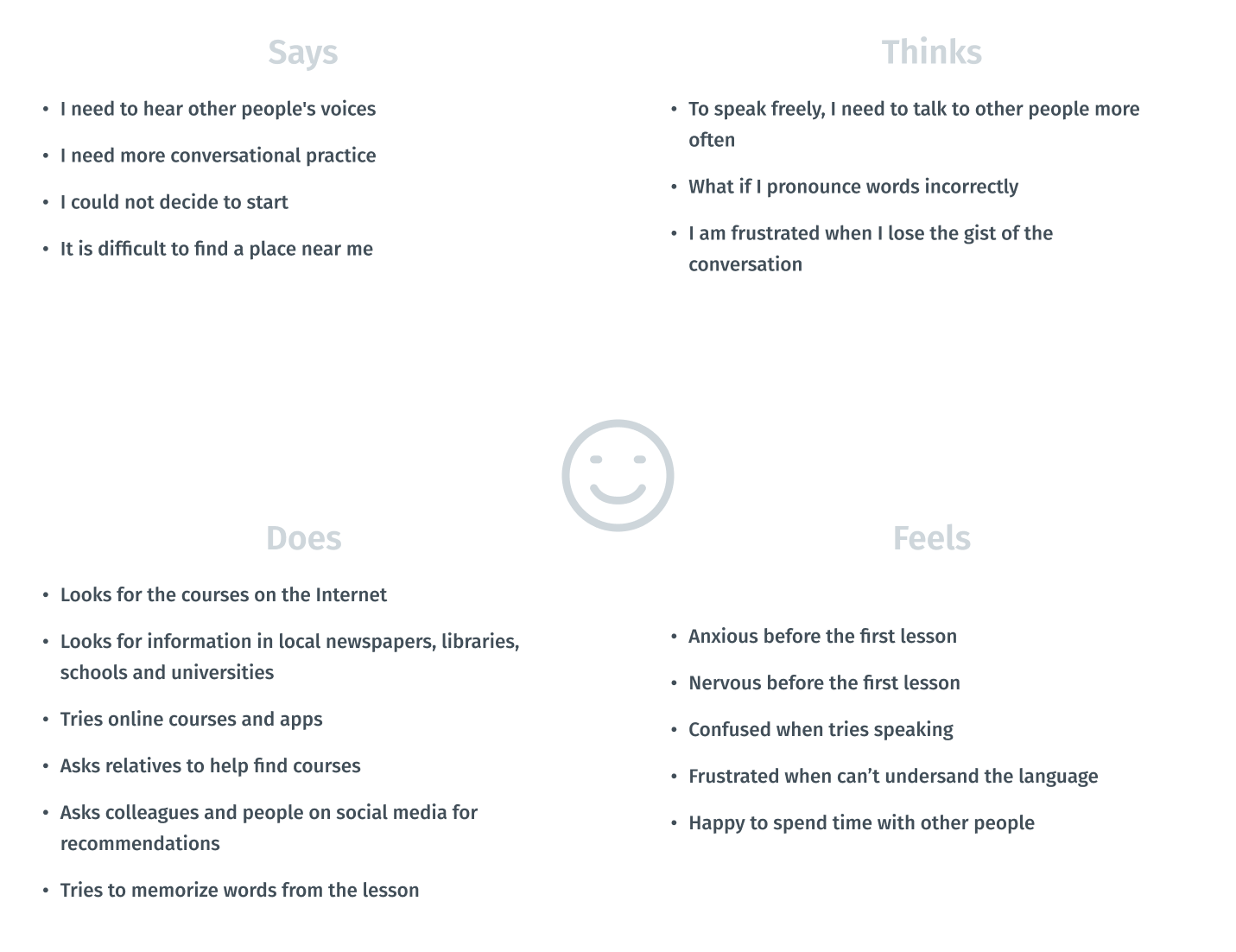
Visualizing attitudes and behaviors of a person in an empathy map gave me a better understanding of end users’ experiences.
Empathy map of a user

Persona

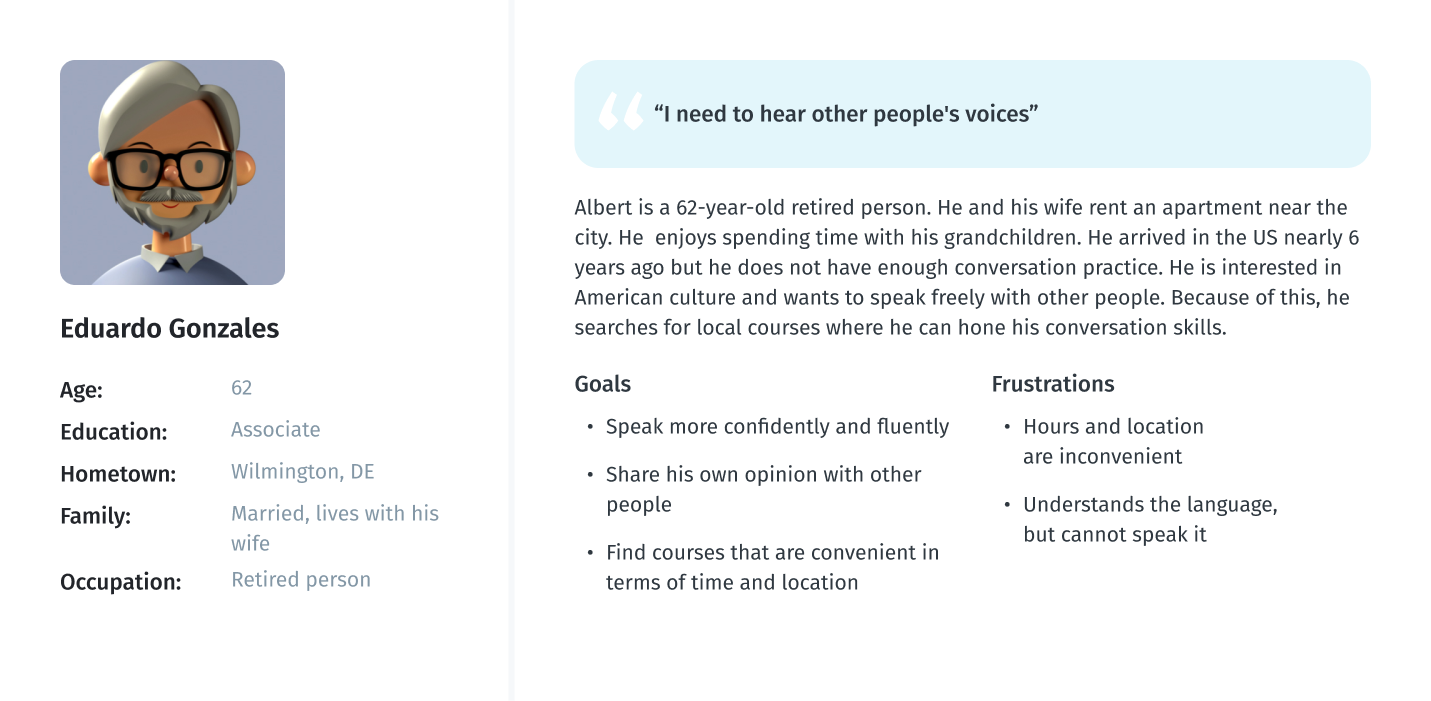
As part of processing the research findings, I analyzed the information that had been found during the research phase by creating a User Persona. This persona contains the details of the user’s goals, needs, frustrations, interests, possible quotes and other information that might be useful in the design process such as user’s profile and personality.
User persona

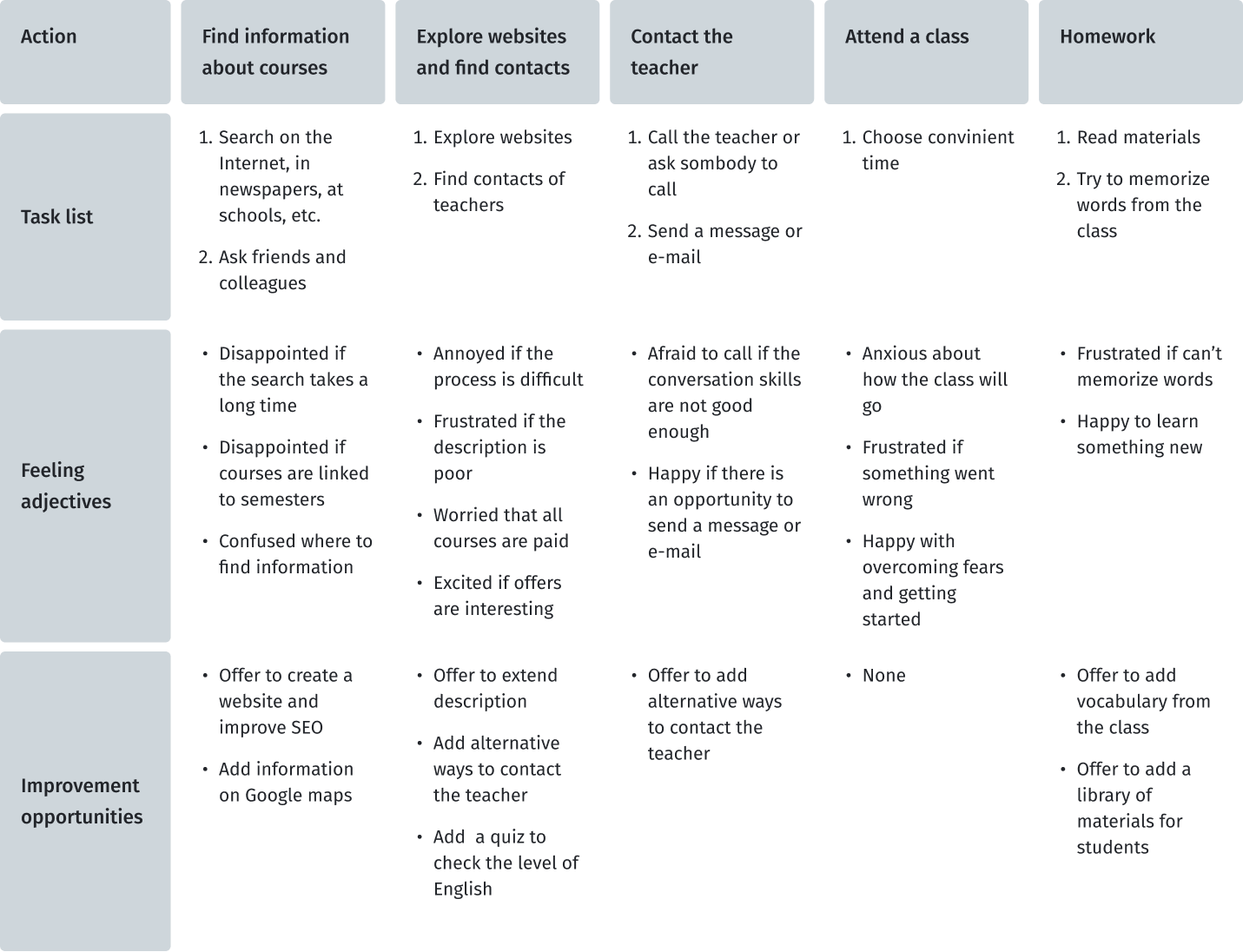
User journey map

At this stage, I created a user journey map to imagine the scenario of the user journey in finding reliable handyman service. From here, I found out which steps contain opportunities that could be developed in my project.
User persona

Define

It is time to merge the insights from empathy maps, personas and user journey maps. The next step was to identify the user's problems, which would then be solved during the next stages of product development.

Key pain points of users

Based on the data obtained during the research and emphathy stages, I designated the pain points that users face.
01
Language barrier
English language learners struggle with understanding authentic materials
02
Lack of information
It is hard to find what courses are offered, when and where
03
Choice
Hard to know what corses you need for your level of English
04
Ways to connect
Many websites lack convenient means of contact

Problem statement

Problem statement is a powerful, fundamental tool for defining and aligning on  problem solution, which helps:
  • capture the user and the need
  • keep to a concise goal
  • identify benchmarks and measurements for success
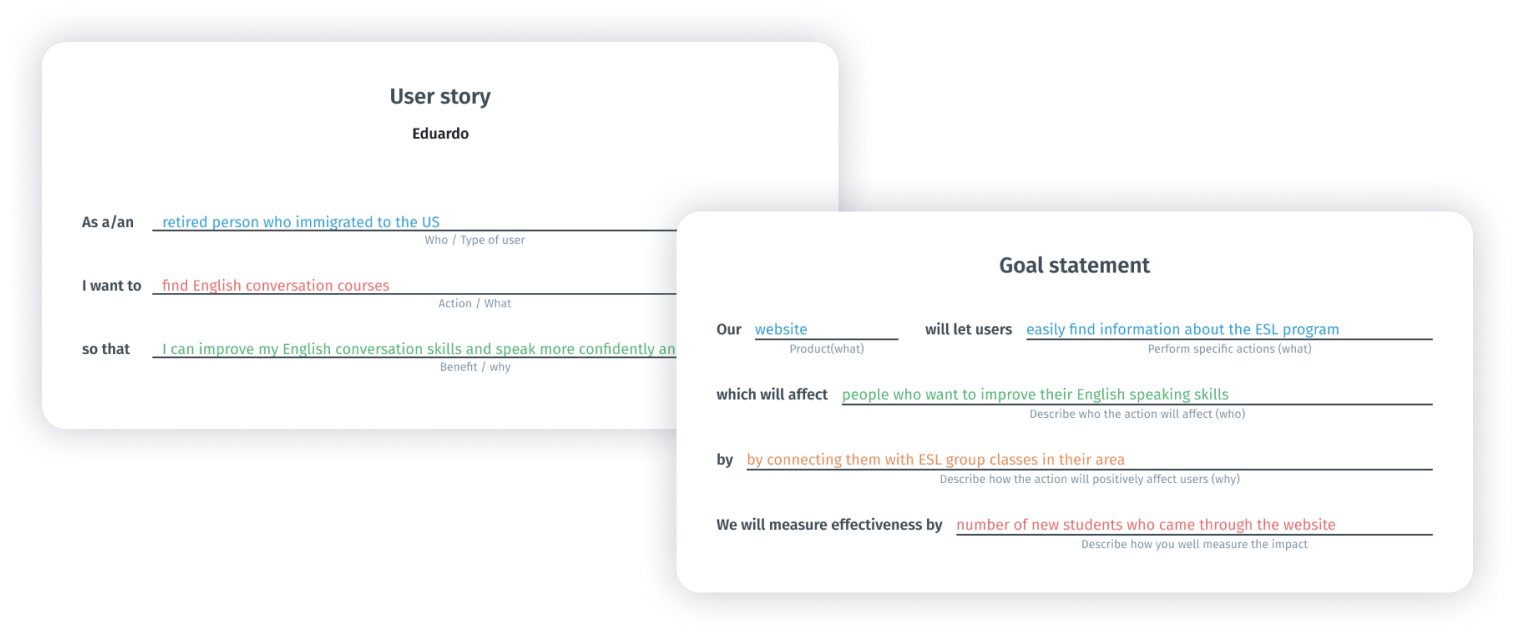
To formulate the problem statement, I performed two steps such as goal statement and creating user story. This techniques allow to concentrate on users’ needs.
Steps to problem statement
To define the statement, I used a basic formula that summarizes who a particular user is, the user's needs and why these needs are important to this user. The final statement of the problem becomes:
Problem
Eduardo is a retired person who needs to find ESL classes because he needs to improve his English speaking skills.
Ideate

Once I had completed the first two stages, I identified some unmet user needs. The third phase in my design-thinking process was Ideate: generate a set of ideas to address those unmet needs.
How Might We?

I use the HMW (How Might We) technique to generate possible problem solutions.Some ideas came from the competitors’ audit. I generated a bunch of different questions and sifted them to exclude any overlap between them and put some of them into one broader HMW. After that, I prioritized my HMWs in terms of their impact on the project’s success. The final list of questions:
  • “How might we help students overcome language barrier when looking for courses?”
  • “How might we provides students with more information about the courses?”
  • “How might we help students make a choice of appropriate courses?”
  • “How might we facilitate the connection between students and ESL program?”
  • “How might we use additional learning materials to enhance the existing courses?”

Solutions

  • Change language
    Providing opportunity to change website language so that students can easily navigate the website.
  • Enrich description
    Supplying students with more relevant information on the program location (add a map), hours, and level of English it is designed for.
  • Language pretest
    Create an online survey to help students decide what group thay should attend.
  • Clear contact information
    Add relevant phone numbers, email address and messengers (WhatsApp, Telegram, and others)
  • Grammar and vocabulary supplement
    Add an opportunity for the teacher to enter useful vocabulary on the website so that students can access it after class. Also provide learning material on phrasal verbs.

Prototype

The two final stages involve evaluating design ideas with real users to see how well those solutions work. It was an iterative process where I tested my ideas on a prototype with different fidelity and tried to find out if it did not work as well as I thought and if it needed to be refined.

User flows

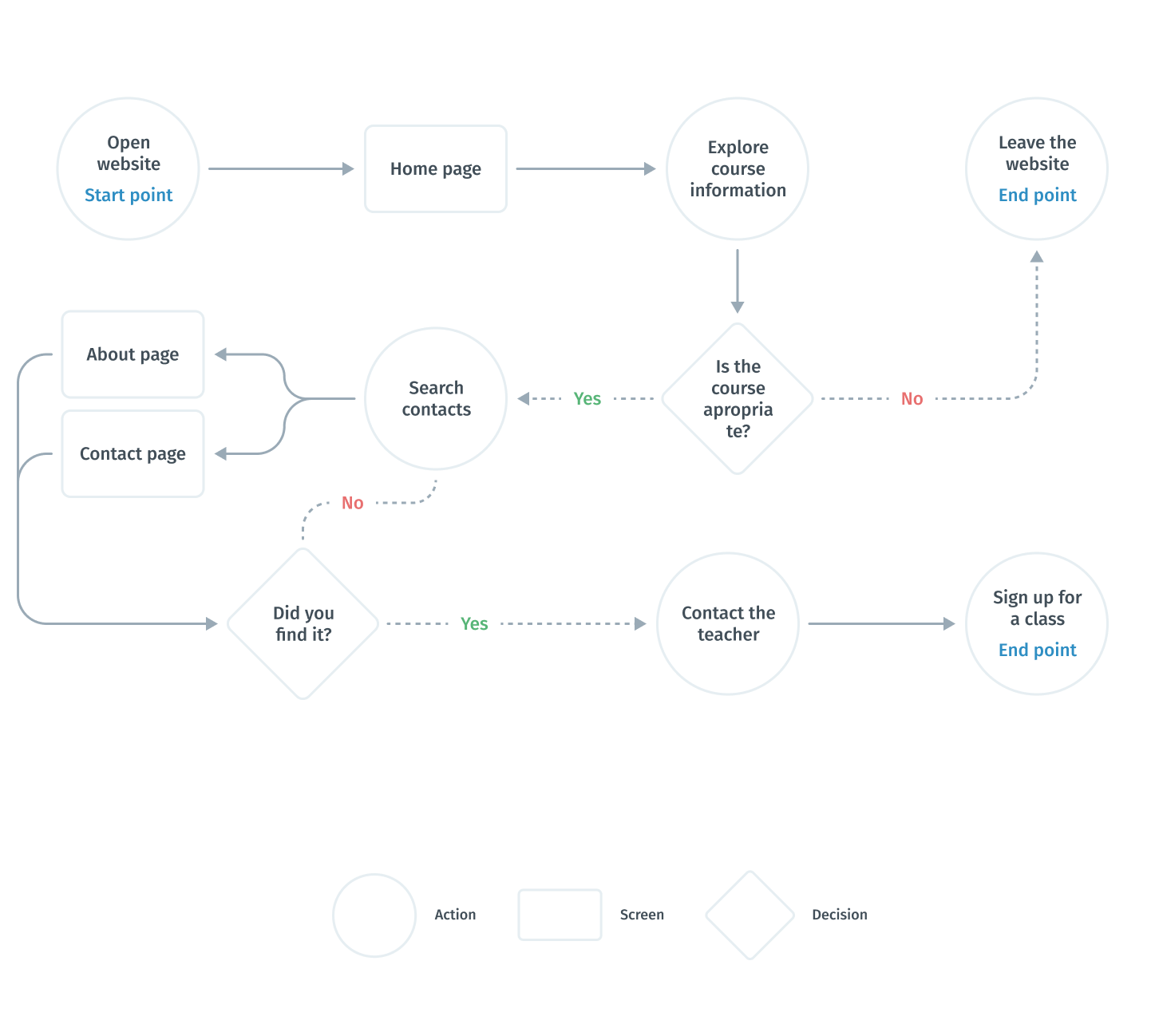
After realizing what problems we are interested in solving, I built a flowchart  for the main user flow (study the program information and contact the teacher) that will help me make sure that I have a solution for each of them.
Simplified user flow

Information architecture

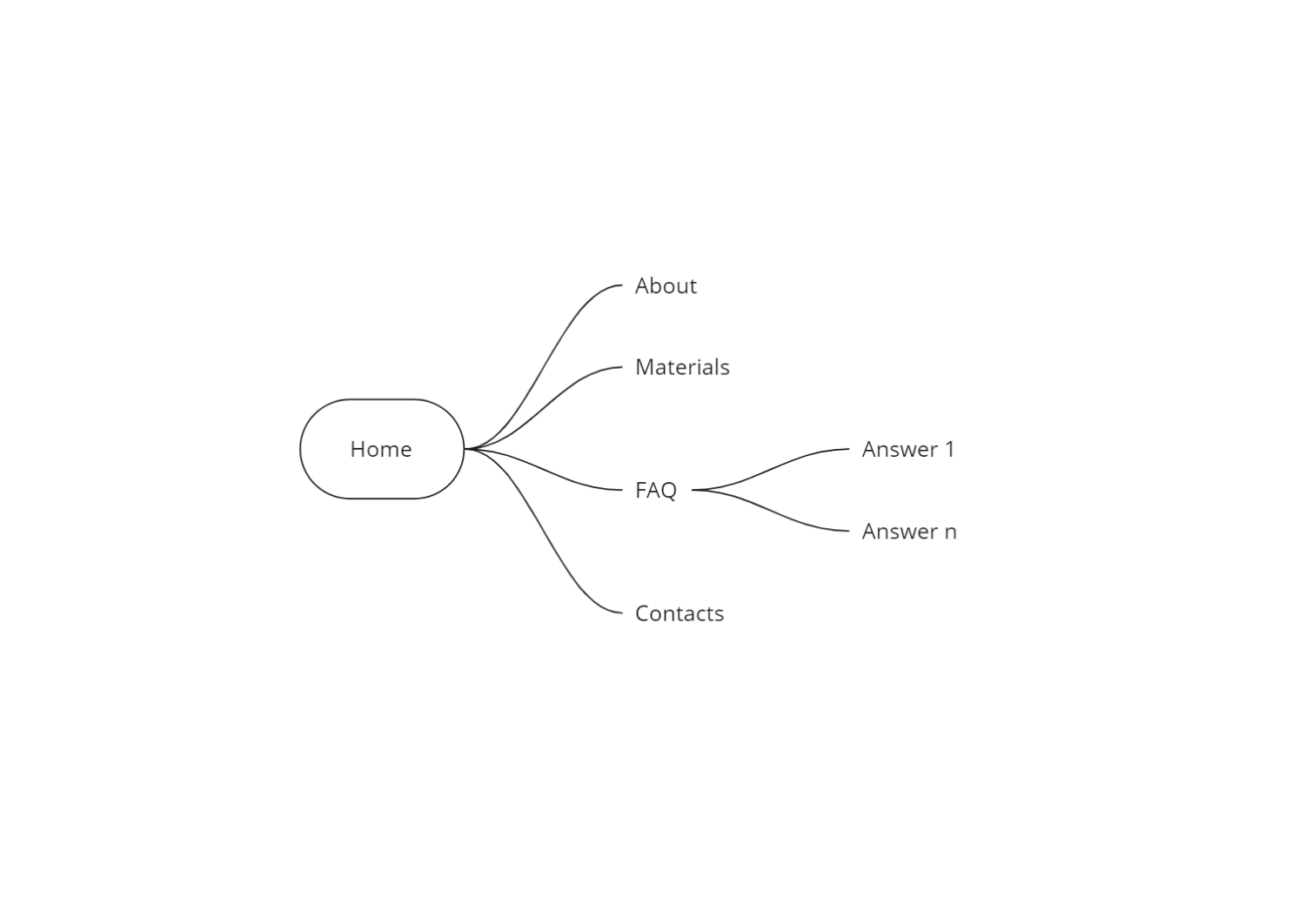
Once I had created a user flow and discovered what features I need and how they would be organized, I translated these ideas into an information architecture tree. This helped me understand which screen states and models I needed to design.
I used Miro to speed up the process.
Information architecture

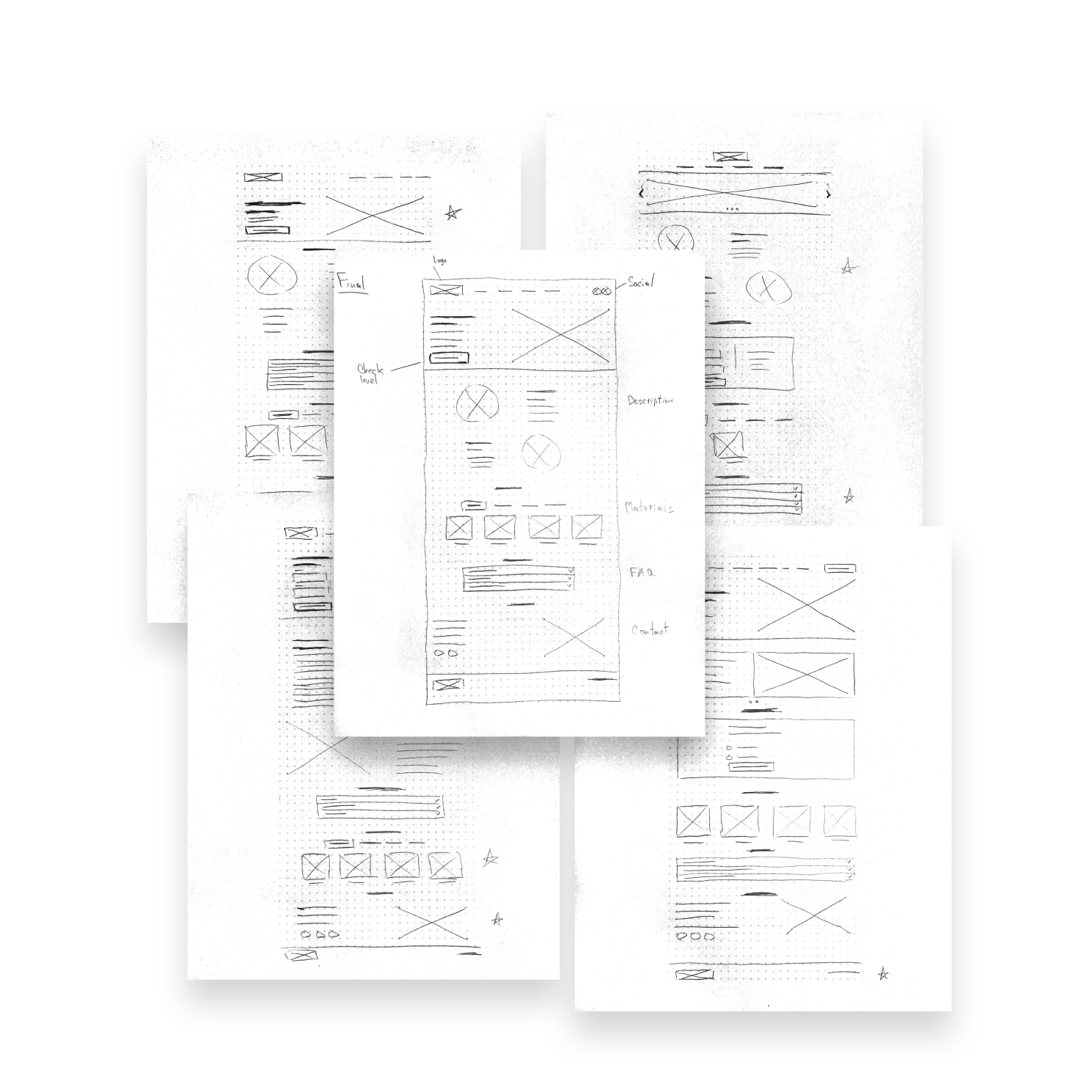
Paper wireframes

Taking the time to draft iterations of each screen of the app on paper ensured that the elements that made it to digital wireframes would be well suited to address user pain points. For the home screen, I prioritized a quick and easy ordering process to help users save time.
I made several different versions of the home screen and compiled them into a final version. After that, I did the same work for other key screens of the user flow.
Paper wireframes

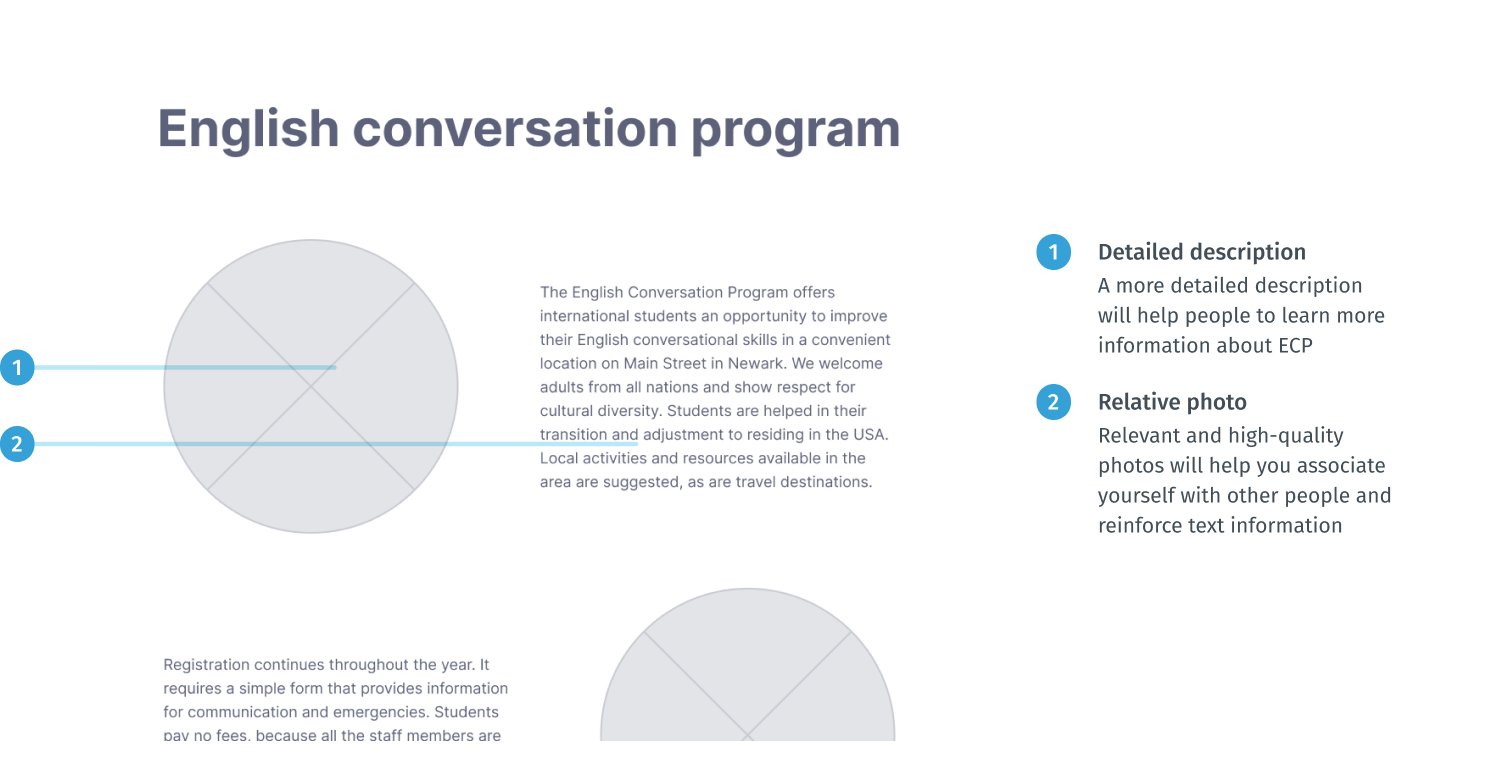
Digital wireframes

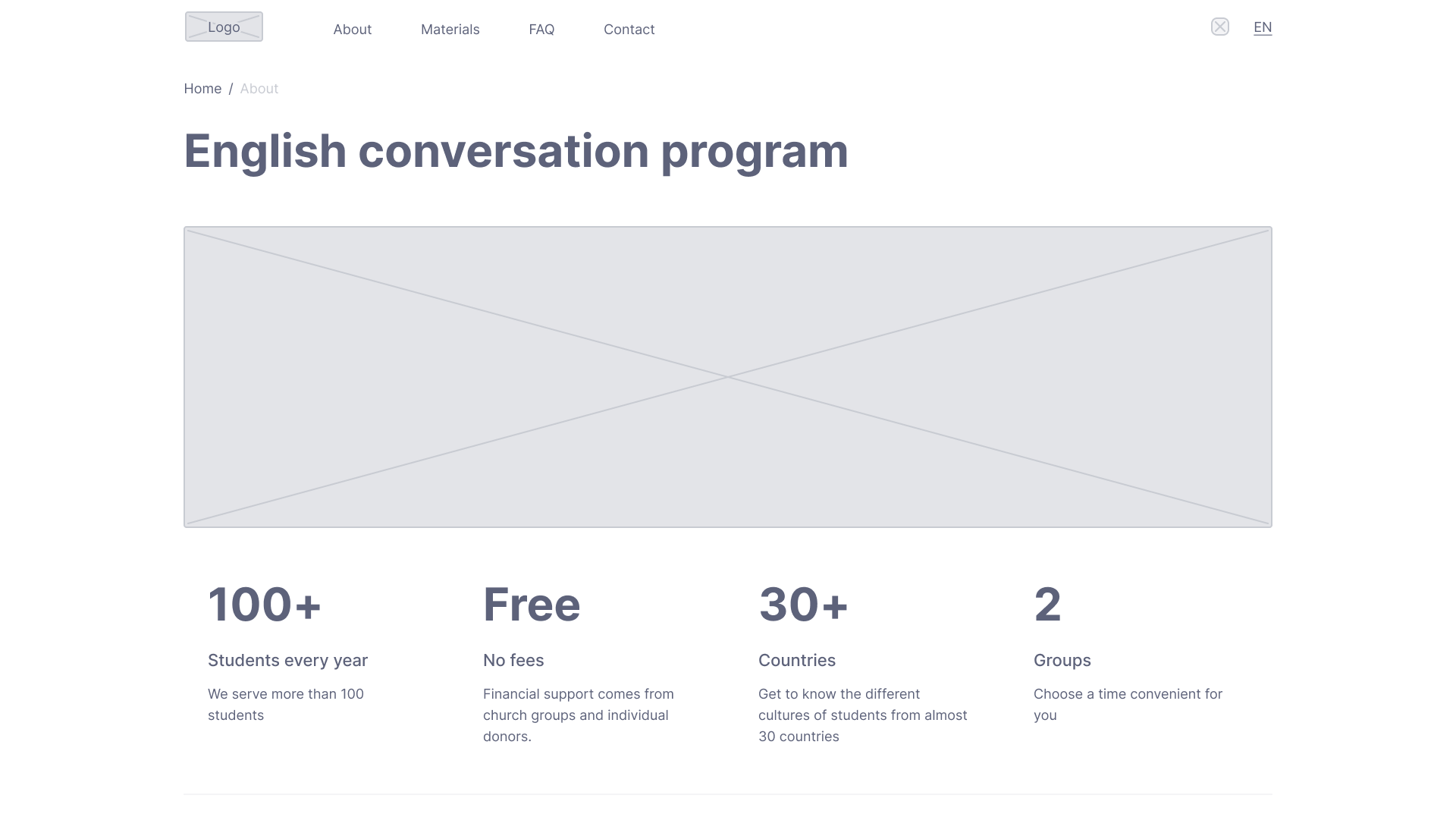
At the initial design stage, I made sure that the design of the screen was based on the results of user research. This is the first framework that demonstrates design thinking consistent with previous findings.
A more detailed description will help people understand whether these courses are suitable for them.
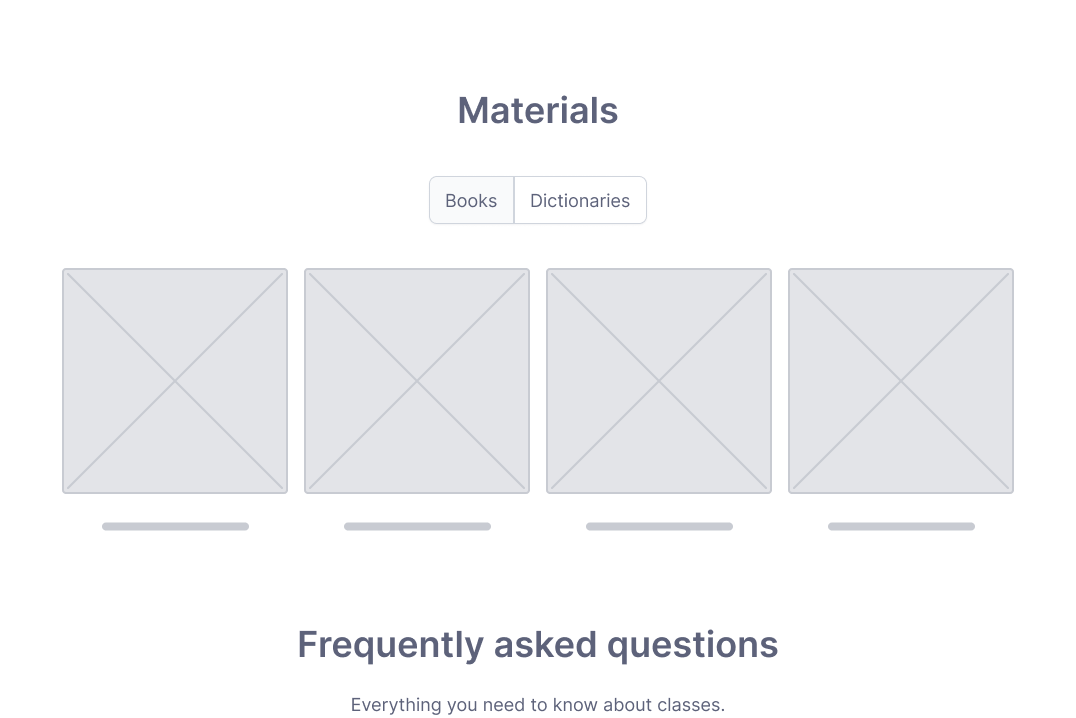
Providing additional materials will allow users to study at home.
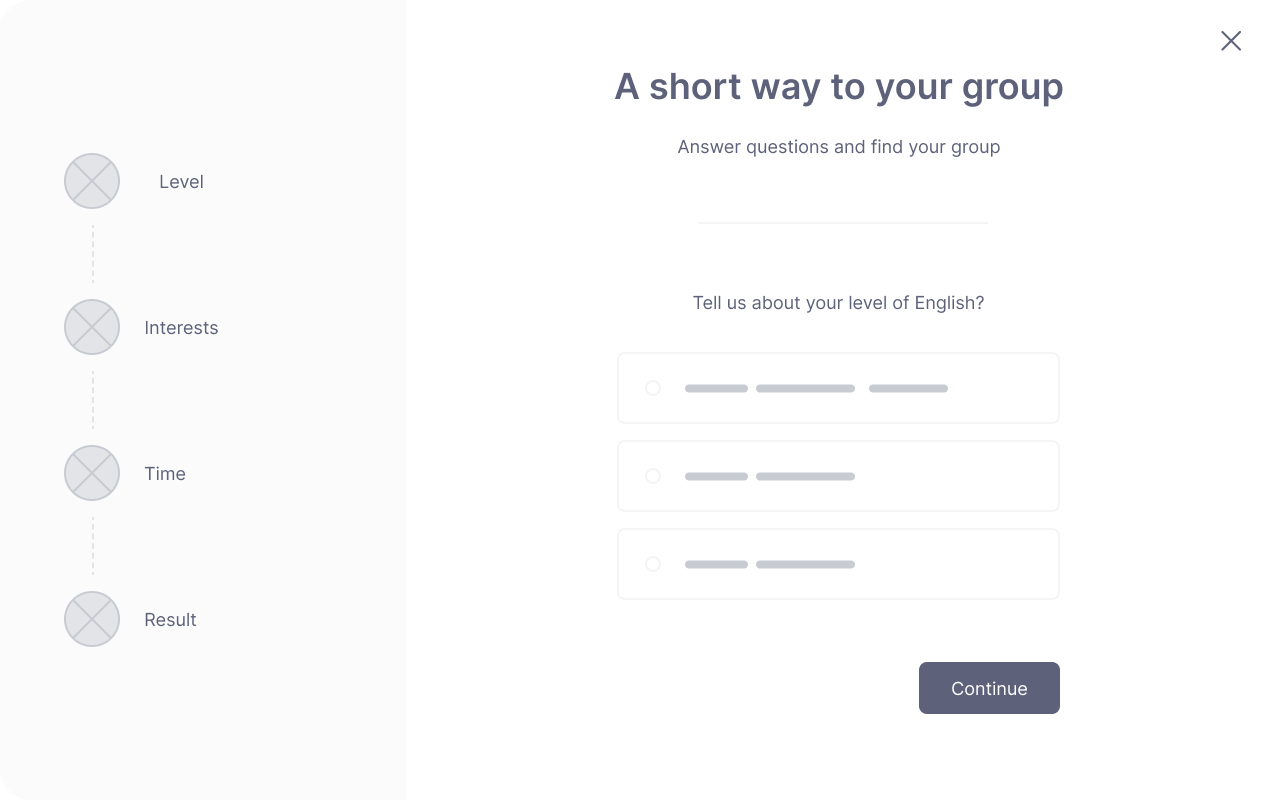
The quiz format will help people from the first screen to determine which group suits them best and make it easier to make a decision.

Low-fidelity prototype

Using the complete set of digital wireframes, I created a low-fidelity prototype. I made the main user flow for choosing the course and connecting with the teacher, so the prototype could be used in a usability study. Link to prototype in Figma
Screenshot of low-fidelity prototype in Figma

Usability studies — Round 1

To test my ideas, I chose the modarated UX Research Study. After finishing low-fidelity prototype, I conducted the first round of the usability study with five respondents. Below are the screenshots of the UX Research Study script (Full version – UX Research Study — an English Conversation Program website  / first study.pdf).
UX Research Study script — Round 1
After gathering the data from the UX Study, I used the Affinity diagram to process the results. The findings from the first study guided my design thinking from wireframes to mockups.
Round 1 findings
  1. Users tend to browse the homepage to find all the information
  2. People don't want to read a lot of text, they need a summary

Design iterations after Round 1 of study

I collected all the information I received and made some improvements at the current stage of development.
Based on information from users that they would like to see a brief description of key information, I decided to add this block to the homepage and the about us page.

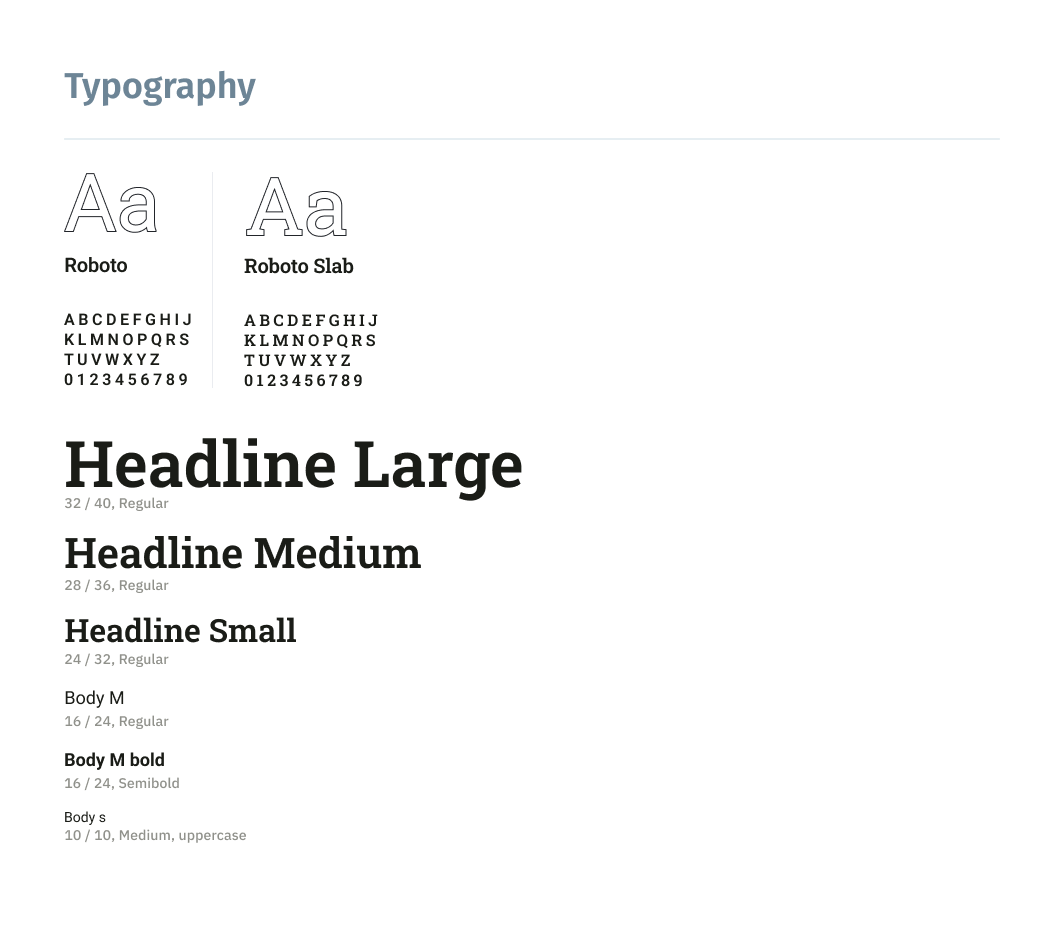
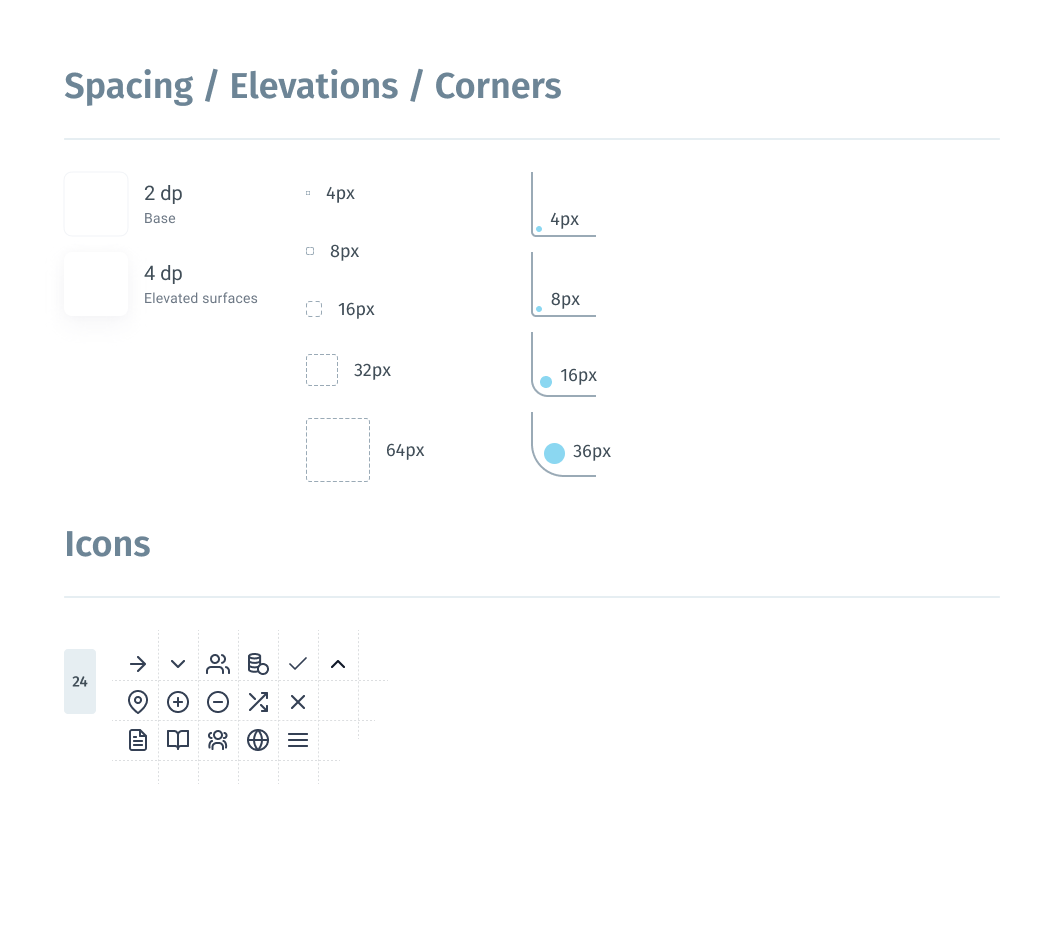
Style guide

After implementing the improvements to the low-fidelity prototype, it was possible to switch on the creating style guide and high-fidelity prototype.
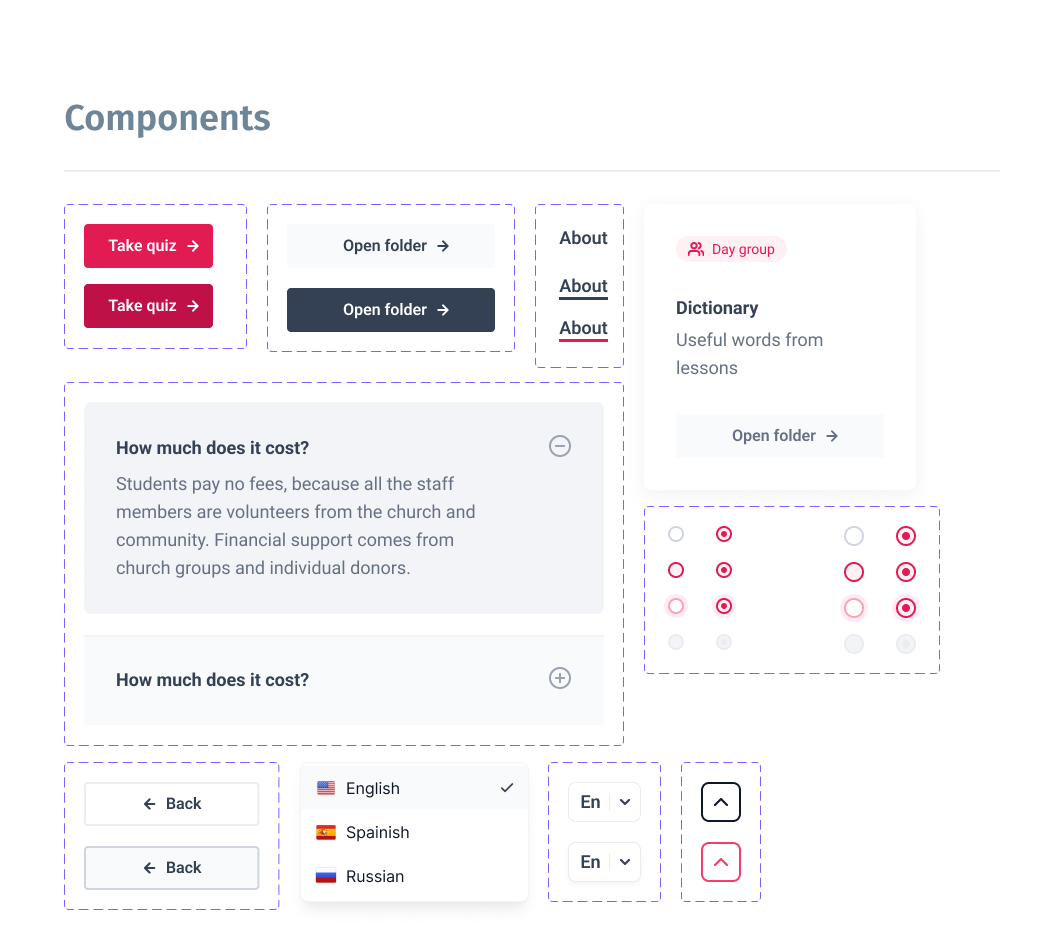
Style guide

High-fidelity prototype

The high-fidelity prototype introduced cleaner user flows for the specialist ordering process.
The prototype implements the main scenario of user flow for choosing the course and connecting with the teacher. Link to prototype in Figma
Screenshot of high-fidelity prototype in Figma

Usability studies — Round 2

After finishing the work on the high-fidelity version of the prototype, it was time for the second round of usability testing with users. I used the same tools for this activity: moderated usability study and Affinity diagram for the processing of results.
The second study used a high-fidelity prototype and revealed what aspects of the future website must be refined.
Round 2 findings
  1. People need the “up” button
  2. Most users try to find all the information on the home page

Design iterations after Round 2 of study

The second round of usability research revealed the need for an the “up” button. This makes it easier for people to navigate the website.
The date that users want to find all the necessary information on the main page can be useful in further development of the project. It is advisable to consider creating a one-page website, which will save money and time during the development.

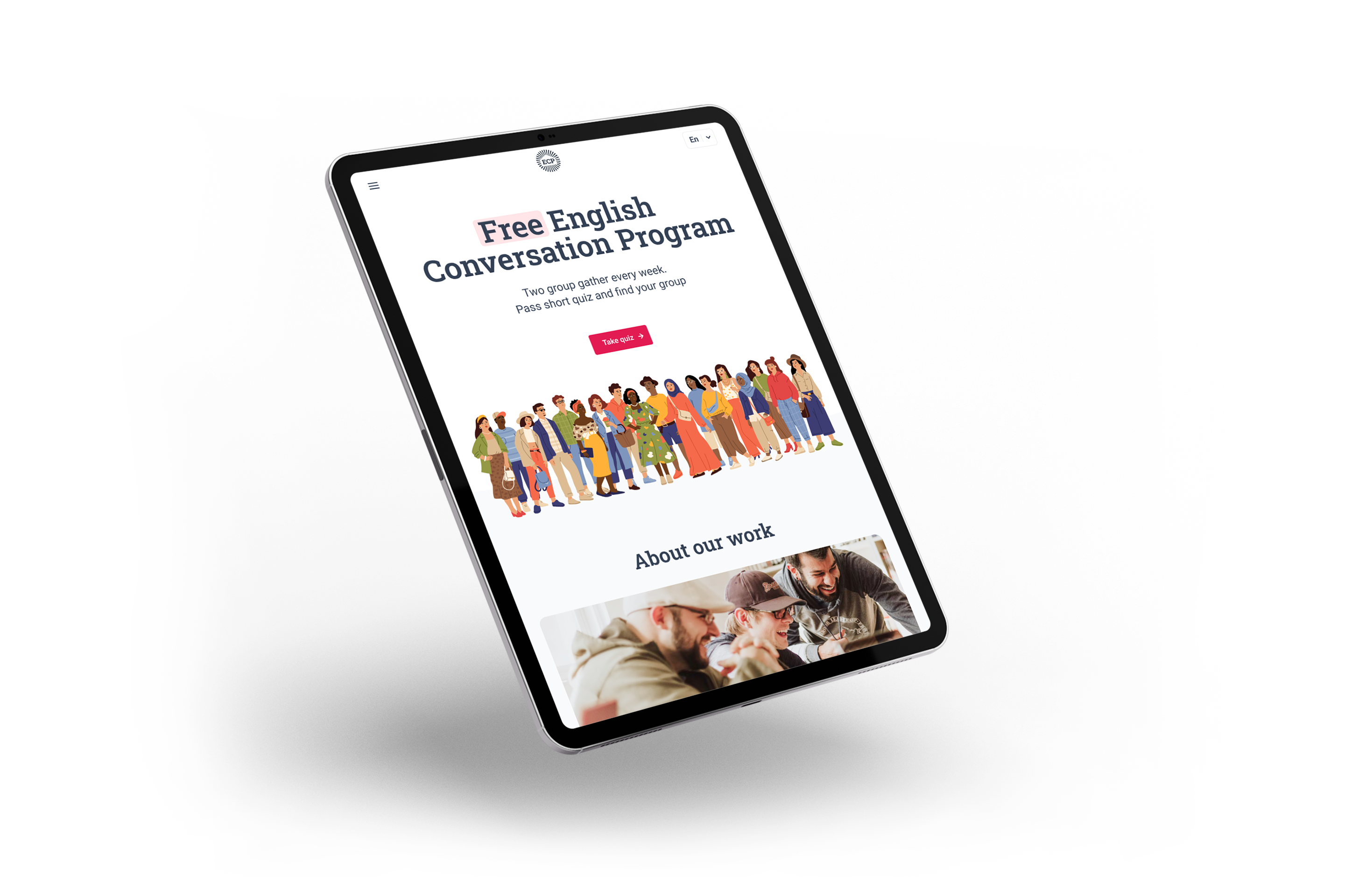
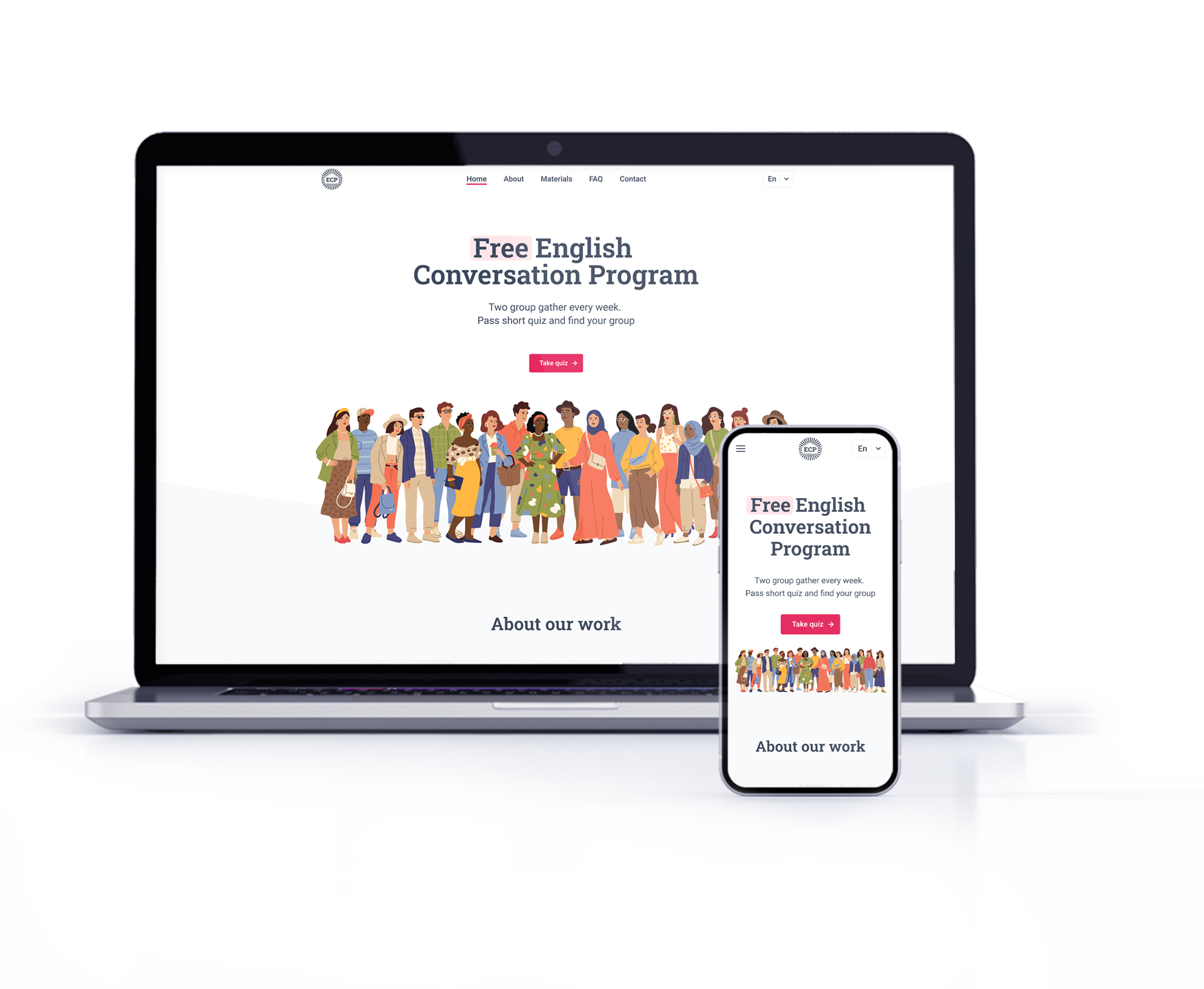
Responsiveness

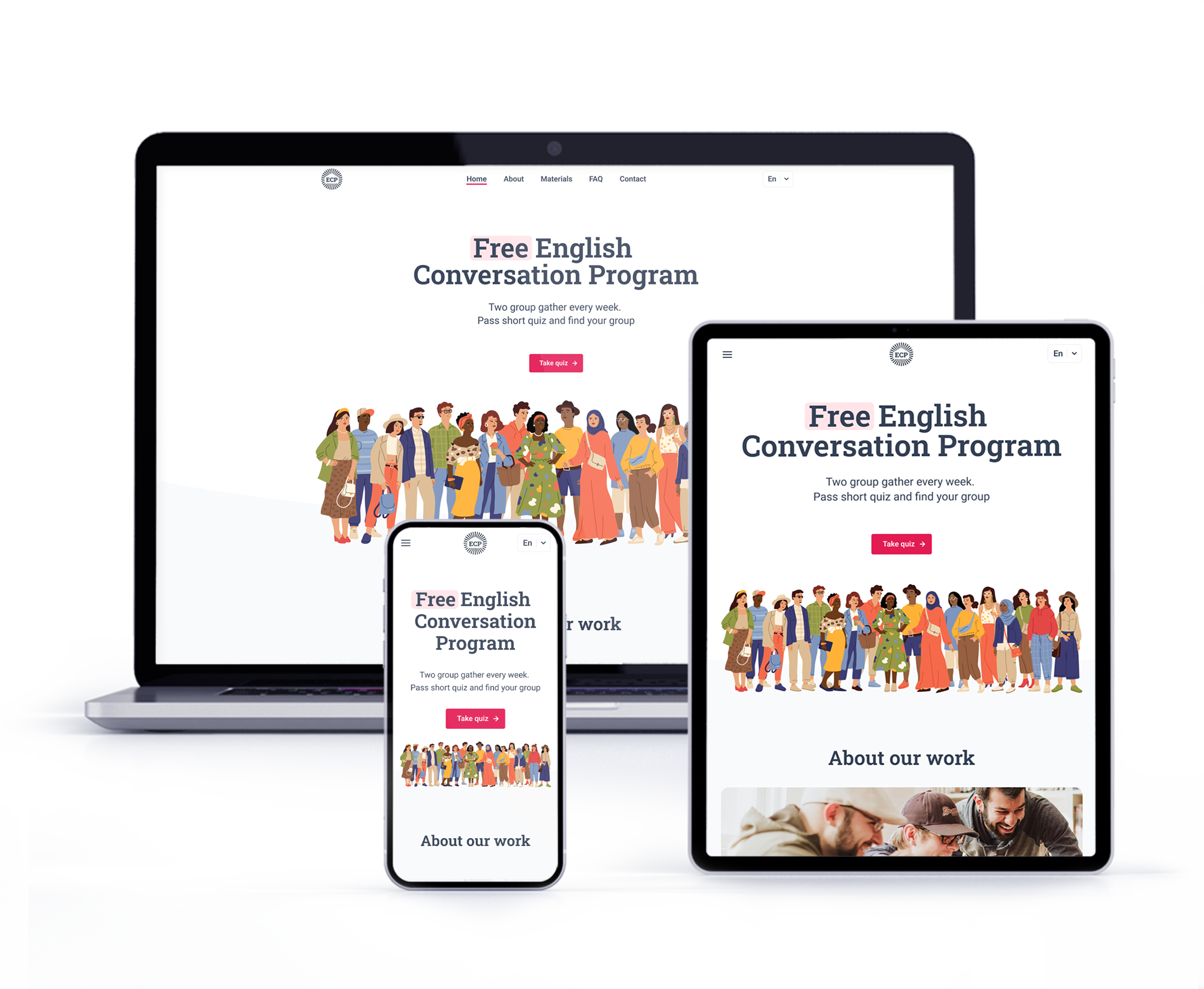
The web version is adapted for mobile devices and laptops. I optimized the design to fit specific user needs of each device and screen size.
Website on tablet
Website on laptop and phone

Final design and main features

After the second iteration of the study and all the works, I managed to accomplish the prototype, which matches all originally set tasks.

Change language

Choose a language that is convenient for you and read about our courses in comfort.

All the necessary information

Get all the necessary information about our courses in one place.

Clear contact information

Teachers are always in touch by phone and in messengers. For convenience, you can also contact them by email.

Language pretest

Teachers are always in touch by phone and in messengers. For convenience, you can also contact them by email.

Grammar and vocabulary supplement

Additional materials from the lesson will allow students to consolidate their knowledge by enriching their vocabulary.

Accessibility considerations

01
Time
Provided access to users who are vision impaired through adding alt text to images for screen readers
02
Reliability
Used icons to make navigation easier
03
Urgency
Added opportunity to choose language in header
04
Money
Double checked all elements, interactions and animations to comply with WCAG 2.0

Takeaways

I managed to implement a solution for all the user problems that had been identified at the initial stage of development, and create a solid starting point for the further development process.
Impact
Clear and easy access to information about courses allows people to make a decision easier.

Additional ways to contact teachers helps to connect more effectively.
What I learned:
Sometimes we have a lot of ideas to solve a simple problem. But not in every case all of them are necessary. In some cases, the simpler the final product, the better the result.

Next steps

01
One-page website
Based on usability research, I want to rebuild this website into a landing page
02
Change photo
Change all stock photos to photos from the course groups if individuals give their consent

Case study —
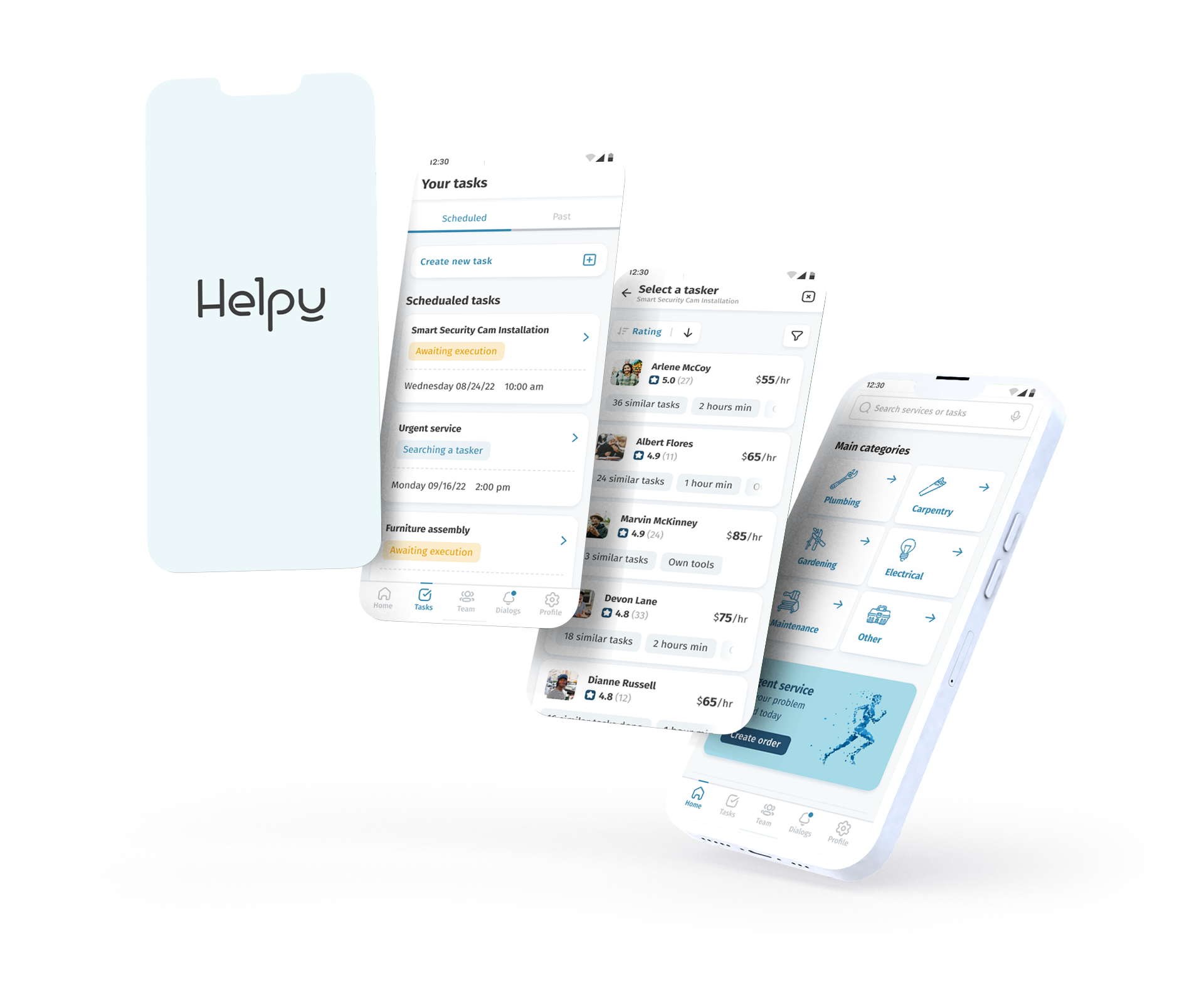
Helpy Agency app

Summary
The goal of this case study was to create an app for a local company that provides handyman services by analizing the market and designing accesible and user frirndly interfaces.
Role / sole designer
UX/UI designer and UX researcher from concept to delivery
Summary
  • Research
  • Wireframing
  • Prototyping
  • Usability tests
Approach
  • Competitive analysis
  • Affinity mapping
  • Usability testing
  • Customer Journey Map
Timeline
2 months

Introduction

Introduction

This project is part of my Google UX Design Professional Certificate program. The idea is to create a concept of a service for a local handyman company. I chose this theme for my work because I am interested in carpentry and ways to solve household issues quicker and easier.
Helpy Agency is a small regional company whose target clients are people who need helpin the household.
The company employs about 20 employees who work for the company under a contract. The company also allows freelancers to work as specialists on behalf of the company after passing verification of their qualification.
Challenge
People do not have enough skills, equipment or time to maintain their household. Because of that they need reliable and convinient way to find specialists for their tasks.

Design thinking process

The design thinking framework is based on the user-centric approach to problem solving promotes innovation and helps to act consistently.
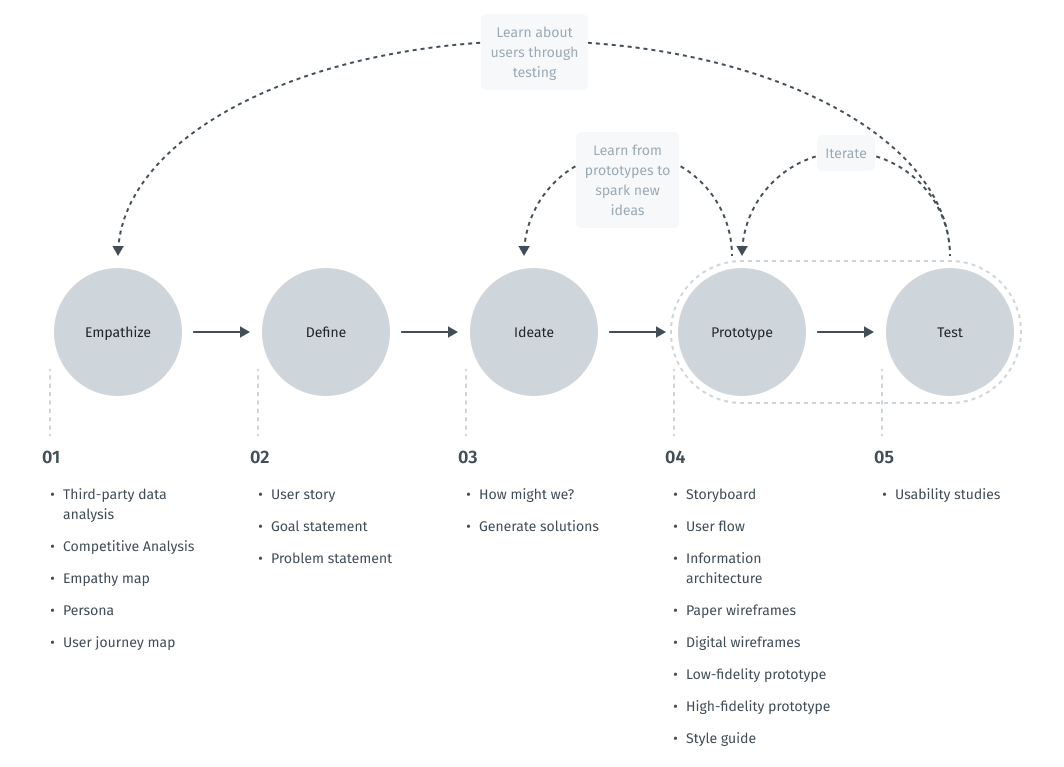
In this case study, the steps taken correspond to the main stages of the design thinking process.
Scheme of design thinking process

Empathize

Intro to user research

To understand what users do, say, think, and feel, I had to start from research. I decided to gather and use secondary data to gain a more detailed understanding of who my end users are. I needed a starting point in the data collection for my work. At the same time, I had limited resources for my training project. Because of this, I decided to use third-party data from open resources. For these purposes, I used search engine tools to collect social and demographic data.
After that, I conducted a competitor analysis. It gave me an insight in the market space and provided additional context for the problem we are working on.

Third-party data analysis

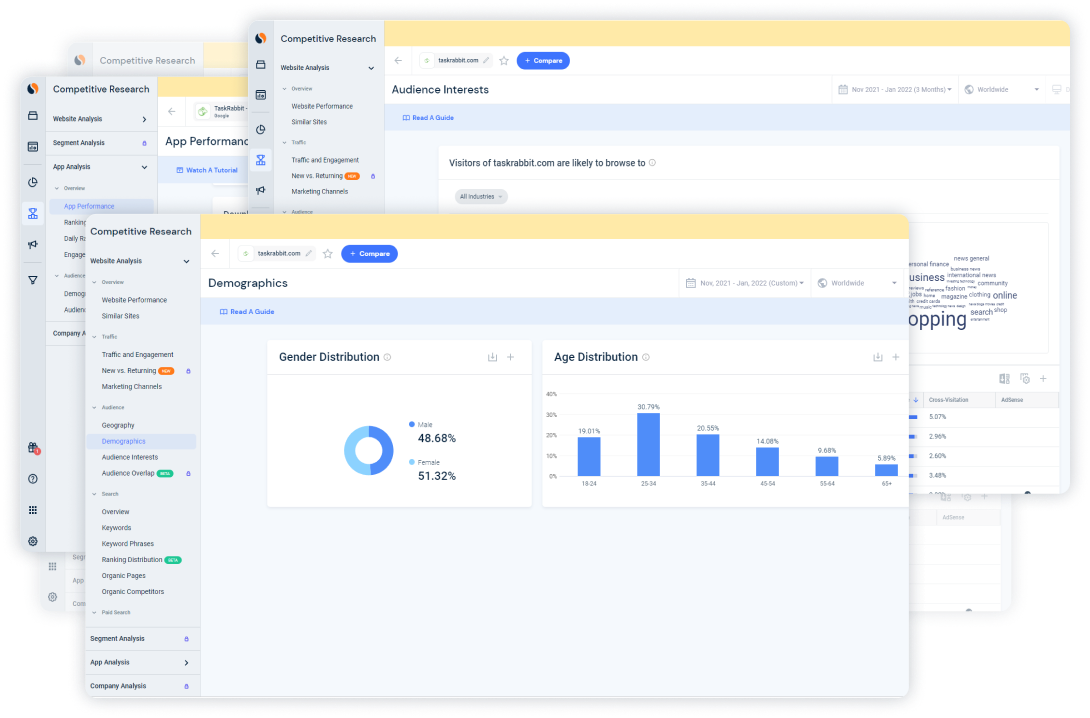
In order to understand who the typical user of handyman services is, I collected social and demographic data about users of most popular websites and apps in this sphere. I chose apps and websites of companies like TaskRabbit, Handy, Houzz and other from the top 10. Below you can see an example of screens from the Similarweb service.
Example of data from Similarweb
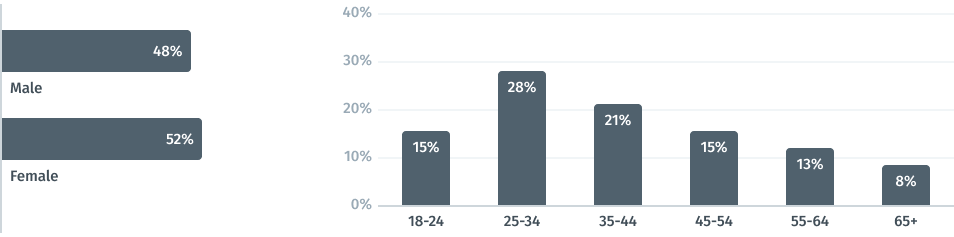
Analysis and compilation of this data revealed almost the same proportion of male and female order services, which made males and females from 25 to 44 years old the target audience.
Pivot social-demographic data

Competitive Analysis

In order to construct a concise and solid foundation for the Helpy app, I had to look at competitors and find out what key opportunities and features they have.
For comparison, I chose several local small companies, which would be my direct competitors (A.E. Quesenberry Carpentry, TLC Handyman Services, Simeon Batts Construction, LLC)and two big nationwide providers who would be indirect competitors and references for me (TaskRabbit and Handy).
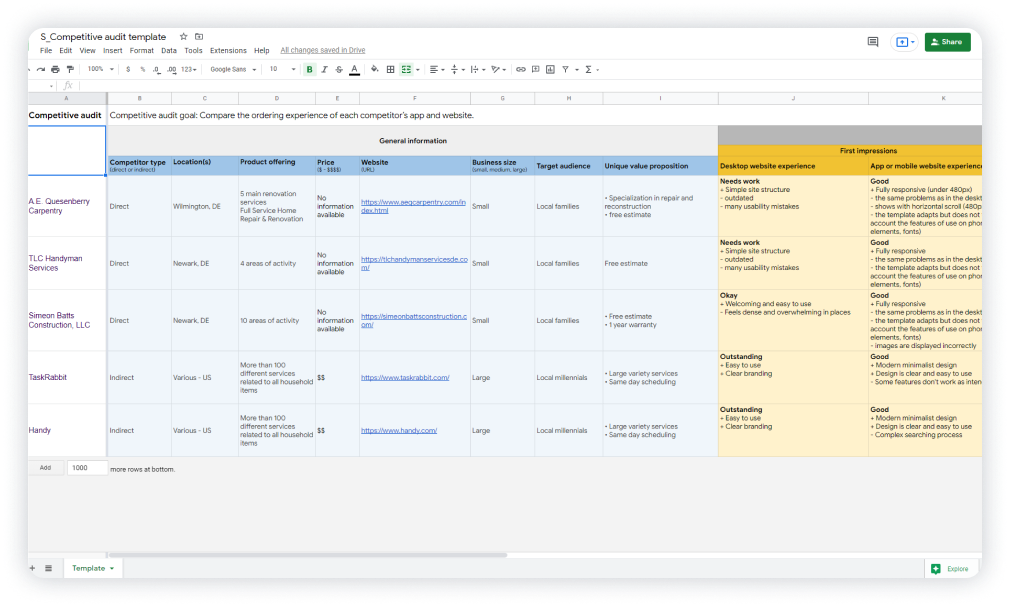
I conducted competitive audit and assessed competitors from different sides such as design, features, impression, interaction, and content. In the screenshot below, you can see a part of this table.
Example of data from competitive audit
All of the direct competitors have a similar range of services and try to provide the same opportunities for clients. All of them operate abstract advantages like good quality, experienced workers, etc. Lack of the information about prices is a big problem because this information is key for a potential customer. Due to the small size of their businesses, their marketing activity is poor and underdeveloped.
I believe local companies need to have a robust website first. Only then they should think about the app. But to stay in the course frame, I am trying to look into the future and consider a company extension scenario, where they would need to have an app.
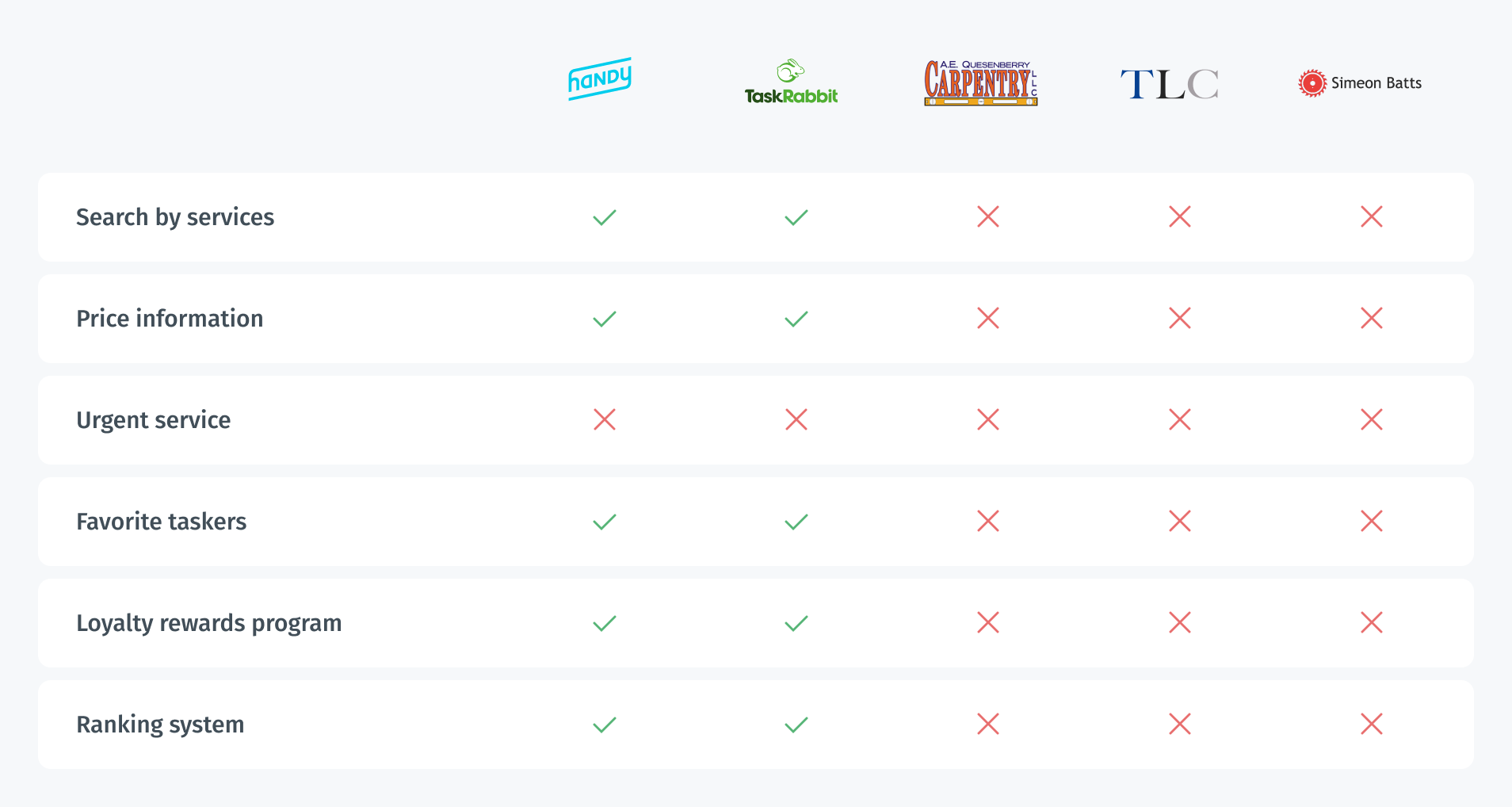
In the case of the indirect competitors TaskRabbit and Handy, the situation is opposite. I found that nationwide competitors provide price information, good description, and strong design.
I made a pivot spreadsheet for key features to better see what I should empathize.
Pivot competitive analysis
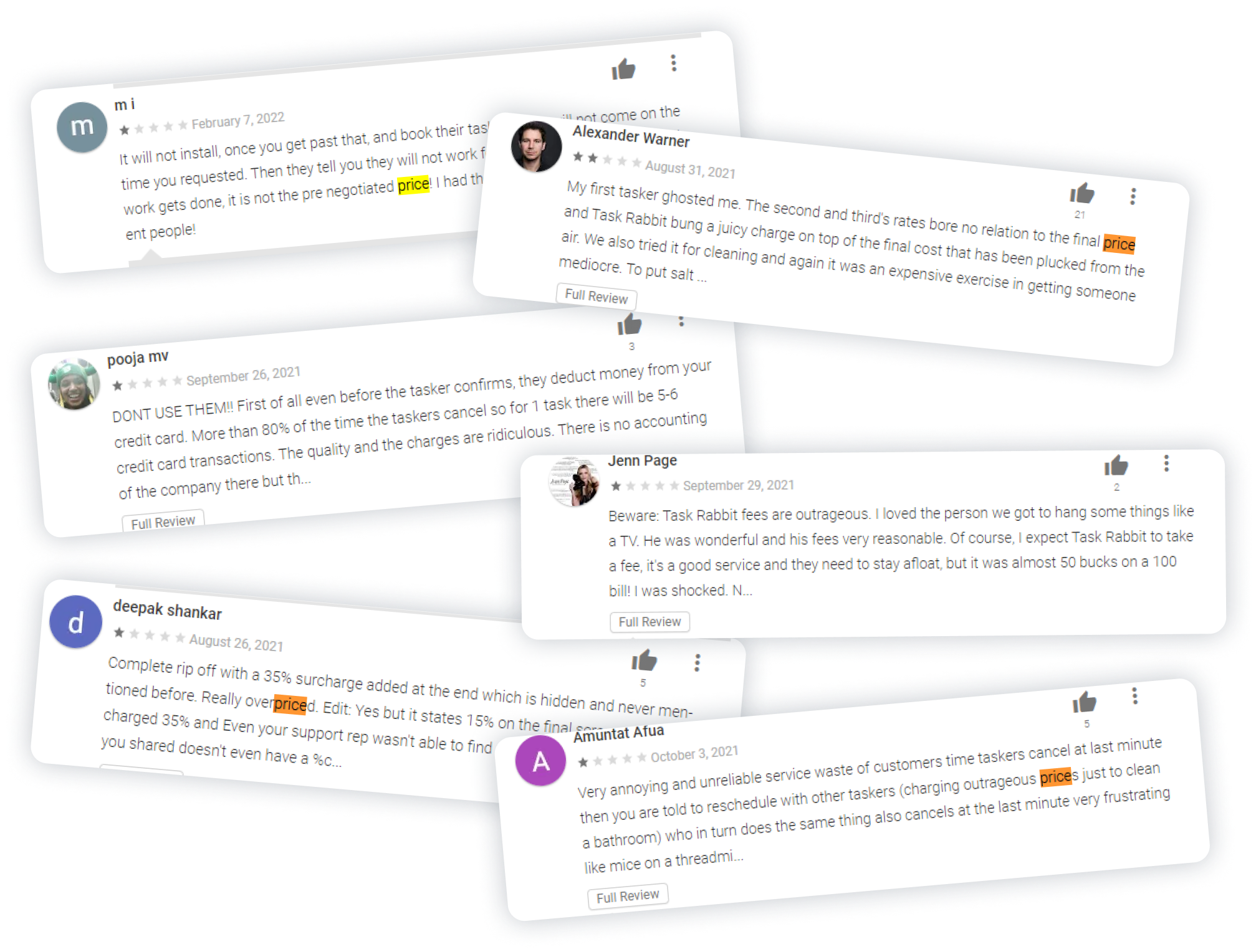
I also checked feedback from users on Google Play to find out what problems users face in competitors’ apps. I noticed that many people were dissatisfied with the payment system.
All the data obtained were extremely useful in forming the proposed solutions. I will keep this information in mind for further design process. Below you can see the screenshots of users’ feedback from Google Play.
Screenshots of feedback from Google Play

Empathy Mapping

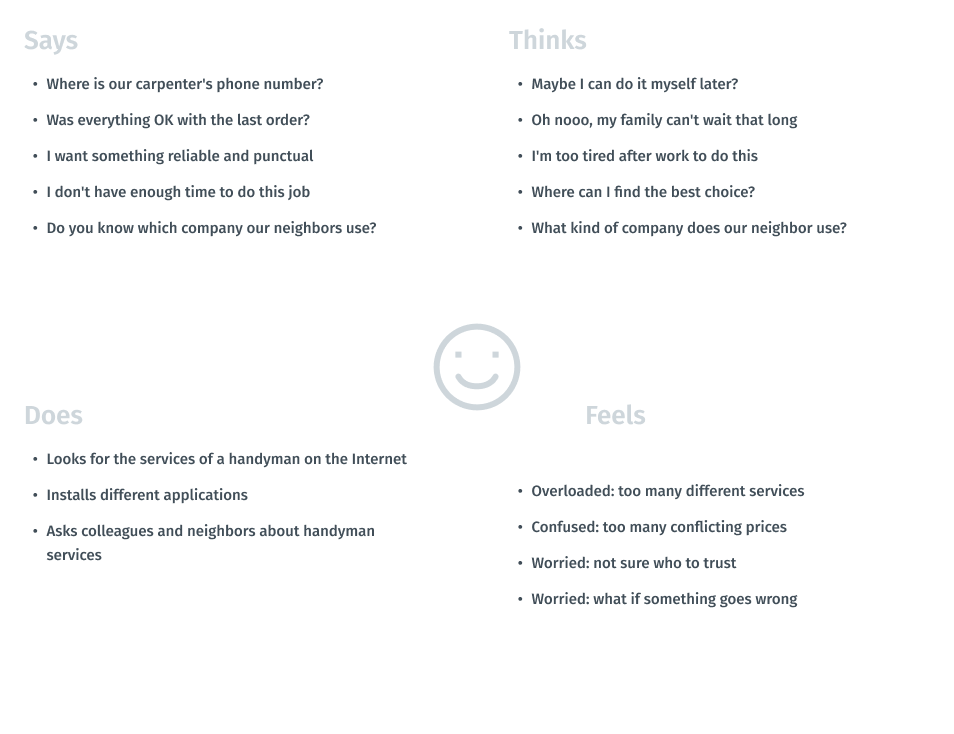
Visualizing attitudes and behaviors of a person in an empathy map gave me a better understanding of end users’ experiences.
Empathy map of a user

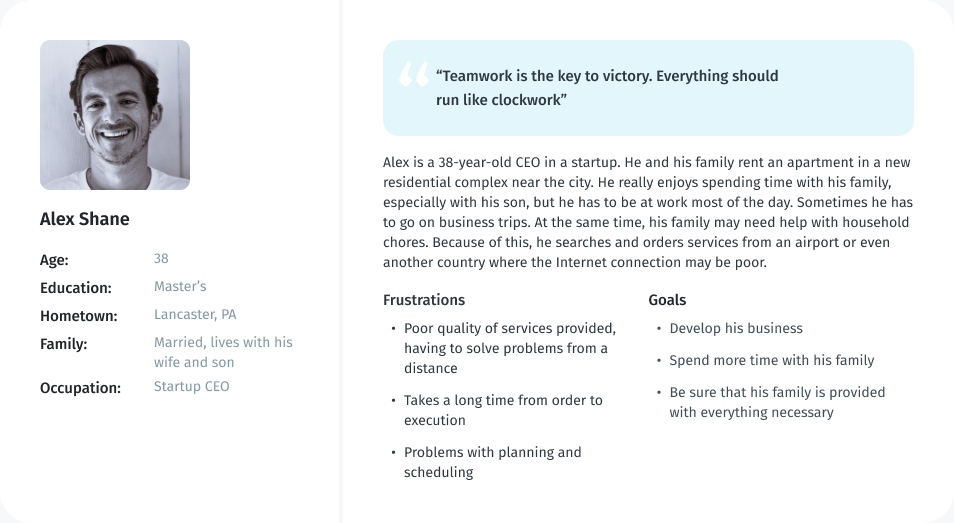
Persona

As part of processing the research findings, I analyzed the information that had been found during the research phase by creating a User Persona. This persona contains the details of the user’s goals, needs, frustrations, interests, possible quotes and other information that might be useful in the design process such as user’s profile and personality.
User persona

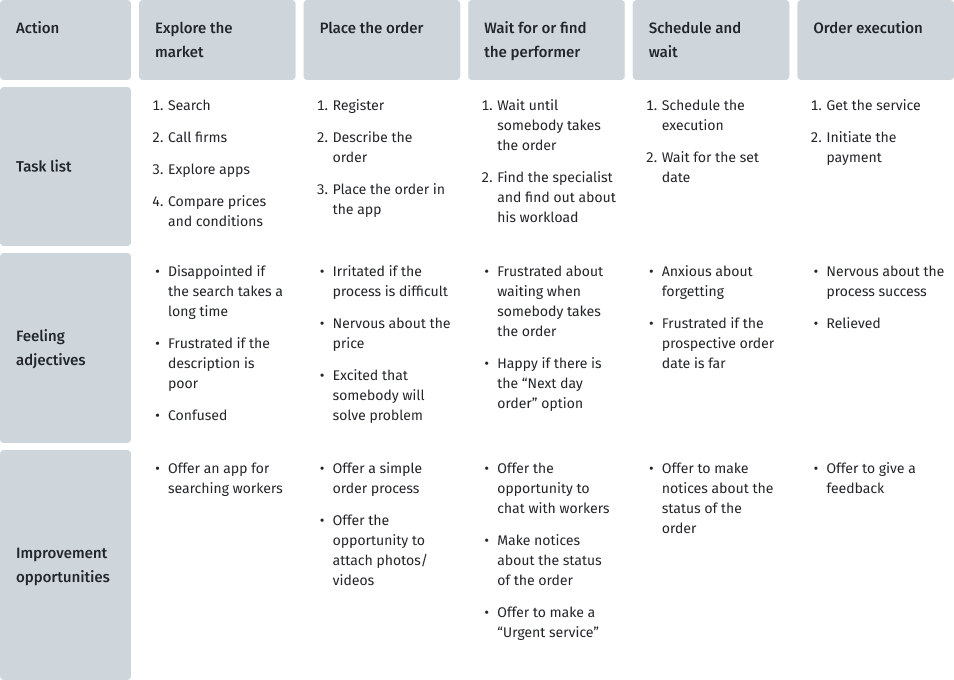
User journey map

At this stage, I created a user journey map to imagine the scenario of the user journey in finding reliable handyman service. From here, I found out which steps contain opportunities that could be developed in my project.
User persona

Define

It is time to merge the insights from empathy maps, personas and user journey maps. The next step was to identify the user's problems, which would then be solved during the next stages of product development.

Key pain points of users

Based on the data obtained during the research and emphathy stages, I designated the pain points that users face.
01
Time
Working adults are too busy to run a household
02
Reliability
Difficult to find a reliable company
03
Urgency
Hard to find a specialist if you need to do it quickly
04
Money
Some companies do not state the price on their websites

Problem statement

Problem statements is a powerful, fundamental tool for defining and aligning on  problem solution, which helps:
  • capture the user and the need
  • keep to a concise goal
  • identify benchmarks and measurements for success
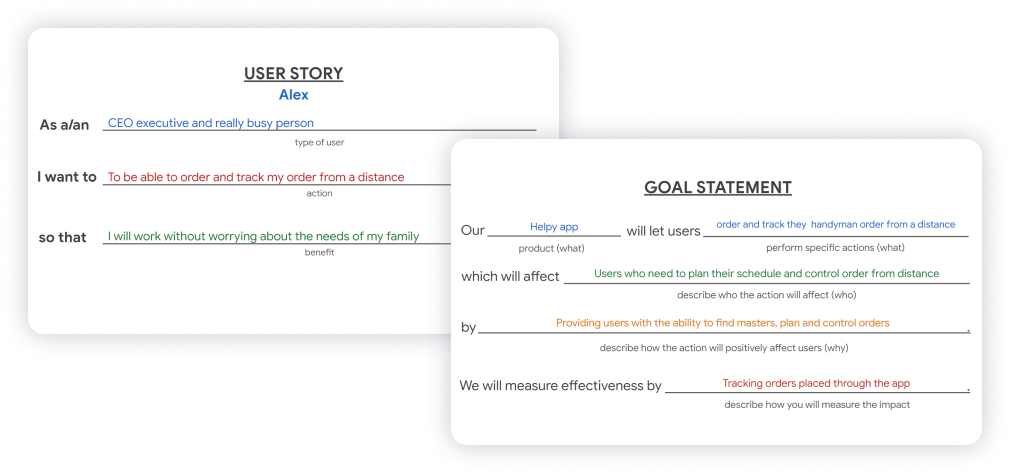
To formulate the problem statement, I performed two steps such as goal statement and creating user story. This techniques allow to concentrate on users’ needs.
Steps to problem statement
To define the statement, I used a basic formula that summarizes who a particular user is, the user's needs and why these needs are important to this user. The final statement of the problem becomes:
Problem
Alex is a CEO of a startup who needs to support the household and control orders from a distance because he works a lot and sometimes goes on business trips.

Ideate

Once I had completed the first two stages, I identified some unmet user needs. The third phase in my design-thinking process was Ideate: generate a set of ideas to address those unmet needs.

How Might We?

I use the HMW (How Might We) technique to generate possible problem solutions.Some ideas came from the competitors’ audit. I generated a bunch of different questions and sifted them to exclude any overlap between them and put some of them into one broader HMW. After that, I prioritized my HMWs in terms of their impact on the project’s success. The final list of questions:
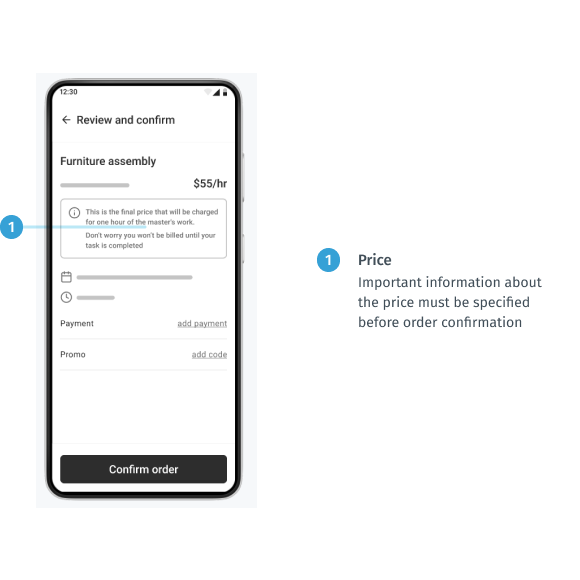
  • “How might we make customers confident in the price?”
  • “How might we help people make choices easier?”
  • “How might we speed up solving people's problems?”
  • “How might we help people to find a ‘family doctor’?”
  • “How might we create a simple and convenient way to deal with household issues?”

Solutions

  • Clear price policy
    Providing information about price and description of how, when and for what the customer will be billed is the key idea of solving the pain point related to money.
  • Ranking system
    Providing ranking functions for clients allows people to choose specialists easier and faster. It is also an opportunity to share feedback to establish a transparent relationship between the client and the service.
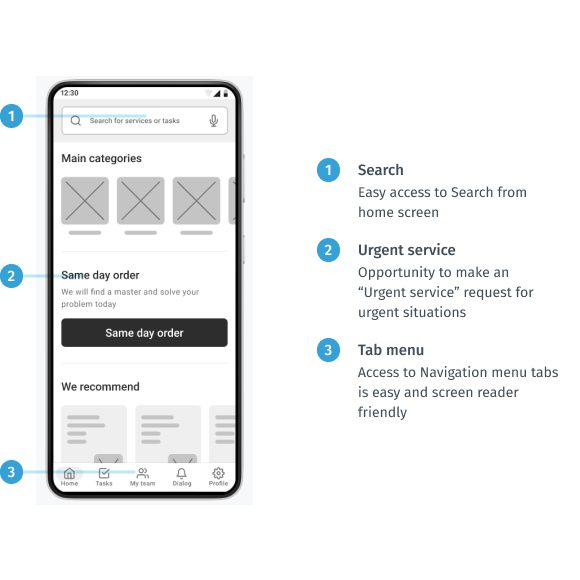
  • Urgent service
    None of the competitors offers an opportunity to make an urgent service order. Yes, people can make an order for tomorrow if there is an available specialist, but they cannot be sure that their problem will be solved on the same day. Having such a feature would be a great competitive advantage.
  • Favorite taskers
    Finding a reliable instructor, doctor, or realtor is a common practice for people. We strive to make life easier by making a proven choice.
  • Search feature
    We live in the age of Google. We do not want to wait, so we use search every time we try to find something. In this regard, we should think about creating a convenient search function.

Prototype

The two final stages involve evaluating design ideas with real users to see how well those solutions work. It was an iterative process where I tested my ideas on a prototype with different fidelity and tried to find out if it did not work as well as I thought and if it needed to be refined.

Storyboard

I started with a storyboard. This is a really great way to convey the emotions and the basic idea of your product to other people. Creating a storyboard for Alex showed his experience in a normal life situation and explored how he can take care of his family by interacting with the handyman service from anywhere and at any time.
Storyboard —  Big picture

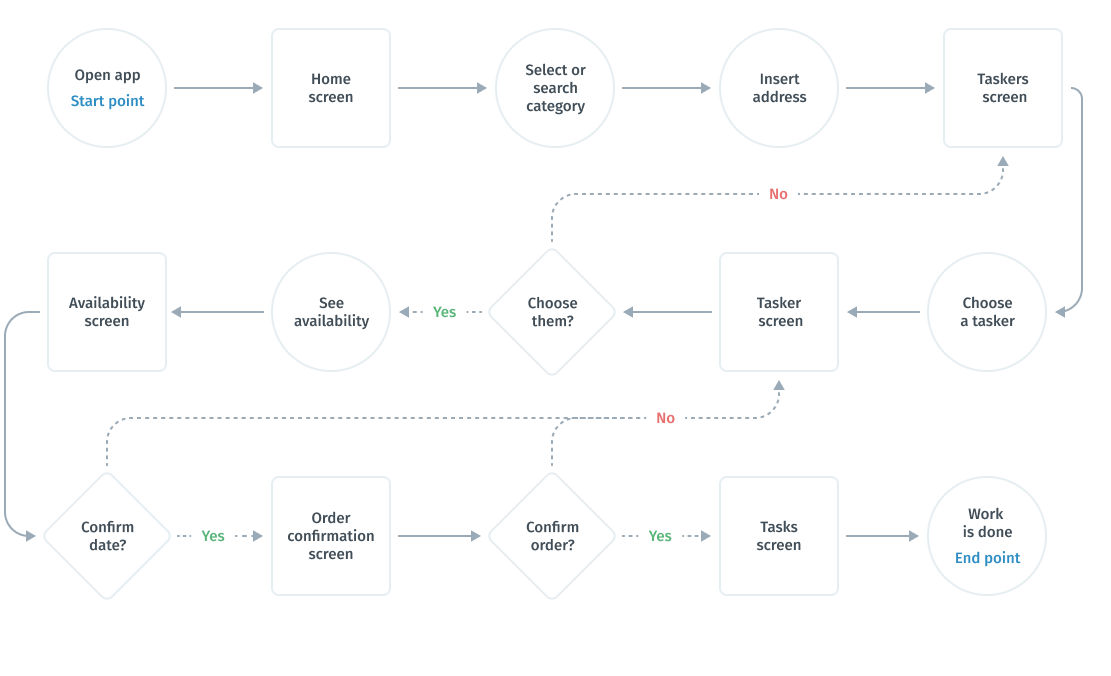
User flows

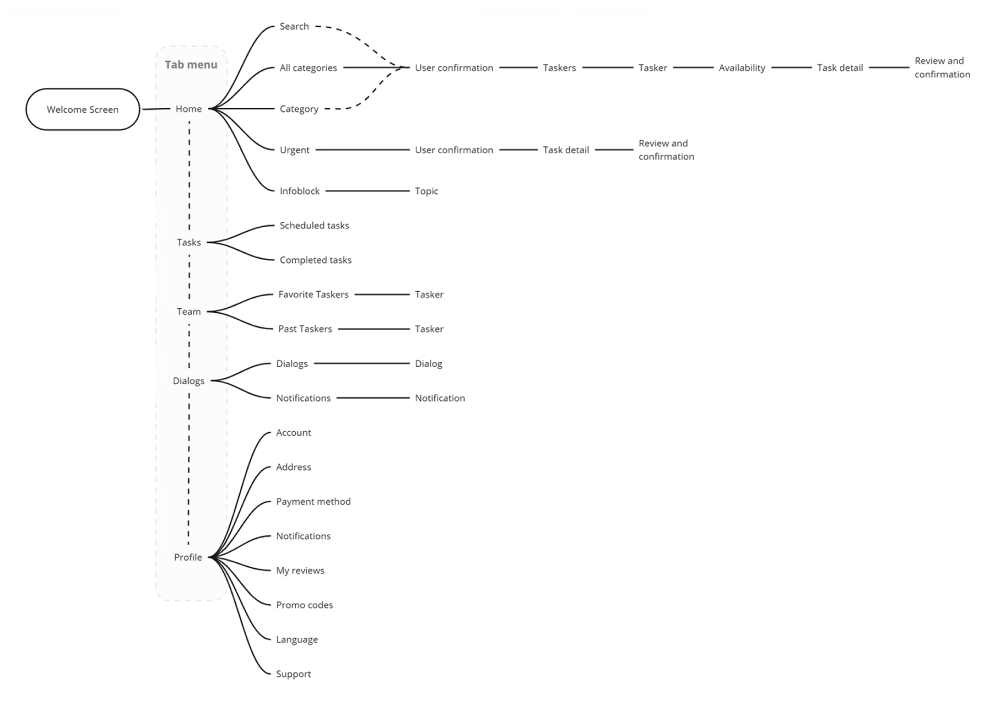
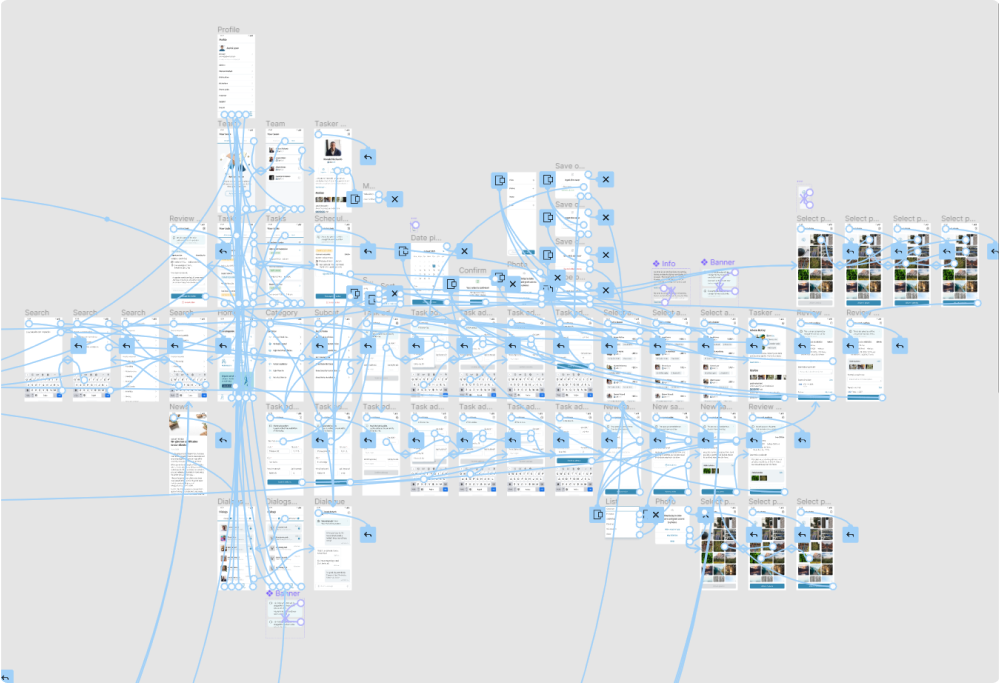
After realizing what problems we are interested in solving, I built a flowchart  for the main user flow (search and order a handyman) that will help me make sure that I have a solution for each of them.
Simplified user flow

Information architecture

Once I had created a user flow and got discovered what features I need and how they would be organized, I translated these ideas into an information architecture tree. This helped me understand which screen states and models I needed to design.
I used Miro to speed up the process.
Information architecture

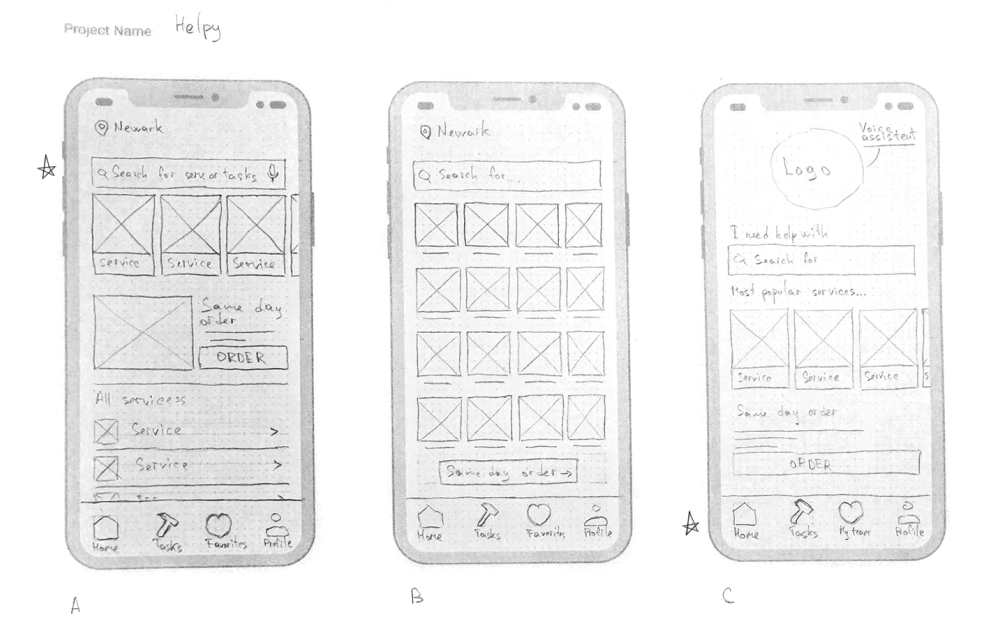
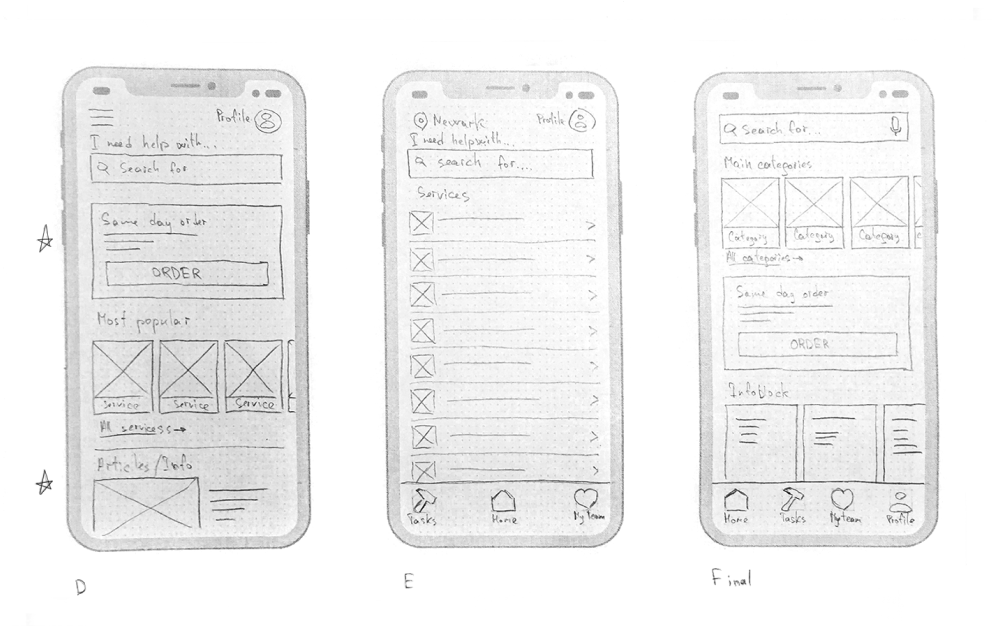
Paper wireframes

Taking the time to draft iterations of each screen of the app on paper ensured that the elements that made it to digital wireframes would be well suited to address user pain points. For the home screen, I prioritized a quick and easy ordering process to help users save time.
I made several different versions of the home screen and compiled them into a final version. After that, I did the same work for other key screens of the user flow.
Paper wireframes

Digital wireframes

At the initial design stage, I made sure that the design of the screen was based on the results of user research. This is the first framework that demonstrates design thinking consistent with previous findings.
Providing information about price and description of how, when and for what the customer will be billed is a key idea of solving the pain points related to money.
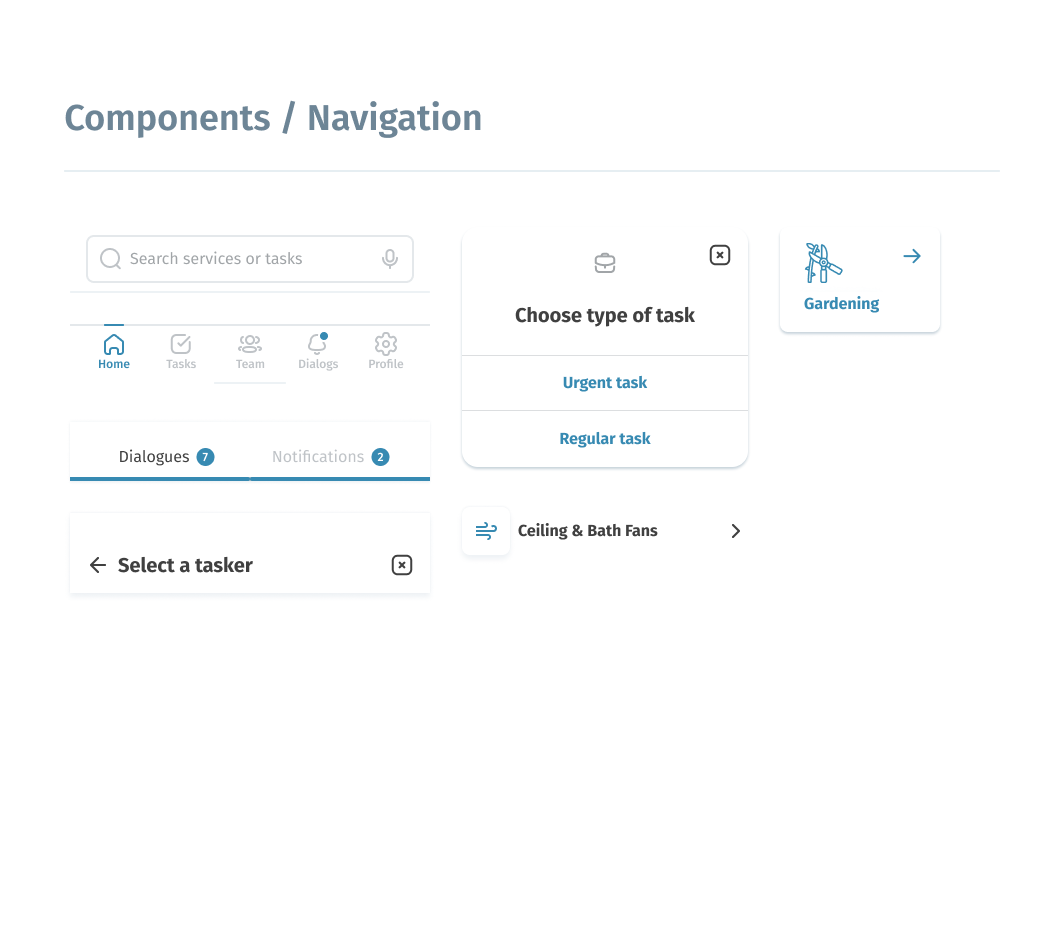
Easy and simple navigation was a key user need to address in the designs in addition to equipping the app to work with assistive technologies.

Low-fidelity prototype

Using the complete set of digital wireframes, I created a low-fidelity prototype. I made two primary user flows for regular and urgent orders, so the prototype could be used in a usability study. Link to prototype in Figma
Screenshot of low-fidelity prototype in Figma

Usability studies — Round 1

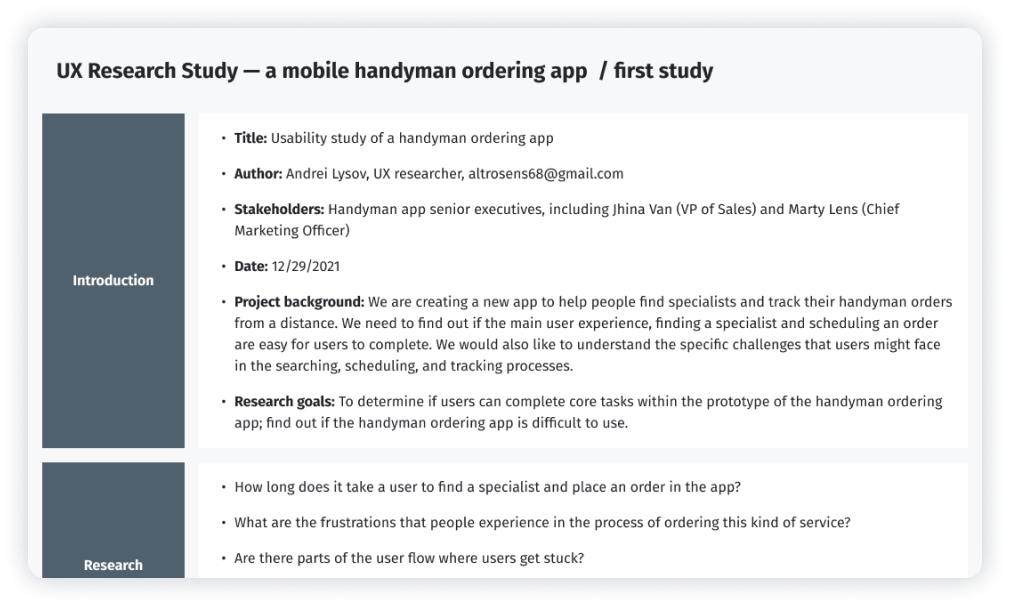
To test my ideas, I chose the modarated UX Research Study. After finishing low-fidelity prototype, I conducted the first round of the usability study with five respondents. Below are the screenshots of the UX Research Study script (Full version – UX Research Study script — Round 1.pdf).
UX Research Study script — Round 1
After gathering the data from the UX Study, I used the Affinity diagram to process the result.
Findings from the first study guided my design thinking from wireframes to mockups.
Round 1 findings
  1. Users need better cues for the available dates
  2. Users need information about price, experience and equipment on the worker choosing screen
  3. Pay special attention to the nesting logic when creating a menu
  4. Users need explanation of why inserting the address is necessary at the beginning of the process

Design iterations after Round 1 of study

I took note of the information on the description of the specialists and the main categories of services in order to implement it at the next stage of development.
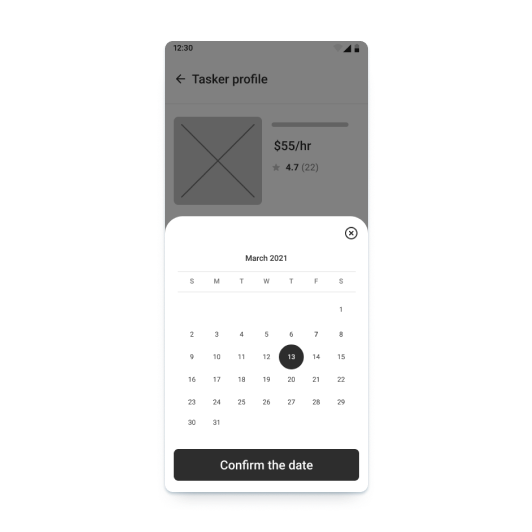
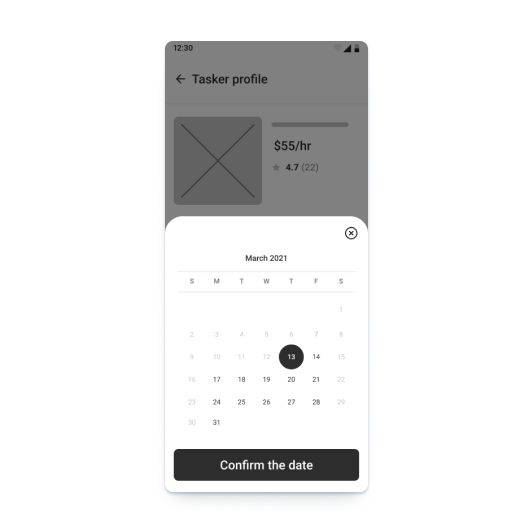
But some edits had to be done during the current phase. In the first version of the datepicker, unavailable date was not obvious, which frustrated the users. More clear color cues help accomplish the goal faster.
Before
After
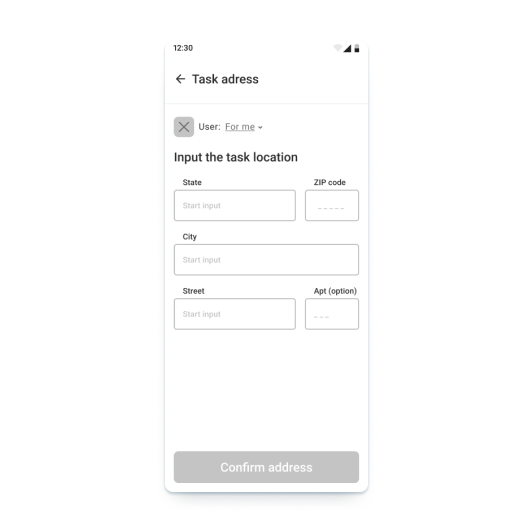
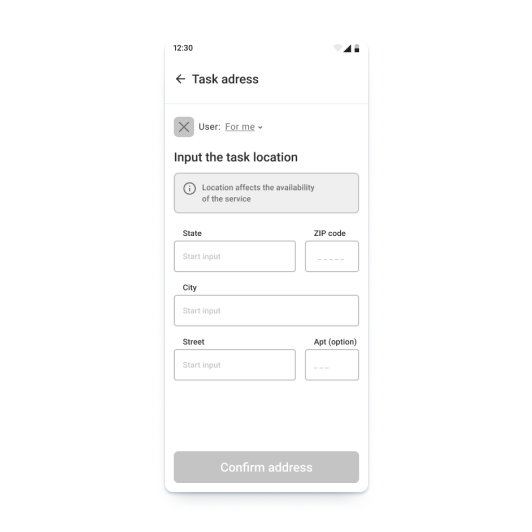
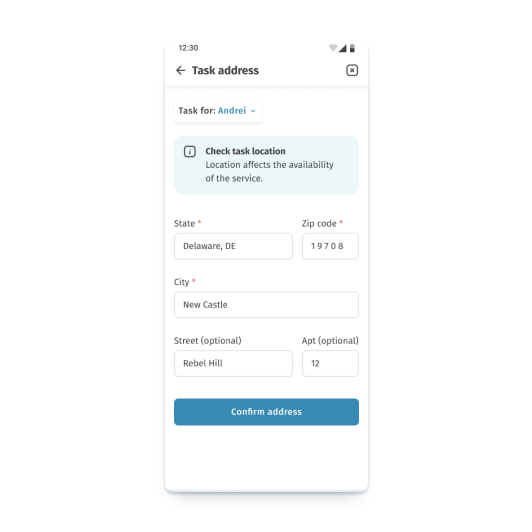
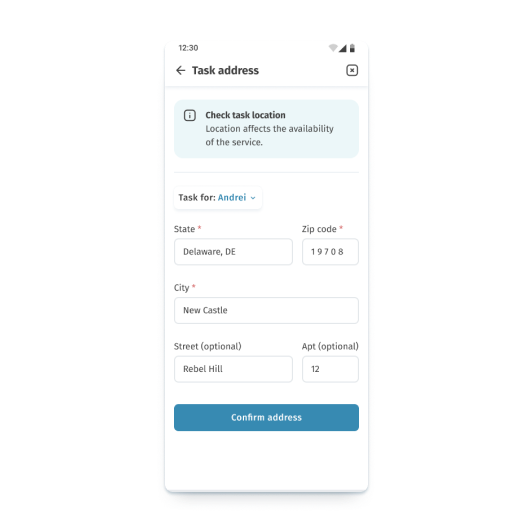
I also added an explanation of why inserting the address is necessary at the beginning of the process of searching for taskers.
Before
After

Style guide

After implementing the improvements to the low-fidelity prototype, it was possible to switch on the creating style guide and high-fidelity prototype.
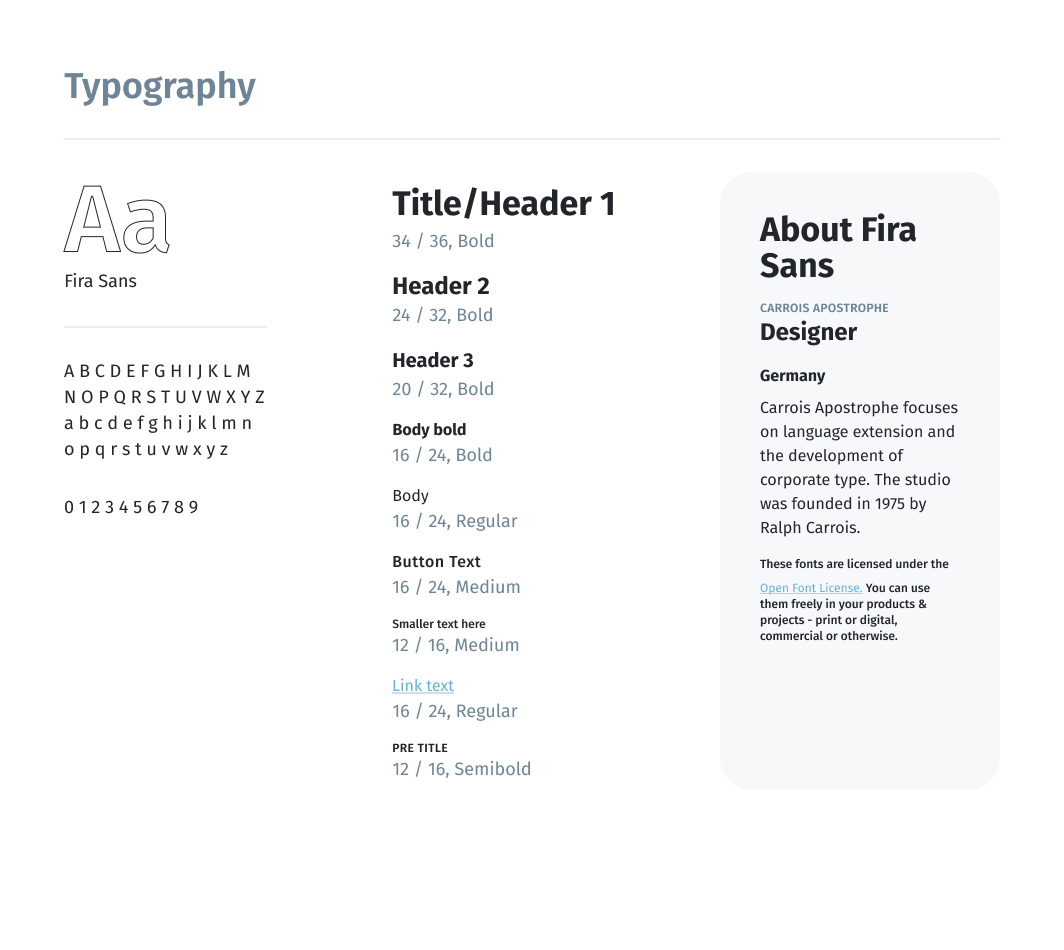
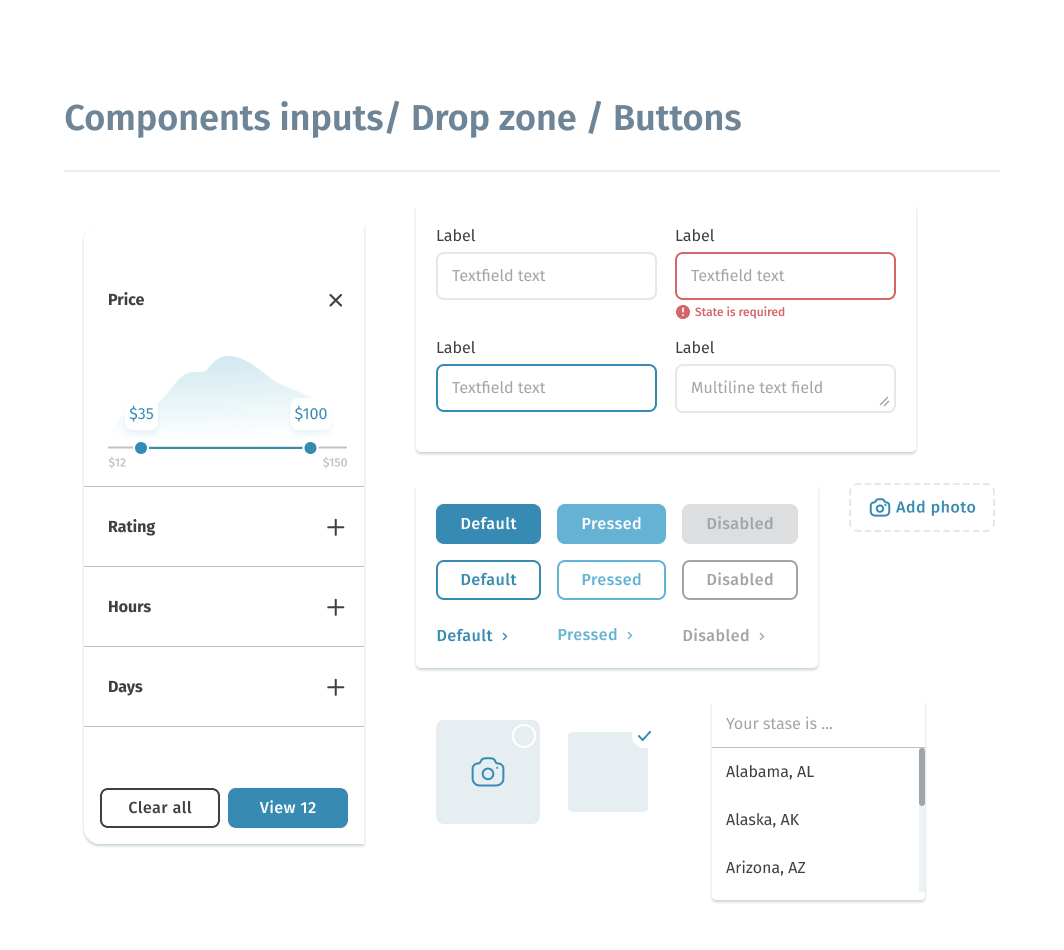
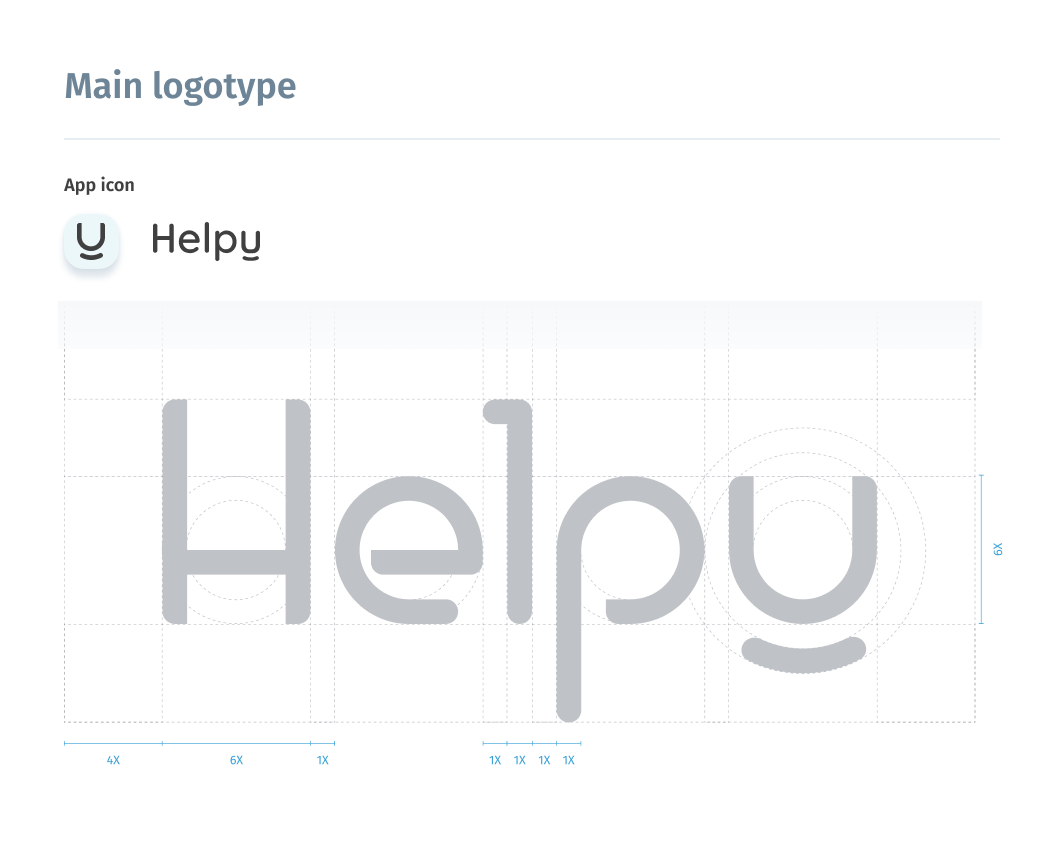
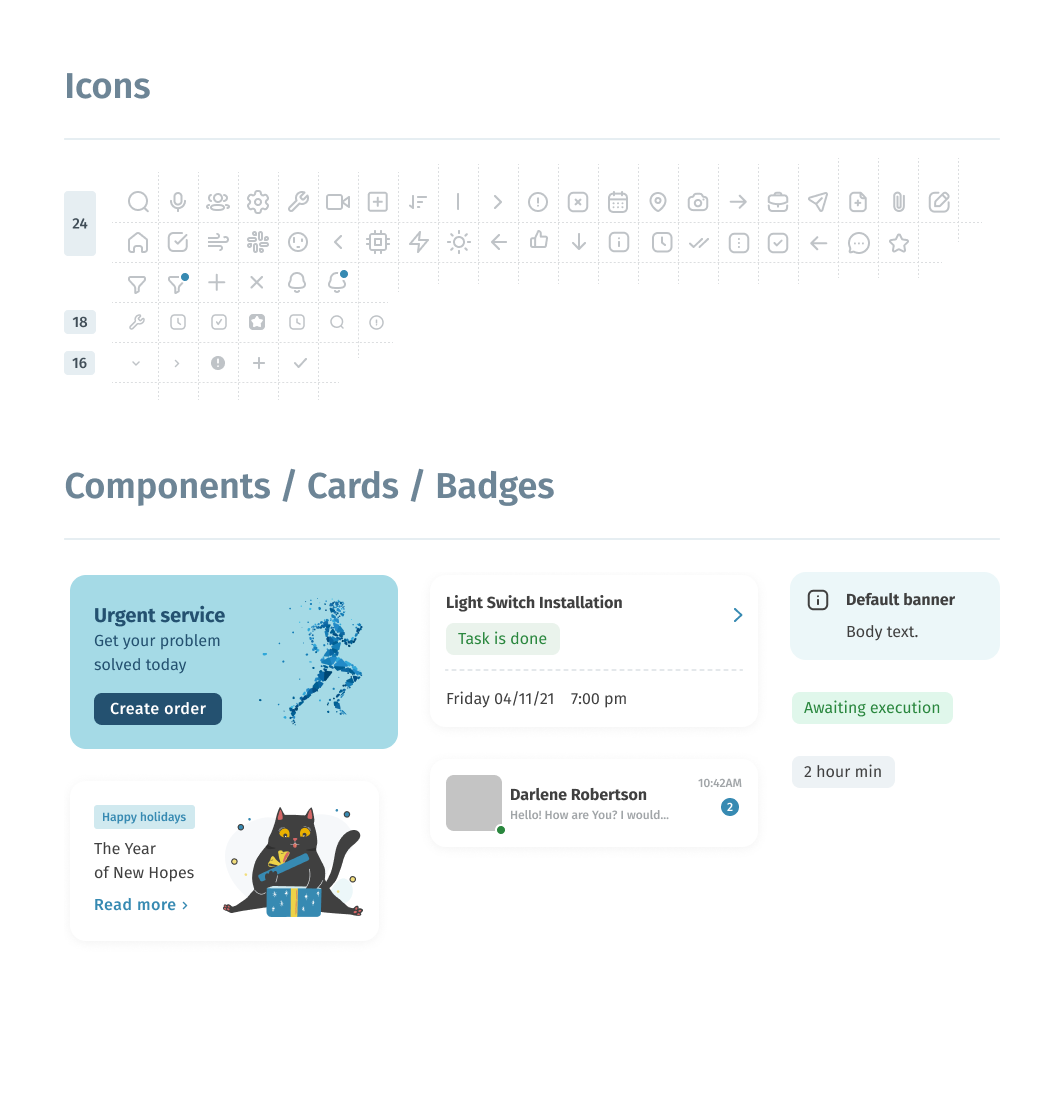
I analyzed the main competitors and several companies from service and banking sectors. They were a great source of inspiration for creativity. I put several examples of solutions together and chose a simple monochrome color scheme and a sans-serif font from the Google fonts collection.
Style guide

High-fidelity prototype

The high-fidelity prototype introduced cleaner user flows for the specialist ordering process.
The prototype implements two main scenarios of user flows such as a regular service order and an urgent service. There is also a possibility to do this in different ways, using the search box or the directory structure.  Link to prototype in Figma
Screenshot of high-fidelity prototype in Figma

Usability studies — Round 2

After finishing the work on the high-fidelity version of the prototype, it was time for the second round of usability testing with users. I used the same tools for this activity: modarated usability study and Affinity diagram for the processing of results (Full version UX Research Study script — Round 2.pdf).
The second study used a high-fidelity prototype and revealed what aspects of the future app must be refined.
Round 2 findings
  1. Some of the main categories on the home screen are hidden in scrolling, which makes it difficult to find them
  2. The choice of address is not obviousand is separated from the address filling form, which reduces its visibility

Design iterations after Round 2 of study

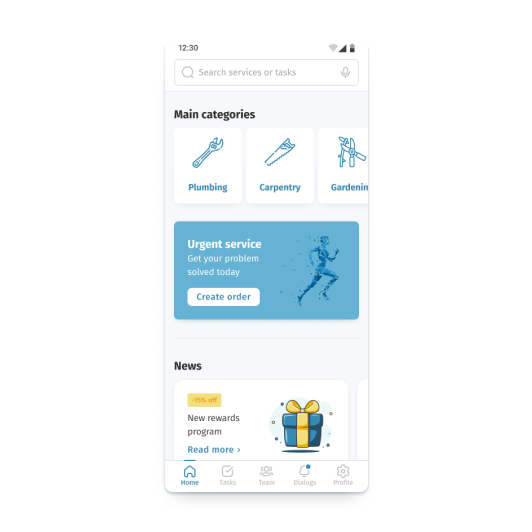
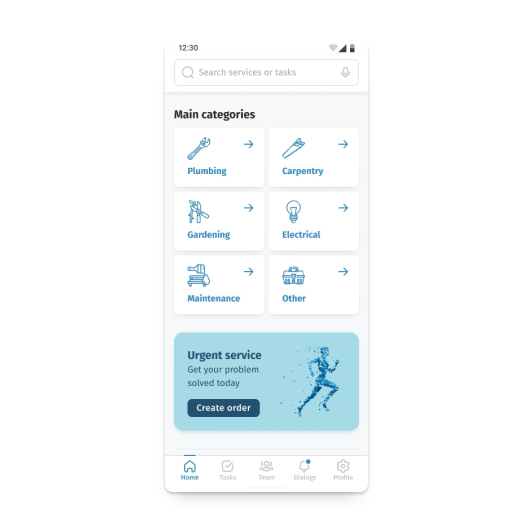
In the earlier design of the main screen, there was a slider with the main categories of services, but after studying the usability, I changed the structure of the home page and provided access to all the categories on the first scroll screen.
Before
After
Besides, the second round of usability research showed that the address selection is not obvious and is separated from the address filling form, which reduces its visibility. Because of this, I moved the address picker over the address form.
Before
After

Final design and main features

After the second iteration of the study and all the works, I managed to accomplish the prototype, which matches all originally set tasks.

Main screen

Main screen allows access to all important functions and navigation elements such as menu, services, and search.

Explore categories

If you want to see all the services provided, you can explore the categories and find the service you need.

Use search

Use a convenient keyword search to find the services you need.

Add an address

The application offers functions for working with multiple addresses. You can add a new address and save it, or continue without it if it is not necessary.

Choose an address

The function of multiple addresses allows you to quickly change the target address for work, which is especially convenient for people who can order services for relatives or have several places of residence.

Select taskers

Compare specialists by price, expirience, and other parameters. Read reviews and leave your own opinion after the order completion. Helpy app allows this opportunity.

Add information

A few photos are sometimes better than a thousand words. Attach files to your order and make your order more understandable.

Track your order

You always have access to your current and past orders. Track, cancel, and chat with your specialist if you need to.

Build your team

Save the specialists who you had a good experience with. These handymen will be prioritized in your feature orders.

Get help urgently

Order an urgent service if help is needed immediately.

Accessibility considerations

01
Time
Added alttext to images forscreen readersfor vision impaired users
02
Reliability
Used icons to makenavigation easier
03
Urgency
Added multiple language to choose from
04
Money
Chose a color palette with an acceptable contrast ratio based on the WCAG 2.0

Takeaways

I managed to implement a solution for all the user problems that had been identified at the initial stage of development, and create a solid starting point for the further development process.
Impact
Clear and easy access to information about prices and task performers gives confidence when people order handyman services. It will allow people to deal with household issues confidently and give the opportunity to concentrate on their favorite things.
A quote from one of the usability study participants’ feedback:
It would be great if this company started working in my city. I would definitely try it for myself.”
What I learned:
While designing the Helpy app, I learned that the first ideas for the app are only the beginning of the process. Usability studies and peer feedback influenced each iteration of the app design.
A lot of small and big ideas come to your mind when you move to the next level of your work, and even more ideas come after interviews with users.
There is always value in listening to user feedback. Even if you already know a problem exists, user feedback can help you narrow in on the nuances and can be used to get the rest of your organization on board.

Next steps

01
Bonus system
For greater engagement and increased customer loyalty, it would be smart to develop a system to reward regular customers. Also, in order to compete on the existing market and take advantages, it is important to create a possibility of a profitable trial period for new customers.
02
Assistive technology
Integration of the existing voice assistant will expand the circle of potential users as it will be more convenient for people with disabilities. Assistive technologies and a voice assistant would be great opportunities not only to make the application more accessible, but also to reduce the workload of the help desk.
03
Additional testing
Design is an iterative process. The feedback that I received was extremely valuable and crucial to the success of our finished product. If given more time, I would definitely conduct more testing to check all users’ pain points in user flows.
© 2022 by Andrei Lysov